


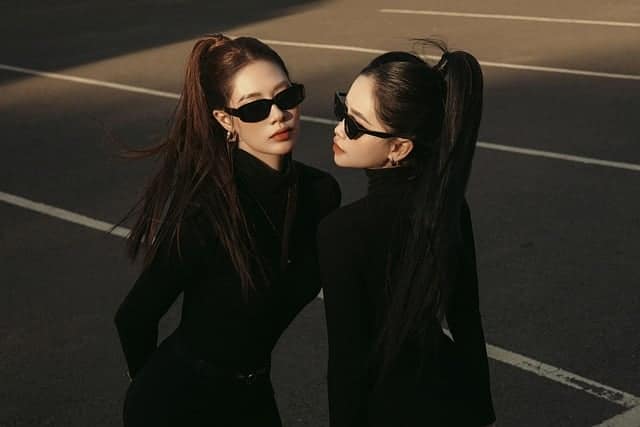
Street style photography has become one of the most influential forms of visual storytelling in today’s digital culture. From the bustling sidewalks of New York to the fashion-forward streets of Tokyo, street style captures real people expressing their individuality through clothing, attitude, and environment. However, the true magic often happens after the camera clicks — in the editing process.
Street style photo editing is where ordinary photos transform into bold, visually striking images that reflect the energy of urban life. It’s more than just enhancing colors or adjusting lighting; it’s about creating a mood, highlighting personality, and ensuring your photo feels alive. Whether you’re a professional photographer, a fashion influencer, or someone who loves capturing everyday street fashion, understanding how to edit street style photos effectively is key to standing out in a crowded digital space.
According to a HubSpot 2024 study, images with distinctive color grading and authentic tones see 37% higher engagement on social media compared to unedited or over-edited posts. This proves that thoughtful editing doesn’t just improve visual appeal — it directly impacts performance and audience connection.
In this comprehensive guide, you’ll learn everything from the basics of street style photo editing to advanced techniques professionals use. We’ll explore the tools, workflows, and stylistic choices that make urban photography shine — while keeping your edits authentic and true to your creative vision.
In this article, you’ll discover:
- What street style photo editing is and why it matters.
- The best tools and apps for editing on mobile and desktop.
- A detailed, step-by-step editing workflow.
- Advanced tips for creating your own signature street style look.
- Real-world examples and strategies to grow your influence using street style photos.
“A great street style photo isn’t about perfection — it’s about capturing personality and polishing it just enough to make people stop scrolling.”
— Marcel Nguyen, Fashion Photographer, Milan
What Is Street Style Photo Editing?
Street style photography is about capturing fashion in its most authentic form — on real people, in real environments. It reflects personality, spontaneity, and creativity against the backdrop of everyday city life. From cobblestone streets in Paris to graffiti-lined alleys in Brooklyn, street photography brings together urban aesthetics and human expression.
But what turns a simple street snapshot into an image worthy of a magazine spread or viral Instagram post? That’s where street style photo editing comes in. Editing helps balance natural imperfection with professional polish. It enhances the emotion, tones, and lighting of a moment while preserving the grit and texture that define urban environments.
Understanding the Essence of Street Style Photography
At its core, street style photography is a form of storytelling. Every image reveals more than clothes — it communicates identity, mood, and culture. When editing these images, photographers focus on amplifying what’s already there rather than creating something artificial.
For instance, a fashion blogger’s candid shot outside a café might feature:
- Natural sunlight highlighting denim textures.
- A muted brick wall adding depth.
- A sense of movement as pedestrians pass by.
Through careful editing, the photographer enhances these visual cues — adjusting contrast, exposure, and tones — so the scene feels alive but not overdone.
A 2023 Adobe Creative Report revealed that 68% of photographers believe editing is what defines their “visual signature.” In street style photography, that signature becomes the difference between a good shot and an unforgettable one.
What Does Street Style Photo Editing Involve?
Street style photo editing typically focuses on three main goals:
- Highlighting the outfit and subject: Emphasize fabric textures, patterns, and accessories without losing skin tone accuracy.
- Enhancing urban atmosphere: Bring out the raw beauty of cityscapes — concrete, graffiti, reflections, and architecture.
- Creating mood and consistency: Maintain a cohesive aesthetic across multiple photos for blogs or social media feeds.
A successful street edit enhances realness rather than perfection. Unlike studio photography, where every element is controlled, street photography thrives on chaos and spontaneity. Editing helps bring order and artistic direction to that chaos.
| Editing Aspect | Focus Area | Purpose |
| Lighting | Exposure, highlights, shadows | Add depth and natural brightness |
| Color Grading | Urban tones, skin tones, outfit hues | Create mood and balance |
| Texture & Clarity | Pavement, clothing, buildings | Preserve detail and realism |
| Composition Adjustments | Cropping, straightening | Improve balance and focus |
| Consistency | Tone, saturation, contrast | Build brand or stylistic identity |
Ultimately, street style photo editing bridges the gap between candid reality and editorial fantasy. It ensures that every image feels authentic yet captivating — polished enough for a campaign but raw enough to feel real.
Why Street Style Photo Editing Matters
Editing is not just an optional step in photography — it’s the heartbeat of visual storytelling. In the fast-paced world of fashion and social media, where thousands of images flood our screens daily, the difference between being scrolled past and being shared often lies in post-production.
Street style photo editing matters because it transforms raw captures into cohesive, emotionally engaging visuals. The goal is not to fake perfection but to enhance authenticity — to make the viewer feel the mood, energy, and story behind the shot. Whether you’re shooting for a blog, a brand, or your personal portfolio, effective editing determines how your audience perceives your work.
First Impressions in Fashion and Social Media
According to a 2024 report from Later.com, photos with consistent tones and professional editing receive 42% more engagement on Instagram compared to unedited posts. This is especially true in fashion, where aesthetics directly influence credibility.
When you scroll through successful influencers’ feeds, you’ll notice a common thread — their images look intentional. The lighting, tones, and composition all work together. That’s the power of editing.
Before and After: A Quick Case Study
| Example | Description |
| Before Editing | A raw shot of a model crossing the street; flat lighting, uneven tones, and background distractions. |
| After Editing | Enhanced contrast and clarity, color balance for skin and outfit, background softened to focus on the subject. |
Result: The photo now looks dynamic, fashionable, and worthy of editorial placement. The subject stands out, and the image tells a clearer story.
“Editing is where your street shot becomes art — it’s where you guide the viewer’s eyes and emotions.”
— Nadia Reyes, Fashion Street Photographer, London
In a digital landscape where attention spans average less than 8 seconds, your photo has to make an instant impact. A well-edited street image captures that attention and keeps it.
The Role of Editing in Personal Branding
In today’s creator economy, your editing style is your brand.
Think of your favorite photographers or influencers — you can recognize their work instantly, even without seeing their name. That’s because they’ve mastered a consistent aesthetic.
Developing your unique street style photo editing approach allows you to:
- Build a recognizable online identity.
- Establish a consistent tone across platforms.
- Communicate mood and personality visually.
- Attract collaborations with fashion and lifestyle brands seeking your distinct “look.”
Example:
Photographer Tommy Ton became globally known for his natural yet vivid street photos at fashion weeks. His editing — subtle contrast, true-to-life colors, and crisp detail — became his signature, setting him apart in a crowded niche.
Authenticity vs. Over-Editing
One of the biggest challenges in street style photo editing is knowing when to stop.
Urban photography thrives on authenticity — the imperfections, shadows, and textures that make a city alive. Over-editing can destroy that organic energy and make images look artificial or “plastic.”
Here’s how to keep it real:
- Avoid heavy skin retouching — maintain pores and texture.
- Don’t oversaturate clothing colors; fashion should feel wearable.
- Retain natural shadows for depth and realism.
- Use filters sparingly — they should enhance, not mask.
In a 2023 PetaPixel survey, 59% of viewers said they trust photographers who keep their edits “subtle and true-to-life.” Authentic editing builds trust and emotional connection — crucial elements for growth in any visual-driven brand.
In summary, street style photo editing matters because it shapes perception, establishes artistic identity, and creates a bridge between authenticity and aesthetics. It’s not just about making photos beautiful — it’s about making them believable, memorable, and shareable.
Tools and Software for Street Style Photo Editing
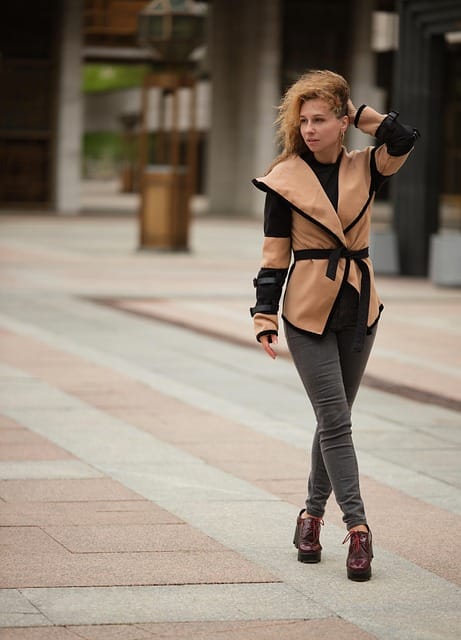
Choosing the right editing tools can make or break your creative workflow. Whether you’re shooting street style content for Instagram, blogs, or brand collaborations, using professional-grade software helps refine details, correct imperfections, and create a consistent urban aesthetic.
When it comes to street style photo editing, the ideal tools depend on your skill level, device, and artistic intent. Below, we’ll cover the best mobile apps, desktop programs, and AI-powered tools used by photographers and fashion influencers worldwide.
Best Mobile Apps for Quick Edits
Mobile editing is perfect for photographers who need to post on the go. Today’s editing apps are surprisingly powerful, offering nearly the same precision as desktop software.
Here are some of the best mobile apps for street style photo editing:
| App | Best For | Key Features | Price |
| Lightroom Mobile | Professional-level editing | RAW editing, presets, local adjustments | Free + Premium |
| VSCO | Artistic and film-like edits | Presets inspired by analog film | Free + Paid Membership |
| Snapseed | All-around editing | Healing, perspective, selective adjustments | Free |
| Afterlight | Fast, simple edits | Filters, texture overlays, double exposure | Free + In-App Purchases |
| Canva Mobile | Social media-ready posts | Design templates, filters, text overlays | Free + Pro Plan |
Pro Tip:
For fast-paced content creation, create a preset pack in Lightroom Mobile to instantly apply your street-style aesthetic across multiple shots. This keeps your feed cohesive without editing from scratch every time.
Desktop Software for Professional Editing
If you’re serious about fashion photography or client work, desktop software offers deeper control and precision. Professionals rely on these programs to craft visually consistent, high-quality edits suitable for print and digital campaigns.
- Adobe Lightroom (Classic & CC)
- Ideal for batch editing, color correction, and tone grading.
- Offers powerful tools for exposure adjustments, color calibration, and preset creation.
- Syncs with Lightroom Mobile for seamless editing across devices.
- Ideal for batch editing, color correction, and tone grading.
- Adobe Photoshop
- The go-to tool for detailed retouching — removing distractions, adjusting proportions, and refining backgrounds.
- Perfect for adding creative composites, shadows, and custom textures.
- Advanced masking tools allow for precision work on skin, clothing, or environment.
- The go-to tool for detailed retouching — removing distractions, adjusting proportions, and refining backgrounds.
- Capture One Pro
- Favored by fashion photographers for its superior color rendering and skin tone accuracy.
- Offers customizable color grading curves and tethered shooting — great for fashion week photography.
- Favored by fashion photographers for its superior color rendering and skin tone accuracy.
- Affinity Photo
- A cost-effective Photoshop alternative with professional-grade tools.
- Excellent for photographers who prefer a one-time purchase over subscriptions.
- A cost-effective Photoshop alternative with professional-grade tools.
AI-Powered Street Style Photo Editors
Artificial Intelligence is revolutionizing the editing world — speeding up repetitive tasks and helping creators maintain consistency across hundreds of images.
Here are some cutting-edge AI tools transforming street style photo editing in 2025:
| AI Tool | Function | Ideal Use Case |
| Luminar Neo | AI enhancement, sky replacement, portrait retouching | Balancing city backgrounds and fashion subjects |
| Canva AI Editor | Automated retouching and background cleanup | Quick edits for social media posts |
| Imagen AI (Lightroom Add-On) | Learns your editing style and automates batch edits | Large-scale content production |
| Remove.bg | Background removal and replacement | Fashion e-commerce or flat-lay product photos |
| PIXLR AI | Instant color correction and filters | Lightweight, browser-based editing |
Quick Data Point:
A 2025 Statista report predicts that AI-assisted photo editing tools will account for 65% of professional editing workflows in the next two years — saving photographers up to 40% of their editing time.
Choosing the Right Tool for Your Workflow
When selecting the best software for street style photo editing, consider these factors:
- Skill Level: Beginners may prefer mobile apps; professionals should opt for desktop tools.
- Editing Goals: Need quick social-ready edits or magazine-quality results?
- Device Compatibility: Ensure your app syncs between phone and computer for flexibility.
- Budget: Free apps can do wonders, but premium tools provide greater precision and control.
Example Setup for an Efficient Workflow:
- Capture RAW photos on camera or phone.
- Import to Lightroom Desktop for color and tone adjustments.
- Fine-tune in Photoshop for retouching.
- Export and optimize for web in Canva or Lightroom Mobile.
“Your tools don’t make you a great editor — your eye for detail does. But the right tools help you express that vision faster and more effectively.”
— Jasmine Clarke, Urban Fashion Photographer
With the right mix of mobile, desktop, and AI-powered tools, you can bring your street photography to life with precision and personality — whether you’re editing from a café, your studio, or on the go.
Step-by-Step Street Style Photo Editing Workflow
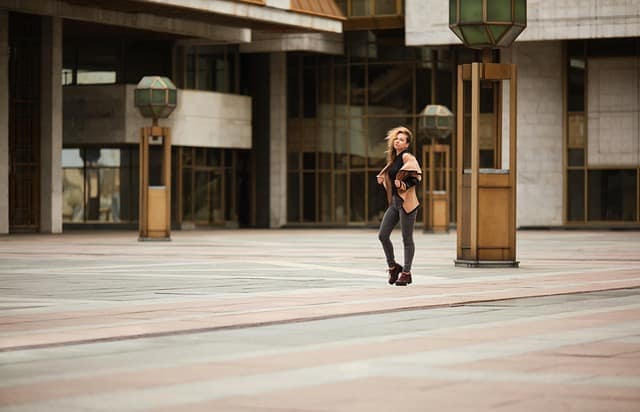
A polished, captivating street photo rarely happens straight out of the camera. The true transformation unfolds during editing — where color, light, and tone come together to tell a story.
In this section, we’ll walk through a complete step-by-step street style photo editing workflow, from importing your RAW files to exporting the final image for social media. Follow these steps, and you’ll develop a clean, consistent editing rhythm that makes every shot stand out.
Step 1 – Import and Organize Your Street Photos
Every great workflow starts with organization. A chaotic photo library leads to wasted time and missed opportunities.
Best Practices for Importing & Organizing:
- Use consistent folder naming conventions:
Example — /2025_StreetStyle/Paris_FashionWeek/RAW/ - Cull ruthlessly: Keep only sharp, well-composed shots.
- Tag favorites: Flag or color-label your best images for easy reference.
- Back up immediately: Use cloud storage (Google Drive, Dropbox, or Lightroom Cloud).
Pro Tip:
Import photos in RAW format whenever possible. RAW files retain far more data than JPEGs, allowing for better recovery of highlights and shadows during editing.
Step 2 – Basic Adjustments (Lighting, Cropping & Exposure)
Your first edits should focus on establishing a clean, balanced foundation before diving into creative effects.
Core Adjustments to Start With:
- Crop and Straighten: Align horizons and remove distractions.
- Exposure: Adjust to ensure subjects are properly lit.
- Contrast: Add depth without crushing shadows.
- Highlights & Shadows: Recover details in bright and dark areas.
- White Balance: Correct any unnatural color cast (like yellow streetlights).
Example:
In an outdoor street shot with strong sunlight, lower highlights slightly and lift shadows to reveal texture in both the outfit and background.
| Setting | Typical Range | Purpose |
| Exposure | ±0.50 | Correct lighting |
| Contrast | +10–+25 | Add visual depth |
| Highlights | -20 to -40 | Restore details |
| Shadows | +15 to +40 | Soften harsh lighting |
| Whites/Blacks | Adjust manually | Maintain tonal balance |
Step 3 – Color Correction for Urban Tones
Color plays a huge role in street style photo editing — it can make or break the mood of an image.
Goals of Color Correction:
- Maintain natural skin tones.
- Highlight outfit colors authentically.
- Complement the urban environment (walls, roads, signage, etc.).
Tips for Beautiful Urban Color Palettes:
- Reduce saturation of harsh reds and blues for a more editorial feel.
- Use the HSL Panel in Lightroom or Capture One to fine-tune hue, saturation, and luminance individually.
- For a modern city look, slightly cool down temperature (add blue tones) to reflect glass and steel textures.
- To mimic “golden hour” warmth, add gentle orange and magenta tones.
“Color grading is the soul of street style editing — it’s how you communicate emotion without words.”
— Alexandra Liu, Fashion Retoucher
Step 4 – Enhancing Skin and Fashion Details
Fashion photography is all about texture — denim grain, leather shine, fabric folds, and skin glow. But it’s important to enhance these details subtly so the image feels authentic.
For Skin:
- Use Lightroom’s “Texture” slider sparingly (+5 to +10).
- Avoid heavy blur tools that make skin look artificial.
- Adjust clarity locally — not globally — to retain facial softness.
For Clothing:
- Increase clarity and contrast slightly on fabrics.
- Use selective brushes to enhance jewelry, stitching, or patterns.
- Highlight folds or materials that catch natural light.
Bonus Tip:
Zoom in to 100% and evaluate edges and color balance around hair, accessories, and skin to ensure realism.
Step 5 – Creative Edits for Street Vibes
Here’s where your creativity shines. After technical corrections, you can apply artistic grading to give your photo a unique personality.
Popular Street Style Editing Aesthetics:
- Cinematic Look: Deep shadows, warm tones, and soft contrast for drama.
- Vibrant Urban Look: Boosted saturation, cool highlights, and crisp edges for modern appeal.
- Vintage Look: Faded blacks and warm tint for nostalgic vibes.
- Monochrome/Black & White: Emphasizes emotion and texture.
Add Final Touches:
- Introduce grain for a film-like texture (+10–+20).
- Adjust vignettes slightly to draw focus to the subject.
- Play with tone curves to create a signature mood.
Preset Tip:
Create your own Street Style Preset Pack using these settings. It helps maintain consistency across multiple shoots or Instagram posts.
Step 6 – Finishing Touches and Exporting
Your final step ensures your photo looks professional across every platform.
Before Exporting:
- Review image at 100% zoom for artifacts or color inconsistencies.
- Sharpen slightly (+20–+40) for web clarity.
- Resize for intended use:
- Instagram: 1080×1350 px
- Website/Blog: 1600 px width
- Print: 300 DPI
- Instagram: 1080×1350 px
Add Metadata:
Include copyright, keywords (e.g., “street style photo editing,” “urban fashion photography”), and contact info for brand collaborations.
Export Format:
| Use Case | File Type | Quality Setting |
| Social Media | JPEG | 80–90% |
| TIFF | 100% | |
| Portfolio Website | JPEG | 90% |
| Cloud Storage | DNG/RAW | Full quality |
Pro Insight:
Never overcompress images for speed — maintain at least 80% quality to preserve texture and tone.
A strong workflow ensures that street style photo editing becomes efficient, repeatable, and professional. With these steps, you can move confidently from capture to final export — producing imagery that feels polished yet natural.
Street Style Photo Editing Tips for Different Aesthetics
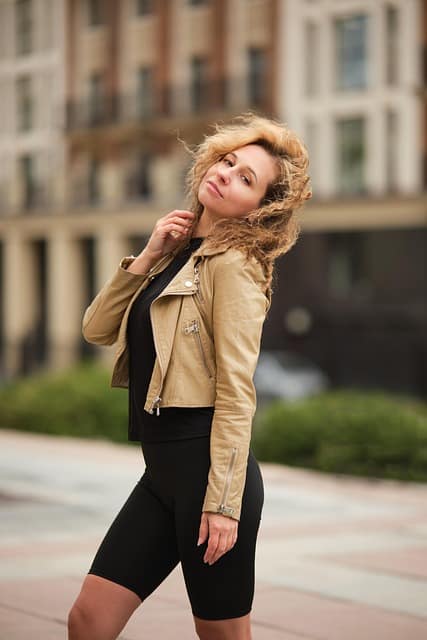
Street style photography thrives on diversity — not just in outfits and locations, but in editing aesthetics. Your chosen look and feel communicate as much about your creative identity as the photo itself. Whether you love clean, understated edits or bold, fashion-forward tones, each aesthetic tells a story.
Below are several editing styles and how to achieve them using popular tools like Lightroom, Photoshop, or Capture One. These workflows are designed to help you build your own consistent signature while staying true to the essence of street style photo editing — authenticity, spontaneity, and urban energy.
Minimalist and Clean Street Style Edits
The minimalist street style look focuses on simplicity, balance, and clarity. It’s perfect for modern fashion blogs or Instagram feeds where muted tones and clean lines take center stage.
Key Characteristics:
- Soft, natural lighting.
- Neutral tones (beige, cream, gray).
- Subtle contrast and low saturation.
- Emphasis on outfit detail over background.
How to Achieve It:
- Lower contrast and clarity slightly to soften edges.
- Desaturate vivid colors by -10 to -20 using the HSL panel.
- Increase exposure slightly (+0.2 to +0.5) for an airy look.
- Apply gentle warm tones (Temperature +200, Tint +5).
- Use selective sharpening on clothing to retain crisp texture.
Example:
A minimalist street edit might feature a monochrome outfit against a plain concrete wall, with bright whites and clean shadows — timeless and effortlessly chic.
Bold and Vibrant Urban Looks
Vibrant editing styles are the soul of street fashion culture. Think bright signage, reflective windows, colorful graffiti, and outfits that pop. These edits mirror the energy of urban life.
Key Characteristics:
- High saturation and contrast.
- Rich shadows and crisp clarity.
- Enhanced primary colors (especially red, yellow, and blue).
- Dynamic, attention-grabbing tones.
How to Achieve It:
- Boost contrast (+20–+35) and clarity (+10–+25).
- Increase vibrance (+15–+30), but reduce saturation slightly to prevent oversaturation.
- Adjust individual color channels:
- Blues: Shift toward cyan for cool shadows.
- Reds: Boost luminance for more life in skin tones and fashion pieces.
- Blues: Shift toward cyan for cool shadows.
- Apply radial filters to emphasize light sources like streetlamps or signs.
Example:
A model walking across Times Square wearing neon — colors should pop without overpowering. Editing emphasizes energy, not chaos.
“Vibrant doesn’t mean loud. It means alive. Let your colors tell the story, not steal it.”
— Riley Chen, Editorial Photographer
Black and White Street Style Photography
Black and white photography strips away color, forcing the viewer to focus on composition, expression, and emotion. It’s powerful for storytelling, especially when shooting candid street fashion moments.
Key Characteristics:
- Strong contrast and midtone balance.
- Emphasis on light, shadow, and shape.
- Grain or texture for artistic feel.
How to Achieve It:
- Convert to black and white in Lightroom or Photoshop.
- Increase contrast (+25–+40) and clarity (+10–+20).
- Adjust black and white mix — brighten skin tones (reds, oranges), darken skies (blues).
- Add film-like grain (+15–+25) for texture.
- Use a vignette for focus and depth.
Example:
A monochrome edit of a stylish pedestrian under an umbrella on a rainy day — timeless, emotional, and raw.
Vintage and Film-Like Street Style Edits
The vintage look is nostalgic, romantic, and perfect for fashion storytellers. Inspired by film photography, it features faded tones, warm highlights, and soft shadows.
Key Characteristics:
- Muted blacks and washed-out colors.
- Warm highlights and cool shadows.
- Grain and soft focus for analog feel.
How to Achieve It:
- Lower blacks (+10–+20) to fade shadows.
- Reduce saturation slightly (-10 to -25).
- Add split toning:
- Highlights: Warm orange or yellow hues.
- Shadows: Teal or blue tones.
- Highlights: Warm orange or yellow hues.
- Introduce moderate grain (+20–+40) for film texture.
- Soften clarity and contrast for dreamy aesthetics.
Example:
A vintage edit might turn a photo of a model in an oversized trench coat into a timeless cinematic frame — evoking the mood of 1970s street fashion.
Comparing Street Style Aesthetics
| Aesthetic | Tone | Mood | Ideal Use |
| Minimalist Clean | Neutral & soft | Elegant, modern | Fashion blogs, portfolios |
| Bold Vibrant | High contrast | Energetic, trendy | Social media, editorials |
| Black & White | Monochrome | Dramatic, timeless | Storytelling, print |
| Vintage Film | Faded & warm | Nostalgic, emotional | Lifestyle content, campaigns |
Pro Tips for Maintaining Consistency Across Edits
- Create a preset for each mood. This ensures uniform tones across all your work.
- Edit in series, not individually. Apply batch edits to maintain visual harmony.
- Study color psychology. Warm tones evoke comfort; cool tones feel modern.
- Use natural light references. Adjust your tones based on the time of day the photo was taken.
“Editing style consistency is the silent signature of every successful photographer.”
— Nia Harper, Street & Lifestyle Creator
With these aesthetic approaches, street style photo editing becomes more than correction — it becomes creative direction. Your edit defines not only how people see your work, but how they remember it.
Common Mistakes in Street Style Photo Editing (and How to Avoid Them)
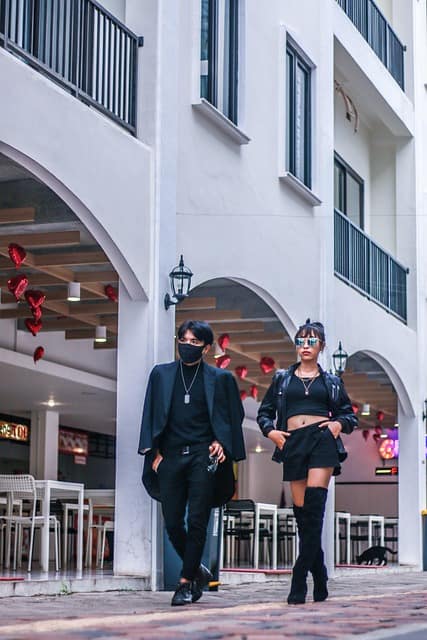
Even the most talented photographers can fall into common editing traps that make their photos look overdone, artificial, or inconsistent. In street style photo editing, where authenticity and energy define the genre, these mistakes can undermine your entire visual story.
Below, we’ll explore the most frequent editing errors — and how to avoid them — to ensure your photos stay clean, natural, and professional.
1. Over-Saturation and Loss of Skin Tone
Problem:
It’s tempting to make street photos pop by pushing saturation and vibrance too far. However, this can lead to unrealistic skin tones, neon-like clothing, and distracting backgrounds.
Why It Matters:
Street style photography often features real people and fashion — exaggerated colors can make images look artificial and cheap.
How to Fix It:
- Reduce global saturation by -10 to -20.
- Use the HSL panel to adjust specific colors (especially orange and red) to preserve natural skin tones.
- Use Vibrance instead of Saturation for more balanced results.
- Always compare before-and-after views to ensure skin and outfit colors look natural.
Pro Tip: When in doubt, under-saturate slightly. Subtlety builds sophistication.
2. Excessive Use of Filters or Presets
Problem:
Presets and filters save time, but applying them blindly can ruin an image. Every photo has unique lighting and tone characteristics, meaning no preset fits all situations.
How to Fix It:
- Treat presets as starting points, not final solutions.
- After applying a preset, manually adjust exposure, white balance, and contrast.
- Create your own custom presets tailored to your photography style for better consistency.
Example:
A “warm vintage” preset might look great on a golden-hour photo but make a cloudy city shot look muddy. Always adjust per photo.
3. Ignoring Lighting Consistency
Problem:
Inconsistent lighting across photos creates an unprofessional look, especially when publishing a series on Instagram or in a blog post.
Why It Happens:
Shooting in different light conditions — overcast, golden hour, neon-lit night scenes — without proper editing adjustments.
How to Fix It:
- Use White Balance tools to correct temperature differences.
- Edit series together to ensure uniform brightness and color tone.
- For mixed lighting (e.g., streetlights + daylight), use local adjustments to balance highlights and shadows.
Pro Workflow Example:
| Light Type | Adjustment |
| Daylight | Slightly warm tone (Temp +200) |
| Cloudy | Increase contrast and dehaze |
| Neon | Reduce highlights, adjust hue to natural skin tone |
“Lighting consistency creates rhythm in your feed — it’s like a visual language your audience learns to recognize.”
— Mateo Alvarez, Street Photographer
4. Poor Cropping and Composition Adjustments
Problem:
Cropping too tightly or unevenly can disrupt balance, cut off important elements (like shoes or architecture), or make subjects feel cramped.
How to Fix It:
- Follow the Rule of Thirds for dynamic composition.
- Leave negative space to guide the viewer’s eyes.
- Keep full body proportions when editing fashion-focused shots.
- Straighten lines — crooked horizons or tilted backgrounds instantly lower quality.
Pro Tip:
Use Lightroom’s Auto Upright tool to correct vertical and horizontal distortions, especially when shooting buildings or sidewalks.
5. Over-Sharpening or Noise Issues
Problem:
Too much sharpening can create harsh edges, especially around skin or hair, making the image look grainy or “digital.”
How to Fix It:
- Apply sharpening selectively, not globally.
- Use Detail panel in Lightroom:
- Amount: 40–60
- Radius: 1.0
- Detail: 25–40
- Masking: 70+ (to avoid sharpening smooth areas like skin)
- Amount: 40–60
- Use noise reduction on high ISO shots but avoid blurring textures.
Pro Tip:
Always zoom to 100% before finalizing sharpening or noise reduction to ensure texture quality remains intact.
6. Inconsistent Editing Across Projects
Problem:
Editing each photo individually without a consistent tone can make your portfolio or feed look disjointed.
How to Fix It:
- Develop a signature style with consistent tone curves, color palette, and grain level.
- Use batch editing in Lightroom or Capture One to apply global settings.
- Compare images side-by-side before exporting.
Example:
If your brand aesthetic is “moody street tones,” all your images should share similar blacks, saturation, and contrast — even when shot in different cities.
7. Neglecting the Background
Problem:
Focusing only on the model or outfit while ignoring the background leads to cluttered, distracting images.
How to Fix It:
- Use the Spot Removal or Healing Tool to eliminate unwanted objects.
- Slightly blur busy backgrounds using selective masking to make the subject stand out.
- Balance exposure between background and subject for a natural look.
Example:
Removing a bright car or sign behind your subject instantly shifts focus back to the fashion element — without heavy manipulation.
8. Forgetting Image Optimization
Problem:
Uploading unoptimized, large file sizes slows your website and harms SEO performance.
How to Fix It:
- Export at 80–90% quality for web.
- Compress using tools like TinyPNG or Squoosh.
- Always include descriptive alt text with your keyword (e.g., “street style photo editing of urban outfit in New York”).
SEO Tip:
Google rewards websites that load quickly and use descriptive image metadata. Optimized images help your content rank higher in search results.
Summary: Avoiding Mistakes with a Professional Mindset
| Mistake | Solution | Outcome |
| Over-saturation | Balance HSL sliders | Natural tones |
| Over-filtering | Customize presets | Consistent brand style |
| Lighting issues | Adjust white balance | Harmonized feed |
| Poor cropping | Follow composition rules | Balanced imagery |
| Over-sharpening | Mask selectively | Clean, crisp results |
| Inconsistency | Use presets/batch edits | Professional coherence |
| Ignoring background | Remove distractions | Strong subject focus |
| Unoptimized exports | Compress & add alt text | SEO-friendly, fast loading |
Avoiding these common pitfalls ensures your street style photo editing workflow remains professional, efficient, and authentic. Every photo should tell a story that feels spontaneous — yet polished enough to belong in a fashion editorial.
Advanced Street Style Editing Techniques
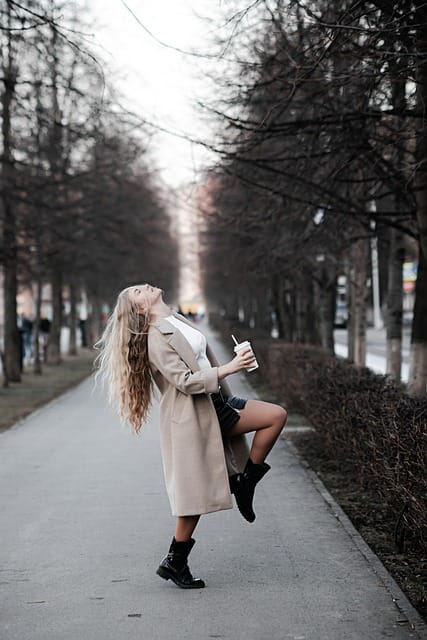
Once you’ve mastered the basics of street style photo editing, it’s time to explore advanced techniques that elevate your photos from polished to professional. These methods allow for precise control, creative flexibility, and faster workflows, while keeping authenticity intact.
Using Masks and Local Adjustments
Masks are one of the most powerful tools in Lightroom and Photoshop. They let you target specific areas of an image for precise edits — perfect for street photography where lighting and texture vary across a scene.
Applications:
- Brighten a subject without overexposing the background.
- Enhance outfit details while keeping the surroundings subtle.
- Correct color temperature selectively (e.g., adjust warm light on skin while leaving city lights cool).
Pro Tip:
Combine linear gradients, radial filters, and brush masks to isolate buildings, pedestrians, or street elements. This adds depth and focus while maintaining natural lighting transitions.
Playing with Depth and Perspective
Creating a sense of depth in street photos makes them feel dynamic and professional. Depth can be enhanced through both editing and compositional adjustments:
Techniques:
- Use clarity and texture selectively on foreground subjects to make them pop.
- Apply slight background blur (Gaussian or Lens Blur) to draw attention to the model without losing city context.
- Adjust vertical and horizontal lines using the Transform tool to correct perspective distortions caused by tall buildings or angled streets.
Example:
A shot of a pedestrian walking down a narrow street can appear cinematic by sharpening the foreground, slightly blurring the background, and straightening the lines of surrounding architecture.
Batch Editing for Consistency
Professional photographers often shoot hundreds of street photos in one session. Batch editing ensures that all images maintain a cohesive aesthetic without editing each individually.
Workflow:
- Create a preset from your preferred style (e.g., vibrant urban or minimalist clean).
- Apply to the entire folder or selection in Lightroom or Capture One.
- Make selective local adjustments per image if needed (like exposure or subject highlights).
Benefits:
- Saves hours of editing.
- Maintains a recognizable visual brand.
- Keeps tones, contrast, and color grading uniform across social media feeds or portfolios.
Case Study:
Instagram influencer @UrbanChicNYC uses batch editing to process 200+ street photos per fashion week. By creating custom presets for daylight and nighttime shoots, her feed maintains a consistent, high-end aesthetic that attracts brand collaborations.
Advanced Color Grading Techniques
Advanced color grading can transform an ordinary street photo into a cinematic masterpiece:
Tips:
- Use Split Toning to introduce complementary colors in highlights and shadows.
- Adjust HSL (Hue, Saturation, Luminance) for precise control over individual colors.
- Create mood curves to add contrast and depth. For example: lift shadows slightly for warmth, deepen midtones for drama.
Pro Tip:
Always check skin tones after advanced grading — natural skin is critical in street style photo editing to maintain authenticity.
Incorporating Creative Effects Subtly
Subtle creative effects can add uniqueness without overwhelming the image:
- Grain: Emulates film photography and adds texture (+10 to +25).
- Vignettes: Focuses attention on the subject (+5 to +15).
- Split-tone duotones: Adds modern editorial flair for high-fashion street style.
- Selective dodging and burning: Guides the viewer’s eye to key elements, like outfit details or street signage.
Pro Tip:
Avoid overusing effects. Subtlety is the key to professional, editorial-style street photography.
Combining Techniques for a Signature Style
A signature street style photo editing approach blends multiple advanced techniques:
- Apply a preset as a foundation.
- Use masks for local adjustments on subject and background.
- Enhance depth and perspective for a cinematic feel.
- Perform subtle color grading and creative effects for style consistency.
This combination ensures each photo is polished, professional, and visually consistent — yet retains the raw, spontaneous energy that defines street photography.
How to Develop Your Signature Street Style Edit
A signature editing style is more than just a set of filters or presets — it’s a visual language that communicates your creative identity. In street style photo editing, developing a distinct aesthetic can help you stand out in a crowded social media landscape, attract collaborations, and build a loyal following.
Analyzing Inspiration from Top Influencers
The first step in crafting a signature style is research and observation. Look at street photographers, fashion influencers, and editorial campaigns to identify elements that resonate with you.
Key Steps:
- Curate a Mood Board: Save photos that capture the color tones, lighting, and mood you admire. Tools like Pinterest or Milanote work well.
- Identify Patterns: Pay attention to repeated choices — warm vs. cool tones, high contrast vs. soft light, urban grit vs. clean minimalism.
- Analyze Composition: Notice how subjects interact with the environment, the use of negative space, and perspective choices.
Example Influencers:
- The Sartorialist — natural, candid street captures with balanced colors.
- Tommy Ton — editorial sharpness with attention to fashion details.
- Instagram influencer @UrbanChicNYC — vibrant, city-focused street style with consistent tone.
By analyzing their techniques, you can begin to define the elements you want in your own street style photo editing.
Experimenting with Tones and Presets
Once you have inspiration, start experimenting:
- Create multiple presets based on different aesthetics (minimalist, vibrant, vintage).
- Test them on a variety of images to see what feels most authentic.
- Mix and match techniques — subtle vignettes, selective sharpening, or color grading — until you find a balance that consistently enhances your photos.
Pro Tip:
Document your settings and workflows. This ensures your style is repeatable and saves time on future edits.
Building a Consistent Social Media Feed
Consistency across your feed strengthens your brand identity and recognition. People start to associate your editing style with your work — making your content instantly recognizable.
Practical Steps:
- Plan Your Grid: Arrange images so colors and tones flow naturally.
- Use Batch Edits: Apply your signature preset to multiple images to maintain uniformity.
- Adjust Locally When Needed: Slight exposure or tone tweaks per image keep edits authentic while retaining consistency.
- Test and Refine: Review your feed monthly to ensure your aesthetic remains cohesive as you evolve.
Example:
A photographer using a muted, cinematic urban style can create a recognizable signature feed by keeping shadows soft, reducing saturation slightly, and applying subtle vignettes across all posts.
Tips for Evolving Your Signature Style
- Stay Inspired: Follow emerging photographers, fashion weeks, and street culture trends.
- Review Your Work: Compare old edits with new ones to refine your style.
- Adapt Without Losing Identity: Evolve tones or creative effects but maintain your core aesthetic (e.g., maintaining subtle contrast or warm highlights).
- Use AI and Presets Wisely: AI tools can accelerate workflow, but ensure they align with your established look.
“Your signature style isn’t about mimicking trends. It’s about creating a visual voice people recognize — a story that’s uniquely yours.”
— Elena Morozova, Fashion & Street Photographer
By developing a consistent street style photo editing signature, you not only improve your creative output but also establish a professional identity that stands out across social media, blogs, and brand collaborations.
Street Style Photo Editing for Social Media and Brands
Street style photography isn’t just about creating visually striking images — it’s also about sharing them effectively to engage audiences, build a brand, and drive opportunities. Proper editing ensures your photos capture attention while maintaining authenticity and style.
Optimizing for Social Media Platforms
Different platforms have specific requirements for image dimensions, file types, and aesthetics. Editing with the platform in mind ensures your photos display crisply and attract maximum engagement.
Platform Guidelines:
| Platform | Recommended Size | Tips for Street Style Photos |
| Instagram Feed | 1080×1350 px | Vertical format emphasizes full-body fashion; use consistent tone for feed cohesion |
| Instagram Stories & Reels | 1080×1920 px | Focus on dynamic composition and movement; preserve background context |
| TikTok | 1080×1920 px | Edit for high contrast and vibrant colors to stand out in a fast-scrolling feed |
| 1000×1500 px | Emphasize vertical fashion shots; use clear, natural light and strong textures | |
| Blog/Website | 1600 px width | High-resolution images with optimized alt text for SEO |
Pro Tip:
Always check that the subject is the focus — crop or adjust background elements if needed to prevent distractions on smaller screens.
Creating Engaging Street Style Content for Brands
Brands often look for imagery that communicates authenticity, lifestyle, and fashion trends. Edited street style photos that balance aesthetic appeal and natural storytelling are highly valuable.
Tips for Brand-Friendly Street Style Editing:
- Highlight the Product: Ensure brand items (shoes, jackets, accessories) are clear but integrated naturally.
- Consistent Tone: Brands prefer feeds with a coherent visual style; batch-editing helps maintain this.
- Avoid Over-Editing: Subtle enhancements maintain trust — avoid excessive retouching or unnatural colors.
- Incorporate Lifestyle Elements: Edit to enhance environment textures (streets, architecture, urban details) while keeping the focus on the subject.
Example:
A sneaker brand might hire a street photographer. Proper editing ensures the shoes are in sharp focus, city textures are visible, and colors complement the brand palette without overshadowing the product.
SEO and Social Media Best Practices for Edited Photos
Optimizing your street style images for search engines and social platforms ensures your content reaches more people.
Key Strategies:
- Alt Text: Include keywords like “street style photo editing” or “urban fashion photography” in alt descriptions.
- File Names: Rename images descriptively, e.g., street-style-photo-editing-new-york.jpg.
- Image Compression: Use tools like TinyPNG or Squoosh to reduce load time without losing quality.
- Consistency Across Platforms: Use the same edited images for your website, Instagram, and Pinterest for brand recognition.
Pro Tip:
For blog posts, combine optimized images with text, headings, and captions to improve overall SEO performance and user experience.
Leveraging Street Style Photos to Build a Personal or Brand Presence
- Post Regularly: Maintain a consistent posting schedule with your signature edit style.
- Engage Audience: Use captions, hashtags, and location tags to drive discovery.
- Collaborate with Brands: High-quality, well-edited street style photos attract collaborations with fashion labels and lifestyle brands.
- Show Process: Sharing before-and-after edits can create engagement and teach followers about street style photo editing.
“Brands hire photographers not just for shots, but for the story and vibe their edits create. Your editing defines how the brand is perceived online.”
— Sofia Klein, Digital Brand Photographer
Summary:
Editing street style photos for social media and brands is about balancing aesthetic appeal, storytelling, and strategic optimization. Thoughtful edits improve engagement, strengthen your brand identity, and showcase fashion in an authentic, professional way.
Conclusion and Final Tips for Street Style Photo Editing
Street style photography is a dynamic blend of fashion, urban environment, and personality. However, capturing the perfect street shot is only half the battle — street style photo editing is what transforms a raw image into a compelling visual story that resonates with audiences, builds your brand, and stands out online.
Throughout this guide, we’ve covered everything from the fundamentals of editing to advanced techniques, aesthetics, workflows, and platform-specific optimization. Here’s a quick recap and final advice to elevate your street style photography:
Key Takeaways
- Editing Enhances Authenticity: Proper editing preserves the natural energy of street photography while highlighting key elements like fashion, personality, and urban atmosphere.
- Consistency Builds Recognition: Developing a signature editing style helps your photos stand out and strengthens personal or brand identity.
- Use the Right Tools: Mobile apps, desktop software, and AI-powered editors all have a role. Choose tools that match your workflow and skill level.
- Master Basic and Advanced Techniques: From exposure correction and color grading to masks, selective sharpening, and depth manipulation — mastering both ensures professional results.
- Optimize for Platforms: Social media, blogs, and brand campaigns require platform-specific edits, sizing, and SEO optimization for maximum reach.
- Avoid Common Mistakes: Over-saturation, inconsistent lighting, over-sharpening, and ignoring backgrounds are pitfalls that can compromise your work.
Final Expert Tips for Street Style Photo Editing
- Always Shoot in RAW: More data means more flexibility during editing.
- Develop Presets and Workflows: Save time and maintain consistent aesthetics across projects.
- Focus on Storytelling: Every edit should emphasize the subject, outfit, and urban context without over-manipulating reality.
- Experiment Creatively: Try different tones, moods, and styles to refine your signature look.
- Review and Refine: Regularly revisit your older edits to identify opportunities for improvement or refinement.
“Editing is not about changing reality — it’s about elevating it. The street has its story; your edits tell it clearly and beautifully.”
— Marco Diaz, Urban Fashion Photographer
Final Thought
Mastering street style photo editing is a combination of technical skill, creative intuition, and consistent practice. The streets are your canvas — your camera captures the raw vision, and your editing transforms it into a narrative that captivates, inspires, and engages audiences.
With the techniques, workflows, and tips provided in this guide, you now have the tools to create street style images that are not just visually stunning, but also memorable, authentic, and professionally polished.


