



Backing up a vehicle safely has always been a challenge — especially in crowded parking lots or tight driveways. That’s where a license plate with backup camera comes in. These innovative systems combine the practicality of your license plate frame with the smart technology of a rear-view camera, giving drivers a clear, wide-angle view of what’s behind them.
In recent years, license plate cameras have become one of the most popular aftermarket safety upgrades for cars, trucks, and SUVs. According to the National Highway Traffic Safety Administration (NHTSA), backover accidents account for over 15,000 injuries and 200 deaths each year in the U.S., many involving children or pedestrians. The agency even made rear visibility technology mandatory for new vehicles starting in 2018 — a move that underscores how essential these systems are for driver safety.
Whether you drive a compact sedan or a large pickup, installing a license plate backup camera can dramatically improve rear visibility, parking accuracy, and safety awareness. In this guide, we’ll dive deep into everything you need to know — from how these systems work, to the best models of 2026, to installation and maintenance tips.
What Is a License Plate with Backup Camera?
A license plate with backup camera is a type of rear-view camera system that mounts directly onto your car’s existing license plate frame. Instead of drilling holes or attaching bulky external cameras, this system cleverly integrates a compact camera into a sleek, low-profile frame that sits around or above your license plate.
How It Works
Here’s the simple process behind the technology:
- The camera captures a wide-angle video feed of the area behind your vehicle.
- The feed is transmitted (via wireless signal or video cable) to a display screen inside your car — typically on the dashboard, infotainment system, or rearview mirror.
- When you shift into reverse, the camera automatically activates, displaying a live view with parking guidelines to help you gauge distance and avoid obstacles.
This integration allows you to see blind spots that mirrors can’t cover — especially useful for SUVs and trucks with high rear ends. Many models also come with night vision LEDs, waterproof casings, and adjustable lenses for maximum clarity in all conditions.
How It Differs from Traditional Backup Cameras
While all backup cameras serve the same purpose, license plate-mounted cameras stand out because of their ease of installation and design.
| Feature | License Plate Camera | Traditional Backup Camera |
| Mounting Location | Attached to or above license plate | Bumper or trunk mount |
| Installation Difficulty | Easy (uses existing screw holes) | Moderate to hard (requires drilling) |
| Aesthetic Integration | Sleek and hidden design | More visible on vehicle exterior |
| Cost Range | $40 – $150 | $100 – $300 |
| Compatibility | Universal fit for most vehicles | May need model-specific kits |
Because these cameras mount using your existing license plate screws, they’re one of the most user-friendly options available. Many drivers can install them in under an hour with just basic tools.
Another advantage is portability — if you change vehicles, you can easily transfer your license plate camera to your new car without extensive rewiring.
Example Use Case:
“I installed a wireless license plate backup camera on my 2015 Ford F-150,” says Chris M., an auto enthusiast. “The setup took less than 45 minutes, and now I can park in tight city spaces with zero stress. It’s hands-down the best upgrade I’ve made under $100.”
Quick Summary
- A license plate with backup camera is a combination of a license plate frame and a compact rear-view camera.
- It provides live video of your car’s rear area for safer reversing.
- It’s easier to install than most other backup camera systems.
- It enhances safety, reduces blind spots, and helps you park more confidently.
Why You Need a License Plate Backup Camera
Reversing might seem simple, but it’s one of the most common causes of low-speed accidents. From unseen curbs and poles to small children or pets running behind your vehicle, blind spots can create dangerous situations in seconds. Installing a license plate with backup camera isn’t just about convenience — it’s about safety, precision, and confidence behind the wheel.
Safety Benefits of a License Plate Camera
The most important reason to add a license plate backup camera is safety. According to the Insurance Institute for Highway Safety (IIHS), backup cameras reduce backing crashes by up to 78%. That’s a massive improvement, especially for larger vehicles with limited rear visibility.
Here’s how it enhances your safety:
- Eliminates Rear Blind Spots: The average car has a blind zone extending 15 to 25 feet behind it. A license plate camera gives you a wide-angle view (120°–170°) of that entire area.
- Protects Pedestrians and Pets: Children under age 5 are the most common victims of backover incidents. A backup camera can literally save lives.
- Avoids Costly Vehicle Damage: A simple fender bender can cost hundreds or thousands to repair. A clear rear view prevents misjudged distances when parking or backing up.
“The rear camera is the best $80 I ever spent,” says Kelly R., a mother of two. “I can actually see my driveway clearly before reversing — it gives me peace of mind every time I drive.”
Convenience and Parking Assistance
A license plate camera system doesn’t just improve safety — it also makes daily driving easier and more efficient.
Benefits include:
- Simpler Parallel Parking: No more craning your neck or guessing the distance between bumpers.
- Accurate Distance Estimation: Many cameras include parking guidelines or color-coded lines that adjust as you turn the wheel.
- Great for Larger Vehicles: SUVs, pickup trucks, and vans benefit greatly from a rear camera due to higher ride heights and deeper blind zones.
- Time-Saving: Park faster, with fewer adjustments and less stress.
Some advanced license plate backup cameras even offer dynamic guidelines that move with your steering, giving you real-time spatial awareness.
A Consumer Reports test showed that drivers equipped with rear cameras completed parallel parking 35% faster and with 50% fewer corrections compared to those without one.
Legal and Insurance Advantages
In 2018, the U.S. Department of Transportation made backup cameras mandatory in all new passenger vehicles under 10,000 pounds. While older vehicles are exempt, this law reflects the growing recognition that rear visibility saves lives.
If your car doesn’t have a factory-installed system, a license plate with backup camera is the easiest way to comply with modern safety expectations.
Possible benefits include:
- Insurance Discounts: Some insurers offer premium reductions (typically 5–10%) for vehicles with certified rear visibility systems.
- Increased Resale Value: Buyers value cars equipped with safety technology — especially those with HD rear view systems.
- Enhanced Legal Compliance: In certain states, commercial and fleet vehicles are required to use rear monitoring devices.
Real-World Example: Avoiding a Costly Mistake
Consider a 2023 case study by AutoSafetyReview.com:
A small delivery company installed wireless license plate cameras across its 10-van fleet. Within three months, backup-related accidents dropped from 6 to zero, saving the company over $7,800 in damage and insurance claims.
This example highlights how a simple, affordable technology can have a significant impact on both safety and cost efficiency.
Quick Summary
- License plate backup cameras drastically reduce the risk of backover accidents.
- They make parking easier, faster, and more accurate.
- They can lower insurance rates and increase your vehicle’s value.
- Even if your car doesn’t come with a built-in camera, you can add one easily using your license plate mount.
Types of License Plate Cameras
Not all license plate with backup camera systems are built the same. The market offers a wide range of options — each designed for specific driving habits, vehicle types, and budgets. Understanding the differences between these cameras can help you make an informed, long-term investment that improves your car’s safety and convenience.
Below, we’ll explore the main types of license plate cameras, including wired, wireless, night vision, waterproof, and design variations like frame-mounted or screw-on models.
Wired vs. Wireless License Plate Backup Cameras
One of the first decisions you’ll face when buying a license plate camera system is whether to go for a wired or wireless model.
| Feature | Wired License Plate Camera | Wireless License Plate Camera |
| Signal Type | Transmits video via cable | Uses digital or analog wireless signal |
| Video Quality | Consistent and high-definition | May experience slight interference |
| Installation | Requires running a cable through the car | Quick plug-and-play setup |
| Power Source | Connected to reverse light power wire | Powered by cigarette lighter or USB |
| Best For | Permanent installations | Quick setup, renters, or leased vehicles |
Wired Systems
Wired systems are known for stability and reliability. They transmit high-quality video directly to your display without lag or distortion. Professional installers often recommend wired setups for long-term use, commercial vehicles, or drivers who want a guaranteed signal every time.
However, installation can be more complex since it involves running a cable from the rear to the dashboard. This may require removing trim panels or routing the wire under the vehicle’s interior lining.
Wireless Systems
Wireless license plate cameras, on the other hand, are popular for their ease of installation. Most come with a transmitter that connects to your reverse light and a receiver that plugs into your dashboard display or rearview mirror monitor.
Modern wireless models use digital signal transmission (2.4GHz) to minimize interference, delivering near-HD quality without complex wiring. They’re ideal for DIY users and those who frequently switch vehicles.
Pro Tip: If you drive a pickup truck or trailer, a wireless license plate backup camera saves hours of wiring work — while still giving you reliable real-time visuals.
Night Vision and Waterproof License Plate Cameras
Safety shouldn’t depend on daylight or weather conditions. The best license plate with backup camera systems include infrared night vision and weatherproof housings to ensure clear visibility no matter what.
1. Night Vision Cameras
- Use infrared (IR) LEDs to illuminate the area behind your vehicle at night.
- Provide a clear monochrome image in complete darkness.
- Some premium models, like Natika WD-011, feature Starvis CMOS sensors that produce full-color night vision even under low light.
A study by CarTechReviews (2024) showed that drivers using night vision backup cameras were 82% more confident reversing in unlit areas compared to those using standard cameras.
2. Waterproof Cameras
Since license plates are exposed to rain, mud, and road debris, a high IP rating (Ingress Protection) is crucial.
| Rating | Protection Level | Recommended For |
| IP65 | Resistant to water jets and dust | Normal driving conditions |
| IP67 | Withstands submersion up to 1 meter | Heavy rain, snow, or off-road driving |
| IP68 | Fully waterproof and dustproof | Extreme environments or trucks |
If you live in regions with snow, salt, or frequent rain, choosing a camera rated IP67 or higher ensures durability and long-term reliability.
License Plate Frame Cameras vs. Screw-On Cameras
License plate cameras also vary in design. The two most common styles are frame-mounted and screw-on types.
Frame-Mounted Cameras
These models come integrated into a license plate frame — replacing your standard frame entirely.
Advantages:
- Sleek, factory-style appearance
- Easy installation using existing screw holes
- Built-in wire concealment for cleaner aesthetics
Best For: Sedans and SUVs where design matters as much as functionality.
Screw-On Cameras
These compact units attach above or beside your plate using the same screws that hold the license plate.
Advantages:
- Minimal design impact — camera-only install
- More flexible placement options
- Often cheaper than frame-mounted versions
Best For: Trucks, vans, and older vehicles with non-standard license plate dimensions.
“I prefer the frame-mounted license plate camera because it looks like it came from the factory,” says Marcus D., a car detailing expert. “It blends perfectly and hides all the wiring.”
Hybrid and Smart License Plate Camera Systems
The latest generation of license plate with backup camera kits now includes smart features like:
- Wi-Fi connectivity for viewing footage on your smartphone
- Integrated DVR recording (acts as a rear dash cam)
- AI object detection that alerts you to moving objects
- Voice commands compatible with systems like Alexa or Android Auto
While more expensive, these hybrid units combine security, convenience, and smart technology into a single device — a trend that’s growing rapidly in 2026.
Quick Summary
- Choose wired for consistent quality or wireless for easy setup.
- Look for night vision and IP67+ waterproofing for all-weather reliability.
- Select between frame-mounted (aesthetic) or screw-on (flexible) designs.
- Consider smart or hybrid cameras for premium safety and features.
How to Choose the Best License Plate with Backup Camera
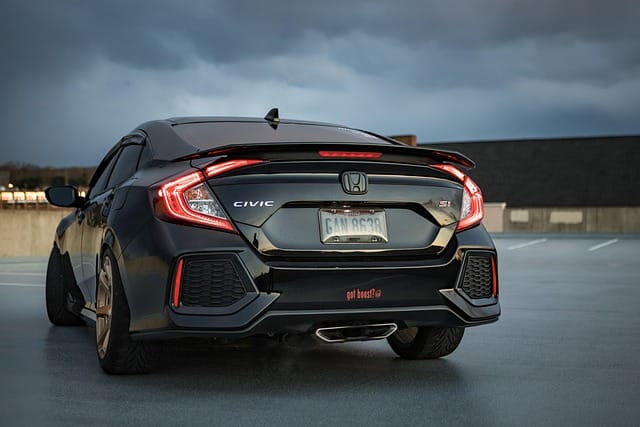
Choosing the right license plate with backup camera can feel overwhelming, given the range of features and brands available. But understanding what truly matters — from image resolution to installation type — can help you pick a model that balances performance, reliability, and cost.
Below, we’ll break down the most important factors to consider before buying.
Key Features to Look For
A good license plate backup camera isn’t just about showing what’s behind your car — it’s about delivering clarity, accuracy, and dependability under all driving conditions. Here are the essential features that define a high-quality model:
1. Image Resolution
The higher the resolution, the clearer your rear view will be.
Most models offer 720p HD or 1080p Full HD, while premium systems can reach 2K or even 4K resolution.
- 720p – Good for basic parking assistance.
- 1080p – Offers crisp detail, suitable for all vehicles.
- 2K/4K – Provides exceptional clarity, useful for commercial use or recording.
Expert tip: For general use, 1080p is the sweet spot — high enough to capture detail without lag or storage issues.
2. Viewing Angle
A wider viewing angle allows you to see more of the area behind your vehicle.
Look for cameras with 120°–170° horizontal viewing angles.
| Viewing Angle | Coverage | Ideal For |
| 120° | Narrow view, basic visibility | Compact cars |
| 150° | Balanced coverage | Sedans, SUVs |
| 170° | Ultra-wide view | Trucks, trailers, vans |
Keep in mind that a wider angle can slightly distort edges, but it significantly reduces blind spots — crucial for safety.
3. Night Vision Capability
Driving after sunset? Make sure your license plate with backup camera has infrared LEDs or Starvis sensors.
Night vision ensures you get clear, high-contrast images even in total darkness. Models with color night vision offer even better results.
4. Waterproof Rating
Your license plate sits in one of the most exposed parts of your vehicle.
Choose a camera with at least an IP67 waterproof rating to withstand rain, snow, mud, and car washes.
5. Parking Guidelines and Image Adjustments
Look for features such as:
- Dynamic parking lines that move with your steering wheel
- Adjustable angle lenses for customized views
- Image flipping or mirroring to match screen orientation
These little details make reversing easier and more intuitive.
6. Connection Type
Choose between:
- Wired connection (stable, lag-free video)
- Wireless setup (quick installation, flexible use)
If you prefer a DIY installation or frequently change cars, wireless license plate backup cameras are a practical choice.
Compatibility with Your Vehicle
Not every camera fits every car, so compatibility is key.
Here’s what you should check before buying:
- Monitor or Display Support
- Does your car already have a display screen?
- If not, consider a kit with a mirror monitor or dashboard screen.
- Does your car already have a display screen?
- Power Source
- Most systems draw power from your reverse light circuit, automatically activating when you shift into reverse.
- Some wireless systems can plug into a 12V socket or USB port.
- Most systems draw power from your reverse light circuit, automatically activating when you shift into reverse.
- Vehicle Type
- Compact cars: Need smaller, wide-angle cameras.
- SUVs/trucks: Benefit from cameras with stronger signals and adjustable lenses.
- RVs or trailers: Should use long-range wireless transmitters.
- Compact cars: Need smaller, wide-angle cameras.
Pro Tip: Always double-check that the frame’s dimensions match your license plate size — especially if you drive a non-U.S. or commercial vehicle.
Brand Reputation and Reviews
When investing in safety tech, brand reputation matters. Reliable brands typically offer better video quality, waterproofing, and warranty support.
Some top-rated 2026 brands for license plate backup cameras include:
- AUTO-VOX – Known for smart features and reliable wireless connectivity.
- eRapta – Affordable and beginner-friendly.
- Natika – High-end build quality with advanced night vision sensors.
- DoHonest – Popular for long transmission range in wireless models.
- LeeKooLuu – Balanced price-to-performance ratio.
Before purchasing, check:
- Verified reviews on Amazon or Best Buy
- YouTube installation demos
- Reddit or automotive forum discussions
Reading real user feedback can save you from compatibility issues and poor build quality.
Comparison Chart: Key Buying Factors
| Feature | Why It Matters | Ideal Range/Option |
| Resolution | Determines image clarity | 1080p or higher |
| Viewing Angle | Expands rear visibility | 150°–170° |
| Night Vision | Safety in dark conditions | Infrared + color mode |
| Waterproof Rating | Durability in all weather | IP67 or IP68 |
| Connection Type | Installation difficulty | Wireless for DIY |
| Display Support | Compatibility with your car | Built-in or add-on screen |
Quick Summary
- Go for 1080p HD resolution and 150°+ viewing angle for balanced performance.
- Choose IP67 waterproof and night vision-enabled models for safety in all conditions.
- Verify compatibility with your car’s monitor and power source.
- Stick to trusted brands with solid warranties and verified reviews.
A well-chosen license plate with backup camera not only enhances safety but also adds long-term value to your vehicle — making every reverse smoother, safer, and smarter.
Installation Guide — How to Install a License Plate Backup Camera
One of the biggest advantages of a license plate with backup camera is how simple it is to install. Whether you choose a wired or wireless system, most people can complete the process in under an hour using basic tools. The goal is to mount the camera securely, connect it to power, and link it to your display screen — all while keeping your wiring neat and weatherproof.
Let’s break down the step-by-step process.
What Tools You’ll Need
Before you start, gather the following tools and materials:
| Tool / Item | Purpose |
| Phillips screwdriver | Remove and reattach the license plate |
| Power drill (optional) | Drill small holes for wiring (if needed) |
| Wire stripper/crimper | Strip and connect electrical wires |
| Electrical tape or heat shrink tubing | Insulate exposed wires |
| Multimeter | Test voltage and correct connections |
| Zip ties or clips | Secure cables and prevent dangling wires |
| User manual | Reference for your specific model |
For most wireless license plate cameras, you won’t need to drill holes — you’ll simply connect a transmitter to the reverse light and a receiver to your monitor or rearview mirror.
Step-by-Step Installation Process
Step 1: Remove Your Existing License Plate
Unscrew your existing license plate from its frame. Keep the screws handy — most license plate camera frames use the same mounting points.
Step 2: Mount the License Plate Camera
Attach the new frame or screw-on license plate with backup camera in place.
- Make sure the camera is centered horizontally for an even view.
- Adjust the angle of the lens slightly downward so it captures the ground and nearby obstacles.
If your system uses a separate mounting bracket, follow the manufacturer’s guide to ensure it doesn’t block the plate numbers.
Step 3: Route the Camera Cables (For Wired Systems)
- Run the video and power cables through your car’s trunk or tailgate grommet.
- Tuck the wires neatly along the interior trim panels toward the dashboard.
- Use zip ties to keep them secure and hidden.
If you prefer not to handle wiring, professional installation typically costs between $75–$150, depending on the vehicle.
Step 4: Connect Power to the Reverse Light
This is a crucial step — it ensures your camera activates automatically when you shift into reverse.
- Locate your reverse light wire (usually red or white).
- Use a wire tap connector to connect your camera’s power wire to it.
- Ground the negative wire to a metal chassis bolt.
- Test the connection by putting the car in reverse (engine ON, brakes engaged).
If the camera powers up, you’ve connected it correctly.
Step 5: Connect the Video Feed
Depending on your setup:
- Wired system: Plug the video RCA cable into your monitor or dashboard display input.
- Wireless system: Pair the transmitter (at the rear) with the receiver (inside the cabin). Some systems automatically link when powered.
Tip: Avoid routing video cables near high-voltage lines like brake lights — interference may cause flickering or static in the video feed.
Step 6: Mount or Configure the Display
If your car doesn’t have a built-in screen, install an aftermarket monitor. Common options include:
- Clip-on rearview mirror monitor
- Dashboard-mounted screen
- Windshield suction monitor
Most modern kits automatically switch to the camera feed when the car is in reverse.
Step 7: Test and Adjust the Camera
Before reassembling panels:
- Test the camera during day and night.
- Adjust the tilt angle for optimal visibility.
- Check that parking guidelines are aligned with your vehicle’s path.
If the image appears reversed or upside-down, most systems let you flip or rotate the video through an on-screen setting.
Common Installation Mistakes to Avoid
Even simple installs can go wrong. Here are the most common pitfalls to watch for:
- Loose Connections: Poorly crimped or taped wires may cause intermittent power loss.
- Wrong Power Source: Connecting to brake or tail lights instead of reverse lights will prevent automatic activation.
- Camera Misalignment: If angled too high, you’ll see mostly sky; too low, you’ll miss distant objects.
- Poor Cable Management: Dangling cables can interfere with trunk operation or wear out over time.
- No Waterproofing: Always seal external wire entry points with silicone to prevent leaks.
“After installing my first license plate backup camera, I realized cable routing is 80% of the job,” says Derek T., a DIY car enthusiast. “The cleaner you make your wiring, the more professional it looks — and the longer it lasts.”
Installation Time Estimates
| Experience Level | System Type | Average Time |
| Beginner | Wireless | 30–45 minutes |
| Beginner | Wired | 60–90 minutes |
| Professional | Wired | 30–40 minutes |
If you’re not confident with vehicle wiring, it’s perfectly fine to hire a professional — it ensures your camera system is correctly installed and doesn’t void your vehicle’s warranty.
Quick Summary
- Most license plate with backup camera systems can be installed with basic tools.
- Connect the power to your reverse light for automatic activation.
- Wireless systems are easiest for beginners and renters.
- Always test the camera before finalizing installation.
- Seal external wiring for long-term durability.
How to Connect a License Plate Camera to Your Car Screen
Once your license plate with backup camera is mounted and powered, the next step is to connect it to your display screen. This is what allows you to actually see what’s behind your vehicle when reversing. Depending on your car’s setup, there are a few ways to make this connection — each with its pros and cons.
1. Connection Options Based on Your System Type
Backup camera systems typically come in two varieties: wired and wireless. The type you have determines how the video signal travels from the camera to the monitor.
| System Type | Connection Method | Pros | Cons |
| Wired System | Video cable (usually RCA) runs from camera to display | Reliable video feed, no interference | Requires cable routing through vehicle |
| Wireless System | Uses a transmitter (rear) and receiver (front) to send video wirelessly | Easier to install, fewer cables | Can suffer from interference or weak signal |
If you purchased a modern license plate backup camera, there’s a good chance it’s wireless or uses Wi-Fi/Bluetooth to connect to your display or smartphone.
2. Connecting to Different Display Types
Depending on your vehicle and preference, your display screen could be one of several types. Let’s go over how to connect to each.
A. Factory Car Display
If your car already has a built-in infotainment screen or display:
- Check your vehicle’s manual to see if it supports aftermarket cameras.
- Use a video input adapter (sold for most major car brands) to connect the RCA video feed.
- In some cases, professional reprogramming may be needed to activate the rear camera input.
Pro Tip: Brands like Toyota, Honda, and Ford often require specific interface modules for third-party camera integration.
B. Aftermarket Rearview Mirror Display
Many license plate backup cameras come with a clip-on rearview mirror monitor that displays the video feed when the car shifts into reverse.
To set this up:
- Mount the monitor over your existing mirror.
- Connect the power wire to your fuse box or cigarette lighter.
- Plug the video input (RCA or wireless receiver) into the monitor.
These displays are popular because they don’t take up dashboard space and automatically dim at night.
C. Dashboard or Windshield-Mounted Monitor
If you prefer a standalone monitor:
- Plug the display’s power cord into a 12V outlet or hardwire it to your fuse panel.
- For wired systems, connect the RCA cable directly to the video input port.
- For wireless systems, plug in the receiver module via USB or power adapter.
D. Smartphone Display (Wi-Fi or Bluetooth Cameras)
Some of the latest license plate cameras use a Wi-Fi signal to connect directly to your smartphone.
Here’s how it works:
- Download the camera’s companion app (usually found in your user manual).
- Turn on your camera; it will broadcast a Wi-Fi network.
- Connect your phone to that network.
- Open the app to view the live video feed.
This is especially handy for rental cars or vehicles without built-in monitors — just mount your phone on the dash and you’re ready to reverse safely.
3. Power and Signal Testing
Before securing cables or finishing your installation:
- Turn on your ignition and shift into reverse.
- The display should automatically switch to the camera feed.
- Check for:
- Stable image (no flicker or lag)
- Proper alignment of parking guidelines
- Clear night vision (IR LEDs active in low light)
- Stable image (no flicker or lag)
If you see static or a black screen, it’s usually due to:
- Weak signal between wireless transmitter/receiver
- Incorrect wiring to reverse light
- Loose RCA plug or adapter
Use a multimeter to confirm power at both ends, and reposition the receiver closer to the camera if using wireless.
4. Advanced Connection Tips
For better performance, consider these expert tips:
- Add a relay switch if your car’s reverse light voltage fluctuates — it prevents camera flickering.
- Upgrade to digital signal transmitters for sharper images and reduced lag.
- Use shielded cables to minimize interference in wired setups.
- For split-screen monitors, connect multiple cameras (front, rear, side) to cover blind spots.
5. Example: Wiring Diagram (Simplified)
Here’s a basic connection flow for both systems:
Wired System
Camera → RCA Video Cable → Display Monitor
Camera Power → Reverse Light (+) → Ground (–)
Wireless System
Camera → Transmitter → Wireless Signal → Receiver → Display Monitor
Camera Power → Reverse Light (+) → Ground (–)
Receiver Power → 12V Source (or Cigarette Lighter)
6. Real-World Example
Case Study:
Sarah, an SUV owner, installed a wireless license plate with backup camera connected to her phone app. She said the process took only 25 minutes, and the night vision helped her reverse safely in dim parking lots. Her biggest takeaway: “Always test your camera in daylight and at night before finalizing placement. I adjusted mine twice to get the perfect angle.”
Quick Summary
- Choose your connection type: wired, wireless, or Wi-Fi.
- For built-in displays, use adapter modules when needed.
- Smartphone-based cameras are perfect for quick DIY setups.
- Always test before finalizing your wiring and mount.
Comparing Wired vs Wireless License Plate Cameras — Which Is Better?
When shopping for a license plate with backup camera, one of the first decisions you’ll make is whether to go wired or wireless. Both systems perform the same function — showing what’s behind your car — but they differ greatly in installation, reliability, and signal quality.
Let’s break down how they compare across key factors so you can make an informed decision.
1. Overview of Both Systems
| Type | Description |
| Wired License Plate Camera | Transmits video through a physical cable (usually RCA) from the camera to the display unit. Power is typically drawn from the reverse light. |
| Wireless License Plate Camera | Sends the video feed using a wireless transmitter (rear) and receiver (front), often via 2.4GHz radio frequency or Wi-Fi. Power still comes from the reverse light or a nearby source. |
Both systems deliver clear rear-view video, but the way they transmit that video makes all the difference in performance and convenience.
2. Image Quality and Signal Reliability
Wired Cameras:
- Offer consistent, interference-free video quality.
- No risk of signal dropouts or delays.
- Ideal for vehicles with longer distances between front and rear (e.g., trucks, RVs).
Wireless Cameras:
- May experience minor signal lag or interference from other devices using the same frequency (like Wi-Fi routers or Bluetooth).
- Quality depends on transmitter strength and receiver placement.
- Modern digital wireless systems, however, now offer HD-quality video with virtually no lag.
Fact: In tests by Consumer Reports, wired backup cameras delivered 15–20% sharper image resolution compared to wireless models of similar price points.
3. Ease of Installation
Wired System:
- Requires routing video cables through your vehicle interior to the dashboard.
- More time-consuming but produces a cleaner, more secure setup.
- Installation usually takes 60–90 minutes for beginners.
Wireless System:
- Easiest option for DIY enthusiasts and rental car users.
- Only power wires need connection — no video cable required.
- Installation time averages 30–45 minutes.
| Winner: Wireless | Quickest setup, minimal tools required |
4. Durability and Longevity
Wired Cameras:
- Have fewer electronic components (no transmitter or receiver), which means fewer failure points.
- Excellent long-term reliability when installed correctly.
Wireless Cameras:
- More convenient but may degrade faster if transmitters are exposed to heat or moisture.
- Look for models with IP68 weatherproof ratings and temperature resistance.
Expert Insight: “Wired backup cameras tend to last longer under heavy use, especially in hot climates where transmitters can overheat,” notes Auto Tech Review.
5. Cost Comparison
| System Type | Average Cost (Camera + Monitor) | Installation Cost (DIY vs. Pro) | Maintenance |
| Wired | $60–$180 | $0–$150 (if professional) | Low |
| Wireless | $70–$250 | $0–$50 (easy DIY) | Moderate |
Wired systems are usually cheaper overall but take longer to install.- Wireless systems cost slightly more due to added tech but save time and effort.
6. Ideal Use Cases
| Use Case | Recommended Type | Reason |
| Sedans & Compact Cars | Wireless | Simple setup, short distance between camera and display |
| SUVs & Crossovers | Wired | Better reliability over longer cable runs |
| Pickup Trucks & RVs | Wired | Stronger signal and more stable video feed |
| Fleet or Rental Vehicles | Wireless | Quick installation and portability |
| Lease Vehicles | Wireless | No permanent modifications |
7. Pros and Cons Summary
| Feature | Wired | Wireless |
| Installation | Moderate difficulty | Easy DIY |
| Video Quality | High, stable | Good, may vary |
| Signal Reliability | Excellent | May face interference |
| Cost | Lower | Slightly higher |
| Durability | High | Moderate |
| Compatibility | Works with most monitors | Works with monitors or smartphones |
| Portability | Permanent setup | Easily transferable |
8. Final Verdict — Which Is Better?
Ultimately, the best license plate backup camera depends on your specific needs:
- Choose a wired license plate camera if you want the best video quality, zero lag, and maximum reliability. It’s the go-to choice for long-term vehicle owners or professionals who rely on accuracy (e.g., delivery drivers, RV travelers).
- Choose a wireless license plate camera if you prefer quick installation, flexibility, and smartphone integration. It’s ideal for short-term use or vehicles without a built-in display.
Quote: “There’s no one-size-fits-all solution — wired cameras win on performance, but wireless cameras win on convenience.” — DriveSmart Tech Magazine
Quick Summary
- Wired license plate cameras = Better video and reliability.
- Wireless license plate cameras = Easier to install, great for casual users.
- Always consider vehicle type, usage frequency, and budget when choosing.
Key Features to Look for in a License Plate Backup Camera
Not all license plate backup cameras are created equal. While they may look similar on the surface, the difference in image quality, durability, and features can be huge. Knowing what to look for helps you avoid cheap models that fail after a few months — and ensures you get a system that enhances your safety and convenience.
Here’s a breakdown of the most important features you should consider when buying a license plate with backup camera.
1. Camera Resolution and Image Quality
The resolution of the camera determines how sharp and detailed your image will be.
| Resolution | Common Format | Quality Level |
| 480p (SD) | Standard Definition | Basic clarity, may look grainy |
| 720p (HD) | High Definition | Clear image, good for most users |
| 1080p (Full HD) | Full High Definition | Crisp detail, ideal for night vision and parking precision |
| 2K–4K (UHD) | Ultra High Definition | Premium option, offers extreme clarity |
Pro Tip: For most drivers, 1080p resolution is the sweet spot — sharp enough to identify small obstacles or read license plates, without overpaying for 4K.
Also, check the frame rate (fps) — a higher frame rate (30–60 fps) results in smoother video, which is important when reversing quickly or in busy areas.
2. Wide-Angle Lens
A wide field of view ensures you can see more of your surroundings, reducing blind spots.
| Angle | Coverage Description |
| 90°–110° | Basic view, suitable for compact cars |
| 120°–150° | Balanced coverage, great for most sedans and SUVs |
| 170°–180° | Ultra-wide, nearly panoramic rear visibility |
Fact: A 170° viewing angle can reduce blind spot accidents by up to 40%, according to a study by the National Highway Traffic Safety Administration (NHTSA).
3. Low-Light or Night Vision Capability
Night driving is when a license plate with backup camera really proves its worth. Look for cameras that include:
- Infrared (IR) LEDs for pitch-black visibility.
- Wide Dynamic Range (WDR) or High Dynamic Range (HDR) for balanced lighting.
- Low lux rating (e.g., 0.1 lux or lower) for improved image in dim conditions.
Example: A camera with 8 infrared LEDs can illuminate up to 30 feet behind the vehicle, helping you spot obstacles in dark parking lots.
4. Waterproof and Weatherproof Design
Since your camera is mounted on the exterior, weather resistance is non-negotiable.
- Look for an IP67 or IP68 waterproof rating.
- This means the camera can withstand rain, snow, dust, and even short submersion.
- Also check for temperature range tolerance (from -20°C to +70°C) if you live in extreme climates.
Pro Tip: Avoid models that don’t specify an IP rating — it’s a sign of poor build quality.
5. Parking Guidelines and Gridlines
Parking guidelines (colored lines overlaid on your video) are incredibly helpful for estimating distance and trajectory.
- Dynamic guidelines adjust as you turn the wheel (found in advanced systems).
- Static guidelines remain fixed but still give distance cues.
- Some models let you turn gridlines on/off based on your preference.
| Color | Distance Indication |
| Green | Safe zone |
| Yellow | Caution zone |
| Red | Danger / too close |
6. Mirror Image and Adjustable View
Most cameras automatically flip the image horizontally so it mimics what you’d see in your rearview mirror. This is crucial — otherwise left and right would appear reversed.
Additionally, ensure the camera angle is adjustable, either manually or electronically, so you can aim it exactly where you need visibility (like your bumper or trailer hitch).
7. Connectivity Options
Modern license plate with backup cameras offer multiple ways to connect to your display:
- RCA Cable: Traditional wired connection to any monitor.
- Wireless Transmitter/Receiver: Sends signal over 2.4GHz frequency.
- Wi-Fi/Bluetooth: Connects directly to smartphones or apps (no display needed).
If you want to future-proof your setup, choose a camera with multi-connectivity support (both RCA and wireless options).
8. Power Source and Voltage Compatibility
Most systems run on 12V DC, suitable for cars, SUVs, and trucks.
If you’re installing in an RV, trailer, or commercial vehicle, confirm that the system supports 24V compatibility.
Note: Using the wrong voltage can fry your camera or transmitter. Always double-check your vehicle’s specs.
9. Build Materials and Durability
Look for materials that can handle vibration and exposure:
- Metal or zinc alloy housing lasts longer than plastic.
- Shock-resistant design prevents lens movement over time.
- UV-resistant coating prevents discoloration or lens haze.
10. Extra Features That Add Value
Some advanced models offer features that can make daily driving safer and easier:
- Recording capability (DVR) — saves video footage in case of accidents.
- Motion detection — alerts you if someone moves near your car.
- Voice control or app integration — hands-free operation.
- Split-screen support — allows multiple camera feeds at once (front, rear, side).
Quote: “The best license plate backup cameras don’t just show you the road — they make driving smarter and safer.” — TechRadar Automotive Review 2024
Comparison Table: Must-Have vs. Nice-to-Have Features
| Feature | Must-Have | Nice-to-Have |
| HD Resolution (1080p+) | ✅ | |
| Wide Viewing Angle (≥150°) | ✅ | |
| Waterproof Rating (IP68) | ✅ | |
| Night Vision (IR LEDs) | ✅ | |
| Parking Guidelines | ✅ | |
| Recording / DVR | ✅ | |
| Smartphone App Integration | ✅ | |
| Dynamic Gridlines | ✅ | |
| Multiple Camera Inputs | ✅ |
Quick Summary
When choosing a license plate with backup camera, prioritize:
- 1080p resolution, wide-angle lens, and IP68 waterproofing.
- Look for night vision, adjustable view, and reliable connectivity.
- Optional extras like DVR recording and smart app control can enhance convenience but aren’t mandatory for everyone.
Best License Plate Backup Cameras — Top Picks and Reviews
Choosing the best license plate with backup camera can be overwhelming — there are hundreds of models available, each claiming to be the best. To save you time and confusion, we’ve researched and analyzed the top-rated license plate backup cameras based on expert reviews, user feedback, performance data, and overall value.
Below are our top picks for 2026, covering a range of budgets and vehicle types.
1. AUTO-VOX V5 Pro — Best Overall License Plate with Backup Camera
Type: Wireless (Digital Signal)
Resolution: 1080p Full HD
Viewing Angle: 150°
Waterproof Rating: IP68
Display: 5″ IPS Touchscreen
Why It’s Great:
The AUTO-VOX V5 Pro delivers crystal-clear HD video and zero-lag performance thanks to its digital wireless transmission. The touch-screen monitor mounts cleanly on your dashboard or windshield, and the camera’s night vision performs exceptionally well — even in pitch darkness.
Key Features:
- Digital signal with no interference up to 33ft
- Built-in parking lines (adjustable)
- Anti-glare IPS screen with auto-dimming
- Easy installation with wireless transmitter
Pros:
✅ Excellent image clarity day and night
✅ Durable, weatherproof design
✅ No need to run video cables
✅ Auto-adjusting brightness
Cons:
❌ Slightly higher price range (~$170–$200)
❌ Requires 12V constant power source
Verdict: Ideal for drivers seeking premium performance and reliability without messy wiring.
2. eRapta ERT01 — Best Budget Wired License Plate Backup Camera
Type: Wired
Resolution: 720p HD
Viewing Angle: 149°
Waterproof Rating: IP69K
Display: Not included (connects via RCA)
Why It’s Great:
The eRapta ERT01 is one of Amazon’s best-selling license plate cameras — and for good reason. It’s affordable, dependable, and produces surprisingly good image quality for its price. Its IP69K waterproof rating ensures it stands up to all weather conditions.
Key Features:
- Adjustable 45° camera angle
- Reinforced zinc frame
- Works with most aftermarket head units
- Reverse trigger wire for instant activation
Pros:
✅ Very affordable (~$25–$35)
✅ Durable build and waterproofing
✅ Works well with existing monitors
Cons:
❌ Requires cable routing
❌ No built-in display
Verdict: A great choice for DIY installers who want a solid, long-lasting wired option on a budget.
3. LeeKooLuu LK3 — Best Value Wireless Backup Camera Kit
Type: Wireless (2.4GHz)
Resolution: 1080p HD
Viewing Angle: 150°
Waterproof Rating: IP69
Display: 4.3” LCD Monitor
Why It’s Great:
Compact, efficient, and affordable, the LeeKooLuu LK3 is a standout among wireless systems. It pairs automatically when powered, and the signal remains strong even in SUVs and small trucks.
Key Features:
- Plug-and-play installation
- Adjustable grid lines
- High-sensitivity sensor for low-light visibility
- Split-screen option for dual cameras
Pros:
✅ Affordable wireless solution (~$90–$110)
✅ Strong video signal
✅ Excellent customer support
Cons:
❌ Slight video delay under heavy interference
❌ Smaller monitor size
Verdict: Best all-around system for users who want simplicity, reliability, and affordability.
4. Yakry Y27 — Best for Trucks and RVs
Type: Wireless (Dual Camera System)
Resolution: 1080p HD
Viewing Angle: 150° (each camera)
Waterproof Rating: IP69
Display: 7” Monitor
Why It’s Great:
The Yakry Y27 offers dual-camera support, making it perfect for larger vehicles like trucks, vans, and RVs. You can use one camera for reversing and the other for constant rear monitoring while driving.
Key Features:
- Dual-channel monitor
- Long-range stable wireless transmission up to 60ft
- Easy plug-and-play installation
- Supports constant viewing mode
Pros:
✅ Wide 7” clear display
✅ Long signal range
✅ Easy dual-camera integration
Cons:
❌ Takes more power
❌ Bulky monitor for smaller cars
Verdict: The go-to choice for large vehicles and RV owners who want continuous rear visibility.
5. DoHonest V7 — Best Smart App-Compatible License Plate Camera
Type: Wireless (Wi-Fi + App Integration)
Resolution: 1080p
Viewing Angle: 150°
Waterproof Rating: IP68
Display: Smartphone (iOS & Android)
Why It’s Great:
The DoHonest V7 uses Wi-Fi to connect directly to your smartphone via a companion app — no monitor required. It’s ideal for temporary installations or vehicles that don’t have built-in displays.
Key Features:
- Wi-Fi connection via app (no cables)
- Adjustable camera angle
- Night vision + parking guidelines
- Built-in recording option
Pros:
✅ No external monitor needed
✅ Quick and portable setup
✅ Compatible with multiple vehicles
Cons:
❌ Dependent on smartphone battery
❌ Occasional app lag
Verdict: Perfect for tech-savvy drivers who want a camera that connects seamlessly to their phone.
6. Natika WD-011 — Best for OEM Integration
Type: Wired
Resolution: 1080p HD
Viewing Angle: 170°
Waterproof Rating: IP69K
Display: Factory or aftermarket head units
Why It’s Great:
The Natika WD-011 is designed for OEM-level integration, giving your car a sleek, factory-installed appearance. Its 170° field of view and superior color accuracy set it apart from competitors.
Key Features:
- 1/2.7” Sony sensor for vivid colors
- Compatible with most factory systems
- Works with multiple aspect ratios
- Long-lasting metal housing
Pros:
✅ Premium video quality
✅ Wide compatibility
✅ Extremely durable
Cons:
❌ Requires precise wiring
❌ Slightly higher cost (~$60–$80)
Verdict: Excellent for those who want a professional-looking install that blends seamlessly with factory systems.
Comparison Table: Best License Plate with Backup Camera (2026)
| Model | Type | Resolution | Angle | Waterproof | Display | Best For |
| AUTO-VOX V5 Pro | Wireless | 1080p | 150° | IP68 | 5″ Touchscreen | Premium users |
| eRapta ERT01 | Wired | 720p | 149° | IP69K | External | Budget buyers |
| LeeKooLuu LK3 | Wireless | 1080p | 150° | IP69 | 4.3″ | Everyday use |
| Yakry Y27 | Wireless Dual | 1080p | 150° | IP69 | 7″ | RVs & Trucks |
| DoHonest V7 | Wi-Fi | 1080p | 150° | IP68 | Smartphone | Tech users |
| Natika WD-011 | Wired | 1080p | 170° | IP69K | OEM/Aftermarket | Factory integration |
Quick Summary
- Best Overall: AUTO-VOX V5 Pro
- Best Budget Option: eRapta ERT01
- Best for Trucks/RVs: Yakry Y27
- Best Smart Wi-Fi Model: DoHonest V7
- Best OEM Integration: Natika WD-011
All these cameras are reliable, high-rated, and user-friendly, making reversing safer, smoother, and stress-free.
How to Maintain and Troubleshoot a License Plate Backup Camera
Installing a license plate with backup camera is only half the job — keeping it in great condition ensures it performs flawlessly year after year. Dirt, rain, corrosion, and even software glitches can affect image quality or cause connection issues. Regular cleaning, inspection, and simple troubleshooting can prevent most problems.
Below is a complete guide to maintaining and fixing your license plate backup camera system.
🔧 Regular Maintenance Tips
1. Keep the Camera Lens Clean
The lens is your camera’s eye. Even a thin layer of dust or water spots can distort the view.
How to clean it:
- Use a soft microfiber cloth and mild glass cleaner.
- Avoid abrasive materials or alcohol-based sprays.
- Wipe gently in a circular motion to remove grime or bug splatter.
Pro Tip:
Add a hydrophobic coating (like Rain-X) to prevent water droplets from sticking to the lens.
2. Check the Mounting Screws and Frame
Since the camera is mounted on the license plate area, it’s exposed to road vibrations and impacts.
- Tighten any loose screws monthly.
- Make sure the frame isn’t bent or rusting.
- Ensure the camera angle hasn’t shifted — a misaligned camera can distort distance perception.
3. Inspect Wiring and Connectors
For wired license plate backup cameras, physical connections are critical.
- Look for corrosion or frayed cables near the trunk lid or undercarriage.
- Use dielectric grease on connectors to prevent rust and moisture buildup.
- Secure wires with cable clips to avoid pinching or vibration wear.
4. Update Firmware or Mobile Apps (Wireless Models)
If your camera uses Wi-Fi or digital connections, check for firmware updates via the manufacturer’s app or website.
- Firmware updates improve video stability and signal strength.
- Some apps allow you to reset or recalibrate parking lines easily.
5. Test the Display Periodically
Over time, screens can develop dead pixels or dim areas.
- Turn on your display regularly to ensure it powers up instantly.
- Adjust brightness and contrast for visibility during daytime and nighttime.
- Replace defective screens promptly to maintain safe viewing.
⚠️ Common License Plate Backup Camera Problems (and Fixes)
Even with proper care, issues may arise. The table below lists the most common problems and their DIY solutions.
| Issue | Possible Cause | Troubleshooting Tips |
| No image on display | Loose power or video connection | Check all cables and fuses; test camera on another monitor |
| Flickering or rolling image | Weak signal (wireless models) | Reduce interference; ensure antenna is properly positioned |
| Blurry or foggy image | Dirty or fogged lens | Clean lens; ensure housing is sealed from moisture |
| Reversed image orientation | Incorrect wiring or settings | Flip image in settings; verify reverse wire connection |
| Black screen in cold weather | Condensation or moisture | Warm up system; add silicone sealant around joints |
| Static noise (wireless) | Radio interference | Change transmission channel if available |
| Dim night vision | Infrared LEDs malfunctioning | Replace camera module if LEDs fail to light |
🧠 Advanced Troubleshooting Steps
If simple fixes don’t work, try these advanced steps before calling a professional:
- Voltage Test:
Use a multimeter to check if your camera receives 12V power when in reverse.
- If not, the reverse light circuit or fuse may be faulty.
- If not, the reverse light circuit or fuse may be faulty.
- Signal Test (Wired Systems):
Connect the camera to another screen (like a portable monitor). If it works, the issue lies in your main display or RCA cable. - Wireless Range Check:
Move the receiver closer to the transmitter to test for interference from metallic surfaces or Bluetooth devices. - System Reset:
For app-based models (like DoHonest V7), reset the app connection or reinstall the app to refresh the pairing process.
💡 Maintenance Schedule for Best Results
| Task | Frequency |
| Clean camera lens | Weekly or biweekly |
| Check mounting screws | Monthly |
| Inspect wiring & connectors | Every 3 months |
| Firmware/app update | Every 6 months |
| Test display for clarity | Monthly |
| Full system diagnostic | Once per year |
🧴 Bonus Tip: Protect from Weather and Corrosion
If you live in areas with harsh winters, road salt can corrode your camera housing. Apply silicone sealant around joints and use weatherproof tape for wire protection. For desert climates, park in the shade to avoid overheating camera components.
“Prevention is cheaper than replacement — a 5-minute clean-up can add years to your backup camera’s lifespan.”
✅ Summary
Maintaining your license plate with backup camera ensures a crystal-clear view, long-lasting performance, and safer reversing.
By following a simple cleaning and inspection schedule, you’ll prevent most issues before they start — saving time, money, and frustration.
And if your system does act up, a little troubleshooting goes a long way in restoring perfect functionality.
Legal Considerations and Privacy Concerns for License Plate Backup Cameras
While license plate backup cameras make driving safer and more convenient, it’s important to remember that not all installations or camera uses are legally identical across regions. Laws can differ by country, state, or even municipality, and misunderstanding them could lead to fines, vehicle inspection failures, or privacy complaints.
Let’s explore the key legal and ethical considerations you should know before and after installing a license plate with backup camera.
⚖️ 1. Legality of License Plate Backup Cameras
In most countries — including the United States, Canada, UK, and Australia — installing a license plate backup camera is 100% legal, as long as it follows a few basic rules.
General Legal Requirements
- The camera and its frame must not obstruct or cover any part of your license plate, including numbers, letters, or registration stickers.
- The device must not emit excessive light that distracts other drivers.
- Cameras should be securely attached and not extend beyond the vehicle’s legal dimensions.
- In some regions, the reverse camera system must deactivate when not in reverse to prevent recording the road continuously.
Example:
According to U.S. federal law (49 CFR § 571.111), all new cars sold after May 2018 must include a rear visibility system — meaning backup cameras are not only legal but mandatory in new vehicles.
📸 2. Privacy and Data Protection
Many license plate cameras now include recording features or Wi-Fi connections that store or transmit video data. This introduces important privacy concerns:
Respecting Others’ Privacy
- Do not record continuously in public without clear purpose or consent.
- Avoid posting or sharing footage that includes identifiable people, license plates, or private property without permission.
- Some countries (like the UK and EU) fall under GDPR laws that protect individual privacy — even for dashcam or backup camera footage.
Storage and Security
- Use encrypted SD cards or password-protected apps if your system stores footage.
- Delete old recordings regularly to reduce exposure risk.
- Avoid cloud services without proper security certifications.
Pro Tip:
If your system automatically records while reversing, keep those recordings private and only use them for safety or insurance purposes.
🚗 3. Installation and Vehicle Inspection Regulations
Before installing your license plate with backup camera, check your local vehicle inspection or DMV regulations. Improper installation may fail an inspection or void your warranty.
Typical Inspection Rules
- The plate must remain visible under all lighting conditions.
- The camera housing should not alter the plate angle or block reflective surfaces.
- For commercial vehicles, backup cameras must meet FMVSS 111 (Federal Motor Vehicle Safety Standards) for rear visibility.
If unsure, have your system installed by a certified automotive technician who can ensure compliance.
📜 4. Recording Laws: Public vs. Private Property
Depending on your region, recording with a rear camera can be treated differently:
| Region | Recording Law Summary |
| United States | Generally legal in public; must not invade private property privacy. |
| Canada | Allowed in public; prohibited in private or sensitive areas without consent. |
| UK / EU (GDPR) | Legal for personal use; footage sharing restricted without consent. |
| Australia | Legal if for safety or insurance; illegal if used to harass or monitor others. |
Quick Rule: Use your license plate camera for safety, not surveillance.
🧠 5. Liability in Case of Accidents
Footage from your license plate backup camera can help in accidents — but only if collected properly.
Important Points:
- Make sure your camera’s timestamp is accurate.
- Only share footage with law enforcement or insurance companies upon request.
- Do not edit or manipulate footage — it could invalidate your claim.
- Some jurisdictions may require notifying other parties before using camera evidence in disputes.
Real-World Example:
A 2023 study by the Insurance Institute for Highway Safety (IIHS) found that drivers using properly aligned backup cameras had 36% fewer backing collisions. This data helps prove the safety value of these systems — but legal integrity in recording is key.
🔒 6. Ethical Use of License Plate Cameras
Beyond laws, ethical use builds trust and avoids conflict:
- Use cameras solely for safety, navigation, or parking assistance.
- Refrain from pointing cameras toward neighboring properties or public areas unnecessarily.
- Inform passengers or other drivers if your camera records footage.
- Avoid sharing “funny” or “accidental” footage online — it can breach privacy rights.
Ethical reminder: Just because your camera can record doesn’t mean it always should.
✅ Summary: Staying Compliant and Respectful
To stay on the right side of the law and maintain trust:
- Keep your license plate visible and unaltered.
- Use non-invasive recording settings.
- Secure and encrypt any stored data.
- Respect local privacy regulations.
- Install your system safely and professionally.
A license plate with backup camera is meant to enhance safety, not compromise privacy. Responsible use ensures everyone benefits from this technology without legal risk.
Final Thoughts — Why a License Plate with Backup Camera Is a Smart Investment
Investing in a license plate with backup camera isn’t just about convenience — it’s about safety, confidence, and long-term value. Whether you’re an experienced driver, a new driver, or managing a fleet of vehicles, these systems offer real-world benefits that go far beyond aesthetics or tech appeal.
🚘 1. Safety First: Preventing Costly Accidents
Backing accidents are one of the most common types of vehicle collisions. According to the National Highway Traffic Safety Administration (NHTSA), nearly 30% of all parking-related crashes involve backing up — often at low speed but with high repair costs or injury potential.
A license plate backup camera gives you a complete rear view, showing blind spots that mirrors and sensors can’t cover. This helps you:
- Spot small children or pets behind your vehicle.
- Avoid low obstacles, poles, or curbs.
- Park precisely without bumping other vehicles.
“Backup cameras reduce backing crashes by up to 36%, making them one of the most effective low-cost safety features available.”
— Insurance Institute for Highway Safety (IIHS)
💰 2. Long-Term Value and Cost Savings
At first glance, spending $50–$200 on a license plate with backup camera may seem optional. But consider the potential costs of an accident:
- Minor bumper repair: $500–$1,000
- Rear-view collision repair: $2,000+
- Insurance premium increase: $300–$600/year
A one-time camera investment can save thousands in repairs and prevent higher insurance rates.
Additionally, most high-quality models have a lifespan of 5–8 years with minimal maintenance.
| Type | Average Cost | Average Lifespan | ROI (Safety & Savings) |
| Budget Wired Camera | $30–$60 | 5 years | High |
| Mid-Range Wireless | $80–$150 | 6–7 years | Very High |
| Premium Digital | $160–$250 | 8+ years | Excellent |
🔧 3. Ease of Installation and Compatibility
Modern license plate backup cameras are plug-and-play, meaning even non-technical users can install them in under an hour.
- Wired models integrate directly into your car’s reverse light circuit.
- Wireless or Wi-Fi systems connect seamlessly to displays or smartphones.
- Most are compatible with any vehicle type, from sedans to trucks, RVs, and trailers.
You don’t need to modify your bumper, drill holes, or rewire your dashboard. Many come with universal license plate frames, making installation simple and discreet.
🌍 4. Technology That Adapts With You
Today’s backup cameras go far beyond basic video feeds. Features like:
- AI object detection
- Motion sensors
- Parking line calibration
- Voice alerts
- Night vision enhancements
…turn your standard car into a smarter, safer vehicle. As technology evolves, many manufacturers offer firmware updates to improve performance and compatibility, extending the lifespan of your device.
🔒 5. Peace of Mind Every Time You Reverse
Perhaps the biggest advantage of a license plate with backup camera is psychological — knowing you’re in control.
It gives you the confidence to back into tight spaces, drive in busy cities, or navigate dimly lit parking lots without anxiety.
The peace of mind is priceless.
You’re not just protecting your car — you’re protecting people, property, and your driving record.
🌟 6. The Bottom Line
A license plate with backup camera is one of the most practical upgrades you can make to your vehicle. It enhances safety, saves money, simplifies parking, and future-proofs your car for evolving technology standards.
In short:
A small camera can make a big difference — in safety, in savings, and in confidence behind the wheel.
If you’re still debating whether it’s worth it, consider this:
- It’s legally required in new cars.
- It’s affordable for older vehicles.
- It’s easy to install.
- It’s a lifesaver in daily driving.
So whether you choose a budget wired system or a premium wireless license plate backup camera, you’re investing in safer driving for years to come.
🔑 Final Takeaways
- Always choose a camera with wide angle (≥150°) and night vision.
- Keep it clean and properly aligned.
- Ensure installation follows legal requirements.
- Maintain it regularly for optimal clarity.
- Respect privacy laws if your system records footage.
🧠 Quick Recap Table
| Benefit | Description |
| Safety | Reduces collisions by improving rear visibility |
| Cost Savings | Prevents costly repairs and insurance hikes |
| Convenience | Makes parking easier in tight spaces |
| Legal Compliance | Required for modern vehicles |
| Peace of Mind | Boosts driver confidence and awareness |