


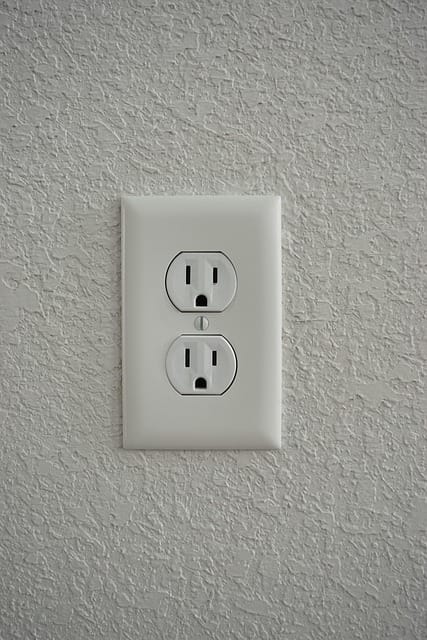
In an era where home and office security have become a top priority, hidden cameras have evolved from bulky surveillance systems into sleek, discreet, and intelligent monitoring devices. One of the most innovative of these is the wall outlet hidden camera — a powerful yet nearly invisible tool for keeping your space safe without drawing attention.
Unlike traditional CCTV systems, a wall outlet hidden camera blends seamlessly into your environment. Whether it looks like a standard power socket, USB charger, or electrical outlet, this tiny device can record high-quality video, detect motion, and even stream live footage directly to your smartphone.
In this comprehensive 2026 guide, we’ll explore everything you need to know about these hidden cameras — from how they work and why people use them, to the best models, installation tips, and legal considerations you should understand before buying one.
What Is a Wall Outlet Hidden Camera?
A wall outlet hidden camera is exactly what it sounds like — a concealed surveillance camera built into or disguised as a power outlet or USB charger. On the outside, it looks completely normal. But behind the faceplate lies a miniature camera lens, microphone (on some models), and recording technology capable of capturing HD or even 4K video footage.
These devices are engineered to be covert, continuous, and convenient. Because they’re installed directly into a wall socket, they don’t rely on batteries — meaning they can record continuously without interruption.
Here’s how they typically differ from other hidden cameras:
| Type of Hidden Camera | Disguise/Design | Power Source | Recording Duration | Visibility |
| Wall Outlet Hidden Camera | Looks like a standard outlet | Plug-in continuous power | Unlimited | Extremely discreet |
| USB Charger Camera | Disguised as phone charger | Plug-in power | Unlimited | Slightly noticeable |
| Clock Camera | Built into alarm clock | Battery or plug-in | 8–12 hours | Moderate visibility |
| Smoke Detector Camera | Ceiling mounted | Battery | 8–24 hours | Low visibility |
Key Characteristics of a Wall Outlet Hidden Camera
- Covert design – Disguised as a functioning wall plug or charger.
- Continuous power supply – No need to recharge, since it draws electricity directly from the outlet.
- HD or 4K recording – Provides sharp and clear video quality, even in low light conditions.
- Wide viewing angle – Covers large areas such as living rooms, hallways, or offices.
- Wi-Fi connectivity – Many modern models allow live viewing via smartphone apps.
- Loop recording – Automatically overwrites old footage when memory is full.
Because they appear to be part of your regular electrical system, wall outlet cameras are almost impossible to detect without close inspection or a specialized camera detector. This makes them ideal for discreet home security, monitoring employees, or keeping an eye on caregivers and service providers.
“The best security is the kind no one notices.”
— Anonymous Surveillance Expert, 2023 Security Expo
In short, a wall outlet hidden camera combines practical power access with advanced surveillance technology, making it one of the smartest and most subtle ways to enhance your home or office security setup in 2026..
How Does a Wall Outlet Hidden Camera Work?
To understand why the wall outlet hidden camera has become one of the most effective and discreet forms of home surveillance, it’s important to know how it functions. Beneath the ordinary-looking exterior lies a combination of miniaturized optics, motion sensors, and digital recording technology — all powered directly from the wall outlet.
Let’s break down its core components and how they work together to keep you informed and protected.
Basic Components and Technology
Every hidden wall outlet camera typically includes the following internal parts:
- Mini Camera Lens: A pinhole-sized lens captures HD or 4K video. Despite its small size, it often provides a 120°–160° field of view, ideal for covering wide rooms.
- Image Sensor: Converts visual input into digital video data, much like in a smartphone camera.
- Processor and Memory Slot: The processor handles video compression and encoding, while the SD card slot stores the footage.
- Wi-Fi Module: Enables remote access via a smartphone app or desktop software.
- Motion Sensor: Detects movement to trigger automatic recording, saving memory and power.
- Indicator Light (Optional): Some devices feature a small hidden LED light that blinks during setup or Wi-Fi pairing.
Many models also feature infrared (IR) night vision LEDs that are invisible to the human eye but allow recording in near-total darkness — a key advantage for 24/7 surveillance.
Fun Fact: Modern micro-cameras can record at resolutions up to 4K Ultra HD (3840 × 2160) while being smaller than a fingernail.
Power Source and Continuous Recording
One of the biggest advantages of a wall outlet hidden camera is continuous power. Since it’s plugged directly into your electrical system, it never runs out of battery — unlike battery-powered spy cameras that need recharging every few hours.
Continuous operation means the camera can:
- Record 24 hours a day without interruption.
- Power Wi-Fi streaming and motion detection functions simultaneously.
- Operate even during long trips or vacations with minimal maintenance.
Some higher-end versions even double as real, functioning outlets or USB chargers, so you can plug in other devices without affecting the camera’s performance.
| Feature | Battery-Powered Hidden Camera | Wall Outlet Hidden Camera |
| Power Duration | 4–12 hours | Unlimited |
| Maintenance | Frequent recharging | Minimal |
| Discreetness | High | Very high |
| Wi-Fi Streaming | Limited by power | Stable and continuous |
Recording and Storage Options
Depending on the model, there are typically three main recording methods:
- Local Storage (MicroSD Card)
The most common method. Cameras can store 8–256GB of footage on an SD card. Once the card is full, loop recording overwrites old files automatically. - Cloud Storage
Premium models offer encrypted cloud storage for safe, off-site access. This is useful in case the camera is discovered or damaged — footage remains securely stored online. - Hybrid Systems
Some smart outlet cameras let you record locally and back up to the cloud simultaneously for redundancy.
For instance, a 128GB SD card can typically store 60–100 hours of 1080p video before looping.
Viewing and Accessing Footage
With most Wi-Fi wall outlet cameras, you can access live or recorded footage remotely using a mobile app.
Typical viewing methods include:
- Real-time streaming: View live video from your phone or computer, anywhere with internet access.
- Playback mode: Watch recorded clips stored locally or in the cloud.
- Snapshot capture: Take still images from live footage.
- Smart alerts: Receive push notifications when motion is detected.
Some apps also include AI-based detection features, such as identifying human figures or unusual activity, helping reduce false alarms from pets or shadows.
Data Insight: According to a 2024 Statista survey, 78% of home surveillance users prefer cameras with mobile app integration for real-time monitoring.
In Summary
A wall outlet hidden camera works by combining smart optics, continuous power, and wireless connectivity to deliver silent, ongoing security coverage. Whether it’s monitoring your living room, office, or rental property, this type of camera offers an unmatched balance between discretion, reliability, and ease of use.
Why Use a Wall Outlet Hidden Camera?
In today’s world, safety, accountability, and peace of mind are more important than ever. A wall outlet hidden camera gives you a way to monitor your space discreetly, without making anyone feel uncomfortable or aware that they’re being recorded.
From homeowners wanting to safeguard property, to employers ensuring productivity, or parents checking on their kids’ safety — this compact surveillance device has become one of the most versatile security tools available in 2026.
Let’s explore why so many people are choosing to use a hidden wall outlet camera and how it can make a real difference in everyday life.
Home Security Benefits
Home is where you should always feel secure — and that’s exactly what a wall outlet hidden camera helps you achieve.
Unlike visible cameras that can be tampered with, these devices are completely undetectable to the untrained eye. They’re perfect for monitoring entryways, garages, or hallways, where valuables are often stored or activity occurs when you’re away.
Benefits for homeowners:
- 24/7 continuous surveillance without battery concerns.
- No obvious indicators that recording is taking place.
- Live monitoring through Wi-Fi-enabled mobile apps.
- Evidence collection in case of break-ins or theft.
According to the FBI’s 2024 crime statistics, 65% of residential thefts occur during the day when homeowners are out. A discreet outlet camera can provide crucial footage for both prevention and investigation.
Pro Tip: Place your outlet camera near common access points like front doors or windows — areas most likely to show movement.
Office and Business Use
For business owners, keeping an eye on operations is essential. A wall outlet hidden camera offers subtle monitoring without disrupting the workplace atmosphere.
Key benefits for businesses:
- Monitor cash registers, storerooms, or restricted areas.
- Prevent internal theft or misconduct discreetly.
- Verify employee attendance and customer interactions.
- Keep evidence for insurance or compliance purposes.
Imagine a small retail store using a USB wall outlet camera near the counter. Employees won’t notice it, yet the owner can check real-time footage during off-hours — ensuring inventory and cash are protected at all times.
Case Study: A café owner in Texas installed three outlet-style cameras in 2024 to address missing inventory. Within two weeks, the footage revealed after-hours access by a part-time employee. The discreet cameras helped resolve the issue professionally and without confrontation.
Nanny and Elder Care Monitoring
Many families today use wall outlet hidden cameras as nanny cams or elder care monitors. These devices offer reassurance that loved ones are being treated with care and respect, especially when you can’t be there physically.
For parents:
- Monitor how caregivers interact with children.
- Verify safe handling, feeding, and bedtime routines.
- Receive motion alerts for unexpected activity.
For elder care:
- Ensure caregivers provide proper assistance and respect privacy.
- Detect falls or emergencies when the household is unattended.
- Provide family members with real-time visibility via mobile apps.
While privacy is always a concern, when used ethically, these cameras are powerful tools for transparency, safety, and accountability.
Evidence Collection and Legal Use
In unfortunate situations like theft, vandalism, or disputes, footage from a hidden outlet camera can serve as key evidence. Because the camera is concealed, it often captures authentic, unaltered behavior that might be missed by visible systems.
Practical examples include:
- Catching package theft at your doorstep.
- Recording unauthorized access to private offices or storage.
- Capturing proof of property damage or misconduct.
Some users also rely on timestamped footage for insurance claims or police reports. The clear video, paired with motion detection logs, can make a strong case for your claim.
Discreet and Unnoticeable Design
Perhaps the biggest advantage of a wall outlet hidden camera is its design. Most models are indistinguishable from real electrical outlets — some even function as working sockets or USB charging ports.
This design means:
- Visitors or intruders are unlikely to spot or disable it.
- The camera can be placed in high-traffic areas without suspicion.
- You maintain a clean, uncluttered look without extra devices or cords.
With many modern models offering night vision, sound detection, and Wi-Fi access, these tiny devices have evolved far beyond their spy-tech origins — they’re now mainstream tools for everyday safety.
In Summary
A wall outlet hidden camera isn’t just a gadget; it’s a smart investment in peace of mind. Whether you’re a homeowner, business owner, or caregiver, this tool offers the perfect balance of invisibility and intelligence — watching silently, storing securely, and protecting what matters most.
“Discretion is the ultimate sophistication — especially when it comes to security.”
— Modern Surveillance Insights, 2026 Report
Types of Wall Outlet Hidden Cameras
As technology advances, wall outlet hidden cameras have evolved into multiple styles, each designed for different surveillance needs. Whether you want a functional power outlet camera or a non-working decoy model, there’s a perfect fit for every environment and budget.
Understanding the various types will help you make a smart purchasing decision and avoid cheap, unreliable imitations that often flood the market.
Let’s explore the most common categories of hidden wall outlet cameras and their unique benefits.
Functional Outlet Cameras
A functional outlet camera looks and operates exactly like a real power outlet — you can plug in devices, charge phones, or connect appliances while it records in the background.
Key features:
- Dual-purpose design (power + surveillance).
- Continuous recording thanks to direct power.
- Usually Wi-Fi enabled for remote viewing.
- Ideal for offices, living rooms, and retail settings.
Example Models (2026):
- SmartPlug Pro 4K Wi-Fi Outlet Camera
- SecureView Dual-USB Hidden Wall Cam
These models are excellent for long-term, discreet monitoring where you want the outlet to appear completely normal.
Pro Insight: Professional investigators often favor functional outlet cameras because they blend naturally into home interiors without arousing suspicion.
Dummy Outlet Cameras
Dummy wall outlet cameras (also called non-functional outlet cameras) are purely for recording — the outlet doesn’t work as a power source.
They’re easier to install since they don’t need electrical wiring, and they’re often battery-powered or USB-powered from a nearby socket.
Advantages:
- Simple DIY installation (no electrician needed).
- Lightweight and portable.
- Perfect for renters or temporary setups.
Disadvantages:
- Limited power duration (battery-based).
- May require frequent charging.
| Feature | Functional Outlet Camera | Dummy Outlet Camera |
| Power Source | Wall electricity | Battery or USB |
| Ease of Installation | Moderate | Very easy |
| Discreetness | Very high | High |
| Maintenance | Minimal | Moderate |
| Recommended For | Long-term home or office use | Short-term, flexible setups |
Wi-Fi vs. Non-Wi-Fi Wall Outlet Cameras
When choosing a hidden outlet camera, one of the biggest decisions is whether you want Wi-Fi capability or a non-connected local storage model.
Wi-Fi Wall Outlet Cameras
These models connect to your home or office Wi-Fi network, allowing remote viewing, cloud backups, and live alerts via smartphone apps.
Benefits:
- Real-time viewing from anywhere.
- Instant motion notifications.
- Cloud or hybrid recording options.
- Smart integrations (Alexa, Google Home, etc.).
Ideal for: People who travel often or want remote oversight.
Non-Wi-Fi Wall Outlet Cameras
These models record directly to an SD card and must be physically accessed to review footage.
Benefits:
- No Wi-Fi setup or app dependency.
- Better data privacy — footage stays local.
- Lower cost.
Ideal for: Users who want simple plug-and-play recording without connectivity concerns.
Security Tip: If you’re worried about hackers or unauthorized access, consider a non-Wi-Fi model with encrypted local storage. It’s less convenient but far more private.
HD, Night Vision, and Motion Detection Models
Not all wall outlet cameras are created equal — some come with advanced surveillance features that enhance performance in different lighting or security conditions.
Here are some high-value specs to look for:
- HD or 4K Recording: For crystal-clear playback and zoomed details.
- Night Vision (IR LEDs): Capture clear footage even in total darkness (range varies 10–30 ft).
- Wide-Angle Lens: Covers a broader area with fewer blind spots.
- Motion Detection Alerts: Automatically records when movement is detected.
- Loop Recording: Overwrites old files to ensure continuous recording.
- Sound Recording (where legal): Adds context to video evidence.
Sample Feature Comparison
| Feature | Basic Model | Mid-Range Wi-Fi Model | Premium 4K Model |
| Resolution | 720p | 1080p | 4K Ultra HD |
| Night Vision | No | Yes (10 ft) | Yes (30 ft) |
| Motion Alerts | Limited | App alerts | Smart AI alerts |
| Storage | 32GB SD | 128GB SD + Cloud | 256GB SD + Cloud |
| Viewing | Local only | Remote + Cloud | Live AI monitoring |
According to a 2026 report by TechSurveillance Global, 4K outlet cameras have seen a 68% rise in demand, as consumers increasingly prioritize image clarity for evidence and real-time verification.
In Summary
When shopping for a wall outlet hidden camera, start by deciding what matters most — power source, Wi-Fi connectivity, image quality, or ease of setup.
- Choose a functional model for seamless, long-term security.
- Choose a dummy model for portability and simplicity.
- Choose a Wi-Fi version for instant alerts and remote access.
- Choose a non-Wi-Fi model for privacy and offline reliability.
Each type offers unique advantages, but all share the same goal: unobtrusive, reliable, and intelligent surveillance for your home or workplace.
How to Choose the Best Wall Outlet Hidden Camera
Buying a wall outlet hidden camera isn’t just about picking the first model you see online. The right choice depends on where you’ll use it, how you’ll monitor footage, and which features matter most for your goals — whether that’s home protection, office monitoring, or family care.
Below, we’ll break down the most important factors to consider before purchasing, plus some pro-level insights to help you invest wisely in 2026.
Important Features to Look For
When comparing different models, these are the top technical and practical features to keep in mind:
- Video Resolution
Look for at least 1080p HD. For professional clarity or detailed playback, opt for 2K or 4K Ultra HD.
- 1080p is ideal for general home use.
- 4K offers sharper details for identifying faces or license plates.
- 1080p is ideal for general home use.
- Field of View (FOV)
A wide-angle lens (120°–160°) covers more area with fewer blind spots. This is crucial for larger rooms or hallways. - Night Vision Capability
Choose a model with infrared LEDs for clear footage in low-light or no-light conditions. Premium models can see up to 30 feet in darkness. - Motion Detection Technology
Cameras with smart motion sensors only record when movement occurs, saving storage and battery life. Some 2026 models even use AI-based human detection to reduce false alarms. - Storage Options
- MicroSD Card (8GB–256GB): Best for offline, local recording.
- Cloud Storage: Great for remote access and backup.
- Hybrid: Offers both for maximum safety.
- MicroSD Card (8GB–256GB): Best for offline, local recording.
- Connectivity and App Integration
- Wi-Fi enabled models allow you to view footage remotely through your smartphone.
- Check compatibility with both iOS and Android systems.
- Ensure the app offers real-time notifications and secure encryption (AES-128 or higher).
- Wi-Fi enabled models allow you to view footage remotely through your smartphone.
- Audio Recording (if legal)
Some wall outlet cameras include built-in microphones for sound capture. Always check local privacy laws before enabling this feature. - Loop Recording
This feature ensures your camera keeps recording even after the memory card is full — by automatically overwriting old data.
Expert Tip: If you’re serious about evidence quality, always choose a camera that records in at least 1080p at 30 FPS (frames per second) for smooth, clear playback.
Ease of Installation and Setup
A good hidden wall outlet camera should be plug-and-play or require minimal setup. Complex wiring or technical installation defeats the purpose of discreet surveillance.
Consider these setup options:
| Installation Type | Description | Difficulty |
| Plug-and-Play | Plugs into an outlet and works instantly | ★☆☆☆☆ (Easy) |
| Wi-Fi Pairing Setup | Requires app connection and network sync | ★★☆☆☆ (Moderate) |
| Hardwired Installation | Built directly into wall wiring | ★★★★☆ (Advanced, may require electrician) |
If you rent or move frequently, go for a non-hardwired option that you can unplug and relocate easily.
Storage and Connectivity
Storage and connectivity determine how you view and protect your footage.
Wi-Fi Models:
- Let you stream footage live on your phone.
- Send notifications when motion is detected.
- Offer remote playback and cloud storage.
Non-Wi-Fi Models:
- Record locally onto SD cards.
- More secure since they can’t be hacked remotely.
- Don’t depend on internet reliability.
Cloud Recording Advantages:
- Footage is encrypted and stored off-site.
- Great for evidence retention if the camera is damaged or stolen.
- Many brands offer free 7-day cloud trials or paid monthly plans for longer retention.
Price vs. Performance
While price isn’t always the best indicator of quality, it’s useful to know what you get at each tier:
| Price Range | Quality Level | Typical Features |
| $40–$80 | Entry-level | 720p–1080p, SD recording, motion detection |
| $80–$150 | Mid-range | 1080p–2K, Wi-Fi, night vision, mobile app |
| $150–$300+ | High-end | 4K resolution, AI motion detection, dual storage, wide-angle lens, cloud access |
Data Insight: According to HomeTech Analytics (2026), the average consumer spends $120–$180 on a reliable wall outlet hidden camera with Wi-Fi capabilities and HD recording.
Tip: Avoid ultra-cheap models with no reviews — many are low-quality imports with unstable apps or poor encryption.
User Reviews and Brand Reputation
Always research customer feedback before purchasing.
Reliable brands provide regular firmware updates, responsive customer support, and clear app interfaces.
Reputable 2026 brands include:
- SpyPlug
- SmartView
- SecureCam
- InvisiCam
- MiniEyes
Look for reviews mentioning:
- App reliability.
- Image quality in different lighting.
- Wi-Fi stability.
- Customer support responsiveness.
“A great camera isn’t just about recording — it’s about trust. Always choose a brand that stands behind its tech.”
— Security Expert, Smart Surveillance Forum 2026
In Summary
Choosing the best wall outlet hidden camera comes down to balancing performance, ease of use, and security.
- For tech-savvy users, a Wi-Fi 4K model with cloud access offers top flexibility.
- For privacy-focused users, a non-Wi-Fi, local storage model ensures offline safety.
- For everyday homeowners, a mid-range 1080p plug-and-play unit offers excellent value.
No matter your choice, prioritize trusted brands, secure apps, and clear image quality — your safety deserves nothing less.
How to Install a Wall Outlet Hidden Camera
Installing a wall outlet hidden camera is easier than most people think. Whether you’re setting it up in your home, office, or rental property, the process usually takes under 30 minutes — no advanced technical skills required.
The main goal is to place your camera in a strategic location where it captures maximum coverage while remaining discreet and undetectable.
Let’s walk through the entire installation process step by step.
Tools and Preparation
Before installation, gather the necessary tools and make sure your environment is ready.
You’ll need:
- Your wall outlet hidden camera device.
- Screwdriver (Phillips or flathead).
- Drill (optional, for recessed installations).
- Wi-Fi password (if using a Wi-Fi-enabled model).
- Smartphone with the manufacturer’s mobile app installed.
- MicroSD card (if using local storage).
Preparation checklist:
- Ensure the chosen wall outlet location has a clear, unobstructed view of the area you want to monitor.
- Avoid pointing the lens directly toward bright light sources (like windows), which can wash out the image.
- Test your Wi-Fi signal strength — weak connections cause lag or recording interruptions.
Pro Tip: Use a free Wi-Fi analyzer app to confirm the signal is strong where you plan to install the camera.
Step-by-Step Installation Guide
Follow these steps to correctly install and activate your hidden wall outlet camera.
Step 1: Unbox and Inspect
- Unpack your device and check for all included accessories — camera unit, USB cable, SD card slot cover, and user manual.
- Make sure there’s no visible lens damage or loose parts.
Step 2: Choose the Installation Type
There are two main types of installation:
| Installation Type | Description | Difficulty | Ideal For |
| Plug-and-Play | Plug camera into existing wall outlet | ★☆☆☆☆ | Renters or quick setups |
| Recessed/Flush Mount | Replace existing wall plate and wire camera inside wall | ★★★☆☆ | Permanent home or office installation |
If your device is plug-and-play, simply plug it into the outlet and move to Step 3.
If it’s a recessed mount, shut off power from the breaker before wiring to ensure safety.
Step 3: Insert MicroSD Card (If Applicable)
Insert your formatted MicroSD card (8GB–256GB) into the camera’s card slot.
Tip: Format the SD card using FAT32 for compatibility and optimal performance.
Step 4: Power and Connect
Plug the camera into the wall outlet. The indicator light (if present) should blink to show it’s powered on.
Step 5: Pair with Wi-Fi (For Smart Models)
- Open the manufacturer’s mobile app.
- Follow on-screen instructions to connect your camera to Wi-Fi.
- Once connected, name your camera (e.g., “Living Room Outlet”) for easy access.
Quick Tip: For stronger connection, use 2.4GHz Wi-Fi instead of 5GHz — most hidden cameras support 2.4GHz networks only.
Step 6: Adjust Viewing Angle
Some outlet cameras have adjustable lenses. Slightly tilt or rotate the lens to capture the widest and most important view (like doorways or hallways).
Step 7: Test Recording and Playback
Open your app or connect to the camera to ensure it’s recording properly.
Test motion detection, playback, and night vision modes.
Once you confirm everything works, you’re all set — your wall outlet hidden camera is now live.
Best Placement Tips
The placement of your hidden outlet camera determines how effective it will be. Choose strategic, natural-looking locations that people rarely question.
Ideal locations include:
- Near front or back doors to capture entrances and exits.
- In living rooms, facing the main walkway or valuable items.
- Office areas, near desks or storage cabinets.
- Garages or basements, for activity monitoring.
Avoid placing cameras:
- Directly facing windows or mirrors (which reflect IR lights).
- Near heat sources or humid areas (like bathrooms).
- Too close to floor level, which limits visibility.
Security Expert Insight: The ideal mounting height for a wall outlet hidden camera is between 2 to 4 feet from the ground — this mimics a normal wall socket’s position and provides a natural, eye-level perspective.
Common Mistakes to Avoid
Even small errors can affect your camera’s performance. Here are the most common pitfalls:
- Blocking the Lens: Don’t place furniture or décor in front of the camera’s view.
- Weak Wi-Fi Signal: Avoid corners or walls that reduce wireless strength.
- Poor Lighting: Use models with night vision if your room is dimly lit.
- Not Securing Cloud Accounts: Always use strong passwords for your app or cloud storage.
- Ignoring Legal Placement Rules: Never install cameras in private areas like bathrooms or bedrooms (more on that in the next section).
In Summary
Installing a wall outlet hidden camera is a straightforward process — but strategic setup and smart placement make all the difference.
With proper positioning, stable Wi-Fi, and secure settings, you’ll enjoy reliable, 24/7 monitoring that looks completely natural. Whether you’re protecting your home, monitoring a small business, or checking in on loved ones, setup success starts with attention to detail.
“The best camera is the one nobody notices — but you can always depend on.”
— Home Security Digest, 2026
Are Wall Outlet Hidden Cameras Legal? (Laws & Ethics)
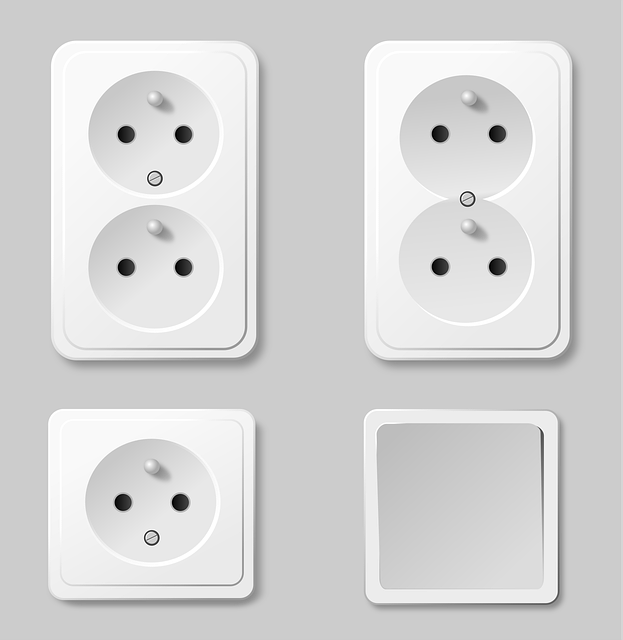
Before you install or use a wall outlet hidden camera, it’s essential to understand the laws and ethical boundaries surrounding their use.
While these devices can be incredibly useful for security and monitoring purposes, improper use — such as recording people without consent — can quickly cross into illegal territory.
Let’s break down the laws, regulations, and moral considerations you need to know before using your hidden outlet camera.
Understanding the Legality
In most countries — including the United States, Canada, the UK, and Australia — it is legal to use a hidden camera for security in spaces you own or control. However, there are strict limits on where and how you can record.
Here’s a quick breakdown:
| Location | Legal to Record Video? | Legal to Record Audio? | Notes |
| Your Home (common areas) | ✅ Yes | ⚠️ With consent or if not expecting privacy | Living room, hallway, garage |
| Bathrooms/Bedrooms | ❌ No | ❌ No | High expectation of privacy |
| Office or Workplace | ✅ Conditional | ⚠️ Notify employees | Must comply with labor laws |
| Public Areas (owned by you) | ✅ Yes | ⚠️ May need signage | Parking lots, storefronts |
| Rental Properties | ⚠️ Limited | ⚠️ Limited | Disclose to tenants; varies by state/country |
Important: Even in your own property, individuals have a “reasonable expectation of privacy” in certain spaces. Recording without consent in those areas is illegal in most regions.
Video vs. Audio Recording Laws
There’s a major difference between video surveillance and audio recording laws.
- Video recording without audio is generally legal in spaces you own — provided the area is not private (e.g., a living room or office lobby).
- Audio recording, however, often falls under “wiretapping” or “eavesdropping” laws, which can be illegal without consent.
In the U.S., states fall into two categories:
- One-party consent states: You can record audio if one person (even you) knows it’s happening.
- Two-party consent states: Everyone being recorded must give permission.
Example: In California, Florida, and Pennsylvania (two-party consent states), recording conversations without everyone’s knowledge can lead to serious penalties — even jail time.
Laws in Other Regions
If you’re outside the U.S., here’s a general overview:
- UK: The Data Protection Act and GDPR regulate surveillance. Homeowners can use hidden cameras, but must avoid recording beyond their property or violating others’ privacy.
- Canada: Hidden cameras are legal for personal security, but recording people without consent in private areas is prohibited.
- Australia: Each state has unique surveillance laws. For example, New South Wales’ Surveillance Devices Act 2007 restricts covert recording without consent in private areas.
Always check local and federal laws before installing a camera — penalties for noncompliance can include fines or criminal charges.
Ethical Use of Hidden Cameras
Even if it’s legal, that doesn’t always mean it’s ethical. Responsible surveillance builds trust and protects privacy, while unethical use can lead to loss of credibility and legal issues.
Ethical guidelines for using a wall outlet hidden camera:
- Respect personal privacy: Never record in bathrooms, bedrooms, or dressing areas.
- Disclose when necessary: If used in shared spaces (like offices or rental homes), let others know that surveillance is in place.
- Use for safety — not spying: Cameras should be used to deter crime, ensure safety, or monitor property, not to secretly observe personal behavior.
- Protect data: Encrypt recordings and restrict access to authorized users only.
- Delete old footage: Avoid storing or sharing recordings longer than necessary.
“Privacy isn’t the enemy of security — it’s the foundation of trust.”
— Cyber Privacy Council, 2026
Case Study: Hidden Camera Misuse in Rental Properties
A 2024 case in Texas made headlines when a landlord installed hidden cameras disguised as outlets in a tenant’s bedroom. The tenant discovered the devices and pressed charges. The landlord faced:
- Felony charges for invasive visual recording
- Civil lawsuit for invasion of privacy
- Eviction from his rental license
This example underscores that while wall outlet hidden cameras are legal tools, misuse can have severe criminal and financial consequences.
When Hidden Cameras Are Justified
There are many legitimate and ethical uses for wall outlet cameras:
- Home security monitoring
- Child or nanny supervision (in common areas)
- Office or store theft prevention
- Elder care monitoring (with consent)
- Property protection while traveling
As long as cameras are used transparently and responsibly, they remain powerful tools for safety and peace of mind.
Legal Checklist Before Installing
Before you install your hidden outlet camera, review this quick compliance checklist:
✅ Record only video, not audio (unless you’re in a one-party consent state).
✅ Avoid private or sensitive areas.
✅ Inform people in shared or workplace environments.
✅ Use secure, encrypted storage (local or cloud).
✅ Review local surveillance and privacy laws regularly.
In Summary
A wall outlet hidden camera can provide tremendous peace of mind — but it must be used within legal and ethical boundaries.
Recording for safety or monitoring your property is typically allowed, but recording private activities or conversations is not.
By understanding the laws, respecting privacy, and using your device responsibly, you’ll protect both your property and your legal standing.
“Surveillance done right enhances security — done wrong, it destroys trust.”
— Privacy Law Review, 2026
Best Places to Install a Wall Outlet Hidden Camera (Practical Placement Guide)
Even the best wall outlet hidden camera won’t deliver effective security if it’s poorly placed. The secret to getting clear, useful footage lies in strategic placement — finding the perfect balance between discreet positioning and wide coverage.
Let’s explore the most effective places to install these cameras, where to avoid them, and how to optimize their field of view for your specific needs.
1. Entryways and Main Doors
Why it’s effective:
Front and back doors are the most common points of entry for intruders. Installing a hidden outlet camera near these areas lets you monitor who enters or exits your home or office.
Placement tips:
- Position the camera facing the door but not directly opposite windows (to avoid glare).
- Mount it at standard outlet height (2–4 feet) from the floor for a natural, undetectable view.
- Make sure lighting near the door is adequate — consider models with infrared night vision for low light.
Fact: According to the FBI’s 2024 Crime Data Report, 34% of break-ins occur through the front door — making this the #1 priority area for hidden camera placement.
2. Living Room or Common Area
Why it’s effective:
Living rooms often connect to hallways, staircases, and multiple entry points. A wall outlet hidden camera here provides a wide overview of daily activity.
Placement tips:
- Install near the TV area or an unused outlet where it won’t draw attention.
- Ensure the camera captures both entryways and seating areas.
- Avoid placing it behind large furniture that could block the lens.
Pro Insight: A hidden outlet camera placed in the corner of a living room can cover nearly 70% of the space with a single wide-angle lens.
3. Home Office or Business Workspace
Why it’s effective:
If you work from home or manage a small business, this area often contains valuable equipment or confidential documents. A hidden camera disguised as a wall outlet provides silent, 24/7 surveillance.
Placement tips:
- Install the outlet camera near your desk or printer for a broad view.
- If it’s a shared office, inform employees of the camera (to comply with workplace laws).
- Use a Wi-Fi-enabled model for real-time monitoring through your smartphone.
Quote: “For small business owners, surveillance is more about accountability than suspicion.”
— Small Biz Tech Review, 2026
4. Garage or Workshop
Why it’s effective:
Garages and workshops often store tools, vehicles, and expensive equipment. Installing a hidden wall outlet camera in this space provides security coverage where most people don’t think to look.
Placement tips:
- Choose outlets near entrances or storage shelves.
- Opt for models with motion detection and night vision due to low lighting.
- Avoid exposure to dust, vibration, or moisture that can damage internal parts.
5. Hallways and Staircases
Why it’s effective:
These areas connect multiple rooms and offer a choke point view — perfect for tracking movement throughout the property.
Placement tips:
- Install at the beginning or midpoint of a hallway for maximum coverage.
- Ensure the camera’s lens faces across the hallway, not along it, for a wider field of view.
- Avoid pointing directly at light fixtures or mirrors that can reflect IR light.
Pro Tip: In long hallways, combine two hidden outlet cameras — one at each end — for complete surveillance coverage without obvious visibility.
6. Retail or Storefront Areas
Why it’s effective:
In retail environments, employee theft and shoplifting are ongoing concerns. A wall outlet hidden camera allows owners to discreetly monitor customer behavior without alarming staff or visitors.
Placement tips:
- Install near cash registers, entry points, or product shelves.
- Combine with visible cameras to create both a deterrent and a covert monitoring system.
- Choose models with loop recording to ensure continuous coverage during business hours.
Stat Insight: Retail shrinkage (theft and inventory loss) cost U.S. retailers over $112 billion in 2024, according to the National Retail Federation. Strategic surveillance placement can reduce losses by up to 25%.
7. Rental or Airbnb Properties
Why it’s effective:
Hosts often use hidden outlet cameras in common areas to ensure property safety while respecting guest privacy.
Placement tips:
- Only place cameras in shared spaces (living room, kitchen, hallway).
- Clearly disclose camera locations in the rental listing — failure to do so can violate platform policies and local privacy laws.
- Avoid any private or sleeping areas — that’s strictly prohibited.
Policy Note: Airbnb’s 2024 policy update bans undisclosed indoor cameras, even in common areas. Always review platform rules before installation.
Where Not to Install a Wall Outlet Hidden Camera
There are some areas where installing a hidden camera — even for security — crosses ethical and legal lines. Avoid placing cameras in:
- Bathrooms or shower areas
- Bedrooms or guest rooms
- Changing rooms or closets
- Areas facing neighbors’ properties
Rule of thumb: If a person would reasonably expect privacy in that location, it’s off-limits for recording.
Room-by-Room Placement Comparison
| Room/Area | Recommended Height | Lighting Needed | Legal to Record | Best Camera Type |
| Living Room | 2–4 ft | Moderate | ✅ Yes | Wi-Fi w/ HD video |
| Office | 2–4 ft | Bright/Moderate | ✅ Yes (with notice) | Cloud-based |
| Garage | 1–3 ft | Low | ✅ Yes | Night vision model |
| Bedroom/Bathroom | — | — | ❌ No | — |
| Hallway | 2–3 ft | Moderate | ✅ Yes | Wide-angle |
| Retail Space | 2–4 ft | Bright | ✅ Yes (disclose if staff) | Wi-Fi motion cam |
In Summary
Placement can make or break the effectiveness of your wall outlet hidden camera. Focus on high-traffic, common areas like doors, hallways, and shared spaces — and always respect privacy laws.
A well-placed outlet camera doesn’t just protect property; it creates peace of mind by recording what matters most, when it matters most.
“Good surveillance isn’t about seeing everything — it’s about seeing the right things.”
— Home Security Insights, 2026
Top 5 Wall Outlet Hidden Cameras in 2026 (Comparison Guide)
The market for wall outlet hidden cameras has exploded in 2026 — with dozens of models offering Wi-Fi streaming, AI motion detection, and 4K recording. But not all devices deliver on their promises.
To save you hours of research, we’ve reviewed the top-rated wall outlet hidden cameras available this year based on performance, reliability, ease of use, and value.
Let’s explore the five best options trusted by homeowners, office managers, and surveillance professionals alike.
🥇 1. SpyPlug Pro 4K Wi-Fi Wall Outlet Hidden Camera
Best Overall for 2026
Overview:
The SpyPlug Pro 4K is one of the most advanced and discreet outlet cameras available. It records ultra-high-definition 4K video, offers Wi-Fi live streaming, and supports AI-powered motion alerts for precise activity tracking.
Key Features:
- 4K Ultra HD video resolution (30 FPS)
- Dual-band Wi-Fi (2.4GHz / 5GHz)
- AI human motion detection (reduces false alarms)
- Loop and cloud recording options
- Works with Android and iOS apps
Pros:
✅ Excellent video clarity — even in low light
✅ Seamless app interface with real-time alerts
✅ Professional-grade encryption (AES-256)
✅ Compatible with Alexa and Google Home
Cons:
❌ Slightly higher price point (~$189)
❌ Requires strong Wi-Fi signal for smooth streaming
Best For: Homeowners and business users who want the highest-quality video and reliable remote access.
🥈 2. SecureCam Stealth HD 1080p Wall Plug Camera
Best Budget-Friendly Model
Overview:
The SecureCam Stealth HD is perfect for users looking for affordability without sacrificing performance. Despite its low cost, it offers 1080p HD video, motion detection, and easy plug-and-play setup.
Key Features:
- 1080p HD resolution
- 120° wide-angle lens
- Motion-triggered recording
- Local storage (supports up to 128GB SD card)
- No visible indicator lights
Pros:
✅ Easy installation — plug it in and go
✅ No Wi-Fi needed (offline recording option)
✅ Affordable under $80
✅ Excellent for discreet indoor surveillance
Cons:
❌ No live streaming or remote access
❌ Lacks night vision capability
Best For: Renters or users who want a simple, effective hidden camera without relying on internet connectivity.
🥉 3. InvisiCam Elite 2K Smart Wall Outlet Camera
Best Smart Integration
Overview:
The InvisiCam Elite 2K balances smart features and high-quality imaging. Its 2K recording and app-controlled settings make it an excellent mid-range choice.
Key Features:
- 2K video recording
- App-controlled pan/tilt lens
- Smart motion tracking
- Night vision up to 20 ft
- Cloud backup (subscription optional)
Pros:
✅ Clear footage in all lighting conditions
✅ AI tracking follows movement automatically
✅ Sleek outlet design blends into any decor
✅ Works with multiple user accounts
Cons:
❌ Requires app updates for stability
❌ Cloud plan costs extra ($4.99/month)
Best For: Smart home enthusiasts who want flexibility and automation.
🏅 4. SmartView Guardian 4K Dual Storage Hidden Camera
Best for Security Professionals
Overview:
The SmartView Guardian is a professional-grade hidden camera designed for surveillance-grade reliability. It includes both local and cloud storage, remote access, and infrared night vision for 24-hour monitoring.
Key Features:
- 4K HDR video capture
- Dual storage (MicroSD + Cloud)
- Infrared night vision up to 25 ft
- Motion + audio detection (optional)
- Secure web portal for desktop access
Pros:
✅ Dual storage redundancy for extra safety
✅ Ideal for 24/7 operation
✅ Detailed motion logs and playback history
✅ Suitable for both home and office
Cons:
❌ Requires professional installation for best results
❌ On the pricier side (~$249)
Best For: Security-conscious users, businesses, and property managers who prioritize reliability and quality.
🏆 5. MiniEyes PlugCam 1080p Compact Outlet Camera
Best for Discreet Portability
Overview:
The MiniEyes PlugCam is one of the smallest and most portable hidden outlet cameras on the market. Its ultra-compact design allows you to move it between rooms effortlessly.
Key Features:
- 1080p HD recording
- No Wi-Fi required (optional SD recording)
- Portable plug-and-play design
- Motion-activated video recording
- Compact body — indistinguishable from a normal outlet plug
Pros:
✅ Lightweight and travel-friendly
✅ Works in hotels, offices, or temporary setups
✅ Great video quality for its size
✅ Very discreet
Cons:
❌ No remote access
❌ Limited viewing angle (90°)
Best For: Frequent travelers and those who value stealth above all.
📊 Comparison Table: 2026’s Best Wall Outlet Hidden Cameras
| Model | Resolution | Wi-Fi | Storage | Night Vision | Price (USD) | Best For |
| SpyPlug Pro 4K | 4K | ✅ | SD + Cloud | ✅ | $189 | Overall performance |
| SecureCam Stealth HD | 1080p | ❌ | SD | ❌ | $79 | Budget users |
| InvisiCam Elite 2K | 2K | ✅ | Cloud | ✅ | $139 | Smart homes |
| SmartView Guardian 4K | 4K | ✅ | SD + Cloud | ✅ | $249 | Businesses |
| MiniEyes PlugCam | 1080p | ❌ | SD | ❌ | $99 | Portability |
Expert Recommendation
If you’re looking for a balance of quality, reliability, and affordability, the SpyPlug Pro 4K remains the #1 choice for 2026.
For users on a budget, the SecureCam Stealth HD offers unbeatable simplicity and privacy without the need for Wi-Fi.
“The right camera isn’t just about resolution — it’s about how seamlessly it fits into your lifestyle.”
— HomeTech Security Report, 2026
In Summary
With so many models on the market, the best wall outlet hidden camera for you depends on your goals:
- Choose 4K Wi-Fi models for professional monitoring and remote viewing.
- Choose non-Wi-Fi models for offline privacy and simplicity.
- Choose AI motion detection for smarter alerts and less false activity.
By investing in a quality model that matches your environment, you’ll ensure dependable protection and discreet performance for years to come.
Safety Tips and Best Practices for Using Wall Outlet Hidden Cameras
While wall outlet hidden cameras are powerful tools for home and business security, they come with serious responsibilities. Using them carelessly can lead to legal problems, privacy violations, or data breaches.
To get the most out of your investment and stay compliant with laws, follow these essential safety and best-practice tips.
1. Always Protect Your Data
Modern outlet cameras often connect to Wi-Fi or cloud storage — which means your video data can be at risk if not secured properly.
Here’s how to keep your recordings safe:
- Change default passwords immediately — factory credentials are widely known and vulnerable.
- Use strong, unique passwords with at least 12 characters, numbers, and symbols.
- Enable two-factor authentication (2FA) on your app or account when available.
- Regularly update your camera’s firmware to patch security flaws.
- Avoid using public Wi-Fi networks to access live feeds or cloud accounts.
Expert Tip: A 2026 study by CyberShield Security found that 63% of hacked cameras were using default passwords or outdated firmware.
2. Respect Privacy Boundaries
Even if your intentions are good, violating privacy can lead to legal trouble and ethical issues.
Follow these golden rules:
- Never install hidden cameras in private areas like bathrooms, bedrooms, or changing spaces.
- Inform people if you’re recording in shared areas, such as offices or rental spaces.
- Use the camera strictly for security, safety, or monitoring purposes — not personal surveillance.
- Disable audio recording if local laws prohibit it.
Remember: Recording without consent can lead to severe legal consequences, especially if it involves audio or private spaces.
3. Optimize Video Storage and Retention
Proper storage management ensures your camera records efficiently and remains ready for new footage.
Best practices:
- Use a high-speed MicroSD card (Class 10 or higher) for smoother recording.
- Set up loop recording so the camera automatically overwrites old footage.
- If using cloud storage, review your plan’s retention period (e.g., 7 days, 30 days).
- Regularly download and back up important clips to a secure external drive.
| Storage Type | Pros | Cons | Best For |
| Local (SD card) | Private, no internet required | Can be stolen/damaged | Personal/home users |
| Cloud | Remote access, off-site safety | Requires subscription | Businesses or travelers |
| Hybrid | Redundancy and flexibility | Higher cost | Security professionals |
Pro Tip: Rotate SD cards every 6–12 months — they wear out over time due to continuous recording.
4. Maintain and Inspect Regularly
Just like any tech device, your hidden wall outlet camera needs regular maintenance for optimal performance.
Maintenance checklist:
- Clean the lens monthly with a microfiber cloth to prevent dust buildup.
- Check recording logs weekly to ensure the camera is functioning properly.
- Reboot your camera occasionally to refresh its system memory.
- Verify night vision LEDs are working by testing in dark conditions.
- Monitor storage space and clear unnecessary footage.
Pro Insight: Hidden cameras that are never maintained have a 35% higher failure rate due to dust or overheating, according to HomeTech Analytics, 2026.
5. Test Wi-Fi Strength and Connection Stability
If your camera relies on Wi-Fi, an unstable connection can cause missing footage or failed recordings.
Quick Wi-Fi optimization tips:
- Keep your router within 20–30 feet of the camera.
- Avoid thick walls or large metal objects between devices.
- Use a Wi-Fi extender if the signal is weak in the installation area.
- Regularly update your router’s firmware.
Data Fact: Every 1 Mbps drop in Wi-Fi strength can result in up to 12% loss in video frame quality or buffering issues in live feeds.
6. Use Motion Detection Smartly
Motion detection saves power and storage but can be sensitive.
Fine-tune it to avoid unnecessary alerts.
Tips:
- Adjust sensitivity levels within the app.
- Enable human detection if supported (AI-based filtering).
- Schedule motion alerts only during hours when the space should be empty.
- Review false alarms regularly and tweak your settings.
Example: A family in Oregon reduced false alerts by 73% after switching to human-motion AI detection on their SpyPlug Pro 4K camera.
7. Keep Your Installation Discreet but Ethical
A good hidden outlet camera should blend naturally into its environment. However, discretion should not equal deception.
- Choose outlet positions that look authentic (avoid unusual heights or placements).
- Match the outlet faceplate color with your wall color.
- Ensure the camera doesn’t emit visible light when recording.
- Avoid pointing directly at guests or sensitive personal zones.
Ethical Reminder: Discretion is about stealth for safety, not secrecy for exploitation.
8. Stay Updated on Laws and Regulations
Privacy and surveillance laws evolve rapidly. What’s legal today may change tomorrow — especially with the growing scrutiny around AI-powered cameras.
Stay informed by:
- Checking your state or country’s surveillance regulations quarterly.
- Following tech and privacy organizations like the Electronic Frontier Foundation (EFF) or Privacy International.
- Reading your camera manufacturer’s compliance updates.
“Technology changes fast — but accountability must always keep up.”
— Data Privacy Review, 2026
9. Use Cameras as Part of a Larger Security Strategy
A single camera can’t do everything. Pair your wall outlet hidden camera with a broader security ecosystem for complete protection.
Combine it with:
- Visible cameras (as deterrents)
- Smart locks and alarms
- Motion-activated lights
- Home security apps or monitoring services
This layered approach ensures your property remains secure even if one device fails.
10. Handle Footage Responsibly
Your recordings may contain sensitive information. Handle them as you would any other private data.
Best practices for footage handling:
- Do not share videos publicly without consent.
- Store footage on encrypted drives.
- Delete recordings regularly unless needed for evidence.
- If using cloud storage, choose providers that comply with GDPR and ISO 27001 standards.
Quote: “Your camera’s footage is more than data — it’s people’s lives captured in pixels. Treat it accordingly.”
— Ethical Tech Forum, 2026
In Summary
Using a wall outlet hidden camera safely means balancing technology, security, and responsibility.
When installed, maintained, and used properly, these devices provide unmatched peace of mind — but only when paired with strong ethics and smart security practices.
To recap:
- Protect your network and data.
- Respect privacy at all times.
- Maintain your equipment regularly.
- Stay legally compliant.
- Use cameras as part of a broader, ethical security plan.
By following these principles, you’ll ensure your hidden outlet camera enhances safety — not controversy.
“A responsible camera owner protects both their property and their integrity.”
— Home Security Ethics Review, 2026
Conclusion: The Future of Wall Outlet Hidden Cameras
As technology continues to evolve, wall outlet hidden cameras are transforming from simple recording tools into intelligent, AI-powered guardians that seamlessly integrate with the modern smart home.
Once used only for covert surveillance, these devices now offer ethical, transparent, and intelligent security solutions for families, businesses, and travelers alike.
The Evolution of Wall Outlet Hidden Cameras
In just a few short years, outlet cameras have advanced from grainy, low-resolution video to 4K HDR imaging, AI-powered detection, and secure cloud storage.
Here’s a quick snapshot of how the technology has evolved:
| Year | Key Innovation | Impact |
| 2018 | First 1080p outlet cameras introduced | Basic home surveillance |
| 2020 | Wi-Fi connectivity & mobile apps | Remote access for users |
| 2023 | AI motion detection & cloud backup | Smarter alerts, safer storage |
| 2026 | 4K HDR, smart integration, privacy encryption | Seamless, ethical monitoring |
Today’s models like the SpyPlug Pro 4K and SmartView Guardian 4K embody this transformation — offering professional-grade monitoring in an everyday wall outlet form.
Quote: “Surveillance is no longer about hiding — it’s about protecting with intelligence and integrity.”
— Smart Home Security Trends Report, 2026
The Role of AI and Automation
Artificial intelligence has become the backbone of modern surveillance.
AI-driven features such as human recognition, facial filtering, and activity zones ensure your camera captures only what matters.
This minimizes false alerts and lets you focus on genuine security events rather than constant notifications.
In the near future, expect outlet cameras to include:
- Voice command compatibility with Alexa, Google Home, and Siri.
- Edge computing, allowing cameras to process data locally instead of uploading everything to the cloud.
- Predictive analytics that learn behavior patterns — alerting users before suspicious activity occurs.
These innovations will make surveillance not only smarter but more privacy-conscious and energy-efficient.
Ethics and Regulation in the Future
As hidden camera technology advances, so does the conversation around privacy, consent, and data ethics.
Governments and tech companies are developing clearer regulations to ensure that hidden cameras serve safety — not exploitation.
In the next few years, we’re likely to see:
- Stricter rules around data retention and recording consent.
- Built-in privacy indicators that notify when recording is active.
- Greater transparency from manufacturers about data encryption and user control.
“The future of surveillance lies in transparency and accountability — not secrecy.”
— Global Privacy Watch, 2026
Final Thoughts: Choosing the Right Wall Outlet Hidden Camera
Whether you’re a homeowner wanting to protect your family, a landlord monitoring shared property, or a business owner securing an office — the right wall outlet hidden camera can offer unmatched peace of mind.
To choose wisely:
- Focus on resolution and motion detection accuracy.
- Ensure strong data security and Wi-Fi stability.
- Respect privacy laws and use cameras ethically.
- Pair your hidden camera with other smart home devices for full coverage.
With thoughtful setup and responsible use, a wall outlet hidden camera becomes more than just a spy gadget — it’s a silent partner in keeping your world safe.
Key Takeaways
- Wall outlet hidden cameras are now smarter, clearer, and safer than ever.
- Always prioritize security, ethics, and legality when using hidden surveillance tools.
- The best models combine AI intelligence, 4K clarity, and seamless connectivity.
- Responsible ownership ensures protection without compromising privacy.
“Smart security begins with smart responsibility.”
— HomeTech Security Magazine, 2026
Your Next Step
If you’re ready to invest in reliable and discreet protection, explore our guide to the Top 5 Wall Outlet Hidden Cameras of 2026 above — and choose the one that best fits your home or business.
Stay safe, stay smart, and always use technology ethically.