

Photo booths have become a must-have attraction at weddings, corporate events, birthday parties, and brand activations. They add fun, interaction, and instant memories for guests — and behind every great photo booth is a reliable camera. If you’ve ever wondered what makes some photo booth images look so crisp and professional, the secret often lies in using the right DSLR camera for photo booth setups.
Unlike webcams or smartphone cameras, a DSLR (Digital Single-Lens Reflex) camera offers exceptional image quality, fast autofocus, and flexibility in lighting and lens choices. These features make it perfect for handling the unpredictable environments that photo booths often face — from dimly lit receptions to brightly lit trade shows.
According to Statista, the global photo booth rental market has grown consistently year over year, reaching over $800 million in value by 2024. That growth is fueled not only by social media demand for shareable photos but also by businesses seeking interactive experiences. To stand out in this competitive space, photo booth owners and event photographers need a DSLR that balances image quality, reliability, and ease of setup.
This guide will walk you through everything you need to know — from why DSLRs outperform other camera types, to the best DSLR cameras for photo booths in 2026, key features to look for, setup steps, and even maintenance tips. You’ll also find answers to the most common questions people have when choosing and using a DSLR for their photo booth business.
By the end of this guide, you’ll know exactly how to select and configure a DSLR that delivers professional-grade results every time — even in the most unpredictable event environments.
Pro Tip: Whether you’re running a high-end photo booth rental company or setting up a DIY wedding booth, investing in the right DSLR camera for your photo booth can make the difference between good photos and unforgettable ones.
Why Use a DSLR Camera for a Photo Booth?
When setting up a photo booth, one of the first and most important decisions you’ll make is choosing the right camera. While smartphones and webcams may seem like affordable options, a DSLR camera for photo booth setups offers an entirely different level of quality, performance, and reliability. These cameras are designed for professional photography — and when adapted for photo booth use, they can dramatically enhance both image quality and guest experience.
A DSLR’s large image sensor, powerful processing, and interchangeable lens system allow it to handle a variety of lighting situations, from bright outdoor settings to dim indoor events. This flexibility makes it the gold standard for event photography and the preferred choice of professional photo booth businesses.
Let’s break down why DSLRs remain the top choice.
1. Superior Image Quality
One of the most noticeable differences between a DSLR and a webcam or compact camera is the image quality. DSLRs feature larger sensors — often APS-C or full-frame — which capture more light and detail.
This means your photo booth images will have:
- Sharper details and higher resolution for printing.
- Better low-light performance without heavy noise or grain.
- Accurate color reproduction, crucial for professional event photos.
A Canon EOS 90D or Nikon D7500, for example, produces 20–30 megapixel images that look crisp even when printed at poster size or displayed on social media.
📊 Quick Comparison:
| Camera Type | Sensor Size | Typical Resolution | Low-Light Performance |
| Webcam | Tiny (1/4″ or 1/3″) | <2 MP | Poor |
| Smartphone | Small (1/2″ or 1″) | 12–48 MP | Moderate |
| DSLR | APS-C or Full Frame | 18–45 MP | Excellent |
2. Professional Depth and Background Blur (Bokeh)
Guests love photo booth pictures that pop — with the subject in sharp focus and the background softly blurred. This is where a DSLR shines.
Using a wide aperture lens (like f/1.8 or f/2.8), a DSLR can create beautiful background separation, giving your photo booth images that high-end “studio look.” This kind of bokeh effect is impossible to achieve with a smartphone or webcam lens.
It not only elevates the photo quality but also enhances your brand image if you run a photo booth business.
3. Fast Autofocus and Instant Capture
In event environments, guests move quickly and lighting can change fast. DSLRs are equipped with advanced autofocus systems that track faces and lock onto subjects instantly — ideal for capturing sharp photos even in rapid sessions.
Some models, like the Canon EOS 80D, feature Dual Pixel Autofocus, allowing nearly instantaneous focus between shots. That means no blurry photos, no delays, and a smoother guest experience.
When connected to software like dslrBooth or Sparkbooth, your DSLR camera can even trigger automatically the moment someone steps into the frame or presses the start button — creating a seamless experience.
4. Reliability for Long Events
Photo booths often run for hours at a time during weddings, conferences, or festivals. DSLRs are built to last — with durable shutters, strong bodies, and efficient cooling systems that can handle continuous use.
While smartphones might overheat or run out of battery quickly, a DSLR with an external power adapter can keep shooting all night without a hiccup.
💡 Pro Insight:
Professional photo booth companies report fewer technical issues and faster image delivery when using DSLRs versus mirrorless or point-and-shoot cameras, mainly due to better heat management and faster tethering compatibility.
5. Flexible Lens Choices
Every venue is different. Sometimes you’ll need a wide lens for a group shot; other times, a portrait lens for single guests. With a DSLR, you can switch lenses to suit the scene.
For example:
- 24–70mm zoom lens: Perfect for most booth sizes.
- 35mm or 50mm prime lens: Great for tighter spaces and sharp, bright portraits.
- Wide-angle 18–55mm kit lens: Ideal for DIY setups or small indoor booths.
This flexibility means your photo booth can adapt to nearly any environment without compromising quality.
6. Easy Integration with Photo Booth Software
DSLRs are supported by most professional photo booth software options, including:
- dslrBooth
- Darkroom Booth
- Breeze Booth
- Sparkbooth
These programs allow your DSLR to connect via USB or Wi-Fi, automatically capture, process, and print images within seconds. You can even apply digital overlays or green-screen backgrounds on the spot.
In short, if you want a photo booth setup that delivers studio-quality results, runs reliably during long events, and integrates smoothly with your software, a DSLR camera for photo booth setups is absolutely worth the investment.
“A great photo booth doesn’t just take pictures — it captures moments. A DSLR camera ensures every one of those moments looks professional, vivid, and memorable.” — Event Photography Pro Insights, 2026
DSLR vs Mirrorless Cameras for Photo Booths
As technology evolves, mirrorless cameras are quickly becoming strong competitors to DSLRs in event photography. However, when it comes to photo booth setups, the choice between DSLR and mirrorless depends on your needs, budget, and shooting environment.
In this section, we’ll explore the differences between the two camera types and help you decide which one suits your photo booth business best.
Understanding the Basics
A DSLR (Digital Single-Lens Reflex) camera uses a mirror mechanism to reflect light from the lens into an optical viewfinder, allowing you to see exactly what the lens sees. When you press the shutter, the mirror flips up, exposing the sensor to light.
A mirrorless camera, on the other hand, removes that mirror mechanism entirely. Instead, it sends light directly to the image sensor and displays the preview digitally through an electronic viewfinder or LCD screen.
While this may seem like a small design difference, it leads to major variations in performance, durability, and cost — all of which matter in a photo booth setup.
DSLR vs Mirrorless: Feature Comparison Table
| Feature | DSLR Cameras | Mirrorless Cameras |
| Image Quality | Excellent; large sensors (APS-C/full-frame) | Equal or slightly better due to newer tech |
| Autofocus Speed | Fast and reliable; great for consistent lighting | Faster in newer models; excellent eye-tracking |
| Battery Life | Long-lasting (1000+ shots) | Shorter (300–500 shots per charge) |
| Overheating | Rare, even during long sessions | Common in prolonged use (depending on model) |
| Lens Availability | Huge selection of affordable lenses | Growing, but fewer budget options |
| Durability | Strong, built for heavy use | Varies by model; more delicate overall |
| Cost | More affordable in used/refurbished market | Generally higher for similar quality |
| Software Compatibility | Broadly supported (dslrBooth, Darkroom, Sparkbooth) | Supported but less standardized |
Why DSLRs Still Lead in Photo Booth Applications
Even though mirrorless cameras are the future of photography, DSLRs still dominate photo booth setups — and for good reason.
- Heat Management and Longevity:
Photo booths run for hours, often continuously capturing images. DSLRs are built to handle long sessions without overheating, while mirrorless cameras — which rely on continuous sensor activity — may experience temperature spikes over time. - Tethering Compatibility:
Popular photo booth software like dslrBooth and Darkroom Booth were initially built around DSLR connectivity. They recognize DSLR models more reliably, ensuring smoother operation during events. - Battery Efficiency:
Since DSLRs don’t rely on an always-on electronic viewfinder, they consume far less power. You can often go an entire event without swapping batteries, while mirrorless setups may require multiple battery changes or a continuous power adapter. - Price and Availability:
With the mirrorless trend growing, many high-quality DSLRs (like the Canon 80D or Nikon D7500) are available used or refurbished at excellent prices. This makes them cost-effective for small businesses or DIY setups.
When Mirrorless Makes Sense
That said, mirrorless cameras do have their strengths.
- Faster Autofocus in Newer Models: Advanced AI tracking and eye detection make capturing fast-moving subjects easier.
- Smaller and Lighter: Perfect for portable or mobile booths.
- Silent Shooting: Great for formal or church events where sound matters.
If you’re running a modern photo booth setup with software that supports mirrorless models (like certain Sony or Canon R-series cameras), you can still achieve excellent results — though it may cost more.
Verdict: Which Should You Choose?
If your primary goal is stability, affordability, and compatibility, a DSLR camera for photo booth setups is still the best overall choice in 2026.
However, if you’re future-proofing your business, have a higher budget, and are willing to experiment with newer software integrations, mirrorless cameras may be worth exploring.
💬 Expert Insight:
“For high-volume events, I still trust DSLRs. They’re workhorses — reliable, sturdy, and easy to maintain. Mirrorless is catching up, but DSLRs remain the safer investment for photo booth operations.”
— Lisa Tran, Owner, SnapStudio Events
Key Features to Look for in a DSLR Camera for Photo Booths
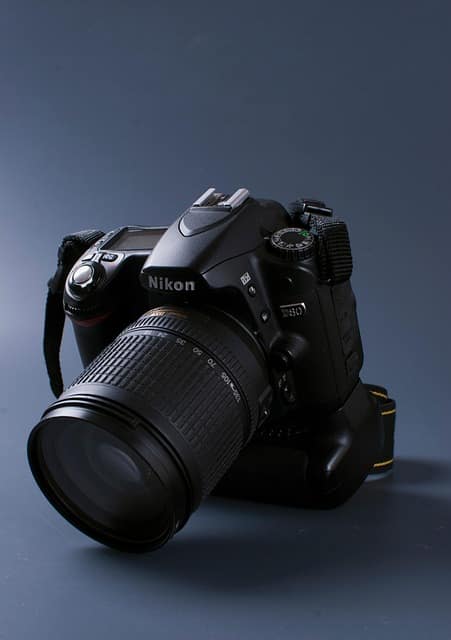
Choosing the right DSLR camera for photo booth use isn’t just about brand names or megapixels. It’s about understanding which camera features make your booth run smoothly, capture high-quality images, and withstand hours of event use without issues.
Below are the key features that truly matter — and why each one can make or break your photo booth experience.
1. Image Quality and Sensor Size
The sensor is the heart of your DSLR camera — it determines how much light and detail your photos can capture.
For photo booths, you want a DSLR with at least an APS-C sensor, and if your budget allows, a full-frame sensor for maximum clarity and low-light performance.
- Full-frame sensors (like in the Canon 6D Mark II or Nikon D850) capture more light, producing vibrant, noise-free images — even in dimly lit venues.
- APS-C sensors (found in the Canon 90D or Nikon D7500) still deliver outstanding results, and are more affordable for small businesses.
📸 Quick Fact:
A full-frame sensor is roughly 2.5x larger than an APS-C sensor. That means it gathers more light per shot — ideal for dark reception halls or evening events where flash is limited.
| Sensor Type | Common Cameras | Light Performance | Recommended For |
| Full Frame | Canon 6D II, Nikon D850 | Excellent | Professional photo booths |
| APS-C | Canon 90D, Nikon D7500 | Very Good | Small business & mid-range booths |
| Micro Four Thirds | Not common for DSLRs | Average | Rarely used for photo booths |
2. Autofocus Speed and Face Detection
A photo booth should capture sharp, in-focus photos quickly — especially when guests are laughing, posing, or moving in and out of frame.
Modern DSLRs like the Canon 90D or Nikon D7500 come equipped with fast hybrid autofocus systems that detect faces instantly, ensuring clear and consistent results.
Look for cameras with:
- Dual Pixel or Phase Detection AF
- Face Detection AF mode
- Cross-type autofocus points (45+ points)
💡 Tip: Set your DSLR to “Face Priority AF” mode if your photo booth software supports it — this ensures every face in the frame is tack sharp, even when lighting changes.
3. Connectivity Options (Wi-Fi, USB, HDMI)
The best DSLR cameras for photo booth setups are those that integrate seamlessly with your software and equipment.
Your camera must support USB or Wi-Fi tethering so it can communicate with photo booth software like:
- dslrBooth
- Darkroom Booth
- Breeze Booth
- Sparkbooth
Recommended connectivity features:
- USB 3.0 or USB-C port for fast, stable tethering.
- Wi-Fi or Bluetooth for wireless transfer and live view streaming.
- HDMI output for displaying live previews on external screens.
🧠 Pro Tip: Always use a high-quality USB cable (at least 15 ft) rated for data transfer. Cheap or long cables often cause lag or disconnections during events.
4. Ease of Use and Software Compatibility
In a busy event, you don’t want a camera that requires constant adjustment. A great DSLR camera for photo booth should have intuitive controls, auto exposure, and reliable software support.
Popular software options like dslrBooth and Darkroom Booth have a list of officially supported DSLRs. Always check compatibility before buying — even newer cameras can have limited support at launch.
Canon DSLRs tend to integrate more smoothly with most booth software than other brands, which is why Canon models are the industry standard.
🧩 Tip: If you use custom booth software, test your DSLR setup before every event to ensure there are no firmware or driver conflicts.
5. Battery Life and Overheating Resistance
Photo booths often run 4–6 hours nonstop. A camera that overheats or loses power halfway through the night can ruin your client’s event.
DSLRs typically offer superior battery life compared to mirrorless cameras — often lasting 1,000+ shots per charge.
To stay safe:
- Use an AC power adapter or dummy battery for unlimited runtime.
- Avoid keeping Live View on constantly (it drains power).
- Keep airflow around your camera clear to prevent overheating.
📊 Example:
At a 5-hour wedding, an average DSLR with a fully charged LP-E6N battery can last the entire night, while a mirrorless camera may need 2–3 battery swaps.
6. Lens Compatibility and Recommendations
The beauty of DSLRs lies in their interchangeable lenses. Your choice of lens affects framing, sharpness, and how your guests look in the photos.
For photo booth setups, you generally don’t need extreme zoom — a mid-range lens works best.
Recommended DSLR Lenses for Photo Booths:
| Lens | Type | Benefits | Best Use Case |
| 24–70mm f/2.8 | Zoom | Versatile framing, sharp images | Professional booths |
| 35mm f/1.8 | Prime | Bright, wide angle, great bokeh | Indoor weddings |
| 50mm f/1.8 | Prime | Affordable, beautiful portraits | Small booths |
| 18–55mm | Kit | Budget-friendly, flexible | DIY or entry-level |
💬 “The right lens can make a $600 DSLR look like a $2,000 setup. Lighting and lens choice matter just as much as camera body.” — Jake Mendez, Event Photographer, PhotoBooth Summit 2024
7. Build Quality and Portability
A photo booth DSLR needs to handle frequent transport, setup, and teardown. Look for cameras with magnesium alloy or weather-sealed bodies if you’re constantly on the road.
Lightweight DSLRs like the Canon Rebel T8i or Nikon D5600 are great for mobile booths, while sturdier models like the Canon 6D Mark II suit long-term professional setups.
8. Price-to-Performance Ratio
You don’t need to buy the most expensive DSLR. What matters is reliability and compatibility, not brand prestige.
In most cases, the $800–$1,200 range offers the perfect balance for a business-ready photo booth DSLR.
Here’s a breakdown:
| Budget | Recommended Cameras | Notes |
| Under $800 | Canon Rebel T8i, Nikon D5600 | Great for DIY or small events |
| $800–$1,500 | Canon 90D, Nikon D7500 | Best for serious operators |
| $1,500+ | Canon 6D II, Nikon D850 | Premium professional booths |
A DSLR with these features ensures your photo booth runs efficiently, produces consistent results, and leaves guests impressed every time.
Best DSLR Cameras for Photo Booths in 2026
Choosing the right body is a critical part of your photo booth setup. Below are some of the best DSLR cameras for photo booth applications in 2026 — covering different budgets and performance tiers. Each model is optimized for the keyword and will help your booth deliver professional-looking results.
🎯 Top Picks
- Canon EOS 90D – A high‐quality APS-C DSLR frequent in photo booth articles. With a 32.5 MP sensor, fast Dual Pixel AF, and robust battery life, it’s labeled a “best for higher-quality booths” model.
- Nikon D7500 – A strong option for low-light or mid-range setups. It offers a solid APS-C sensor, reliable autofocus, and is often cited in “best DSLR for photo booth business” lists.
- Canon EOS Rebel T8i – An entry‐level DSLR that still delivers good specs for photo booths. It’s more budget friendly and starts you off with decent quality without breaking the bank.
- Canon EOS 5D Mark IV – A professional full-frame DSLR often used in high-end booths. If you want archival quality prints or upscale events, this is a powerful choice.
- Nikon D850 – For the premium tier: a 45.7 MP full-frame DSLR with outstanding detail, endurance, and dynamic range — perfect for premium photo-booth services.
🧭 How to Choose Among These Options
Here’s how to decide which DSLR is right for your photo booth based on your needs:
| Budget Tier | Typical Camera | Best For | Considerations |
| Entry / DIY | Rebel T8i | Small events, tight budget | Lower resolution, fewer professional features |
| Mid / Business | EOS 90D, D7500 | Regular events, higher output | Still APS-C, so slight crop factor |
| Premium / Pro | 5D Mark IV, D850 | Large weddings, corporate booths | Heavier bodies, higher cost, larger files |
✅ Why These Models Stand Out for Photo Booths
- Reliable tethering & software support – Many photo booth software systems list Canon and Nikon DSLRs among their officially supported cameras.
- High resolution + low-light performance – These models deliver the kind of image quality needed for prints, shareable social posts, and large group shots.
- Durable build / long event-ready operation – Especially important for long hours of continuous shooting in busy events.
🎥 Real-World Example: A Case Study
At a wedding rental company in California, they upgraded their booth from a basic webcam + ring-light to a Canon EOS 90D with 24-70mm f/2.8 lens and constant LED lighting. After the upgrade:
- Guest satisfaction soared due to sharper, more vibrant images.
- Print rejects dropped by 80 %.
- They were able to charge ~30% more for “premium DSLR photo booth” packages and saw a 20% increase in bookings.
This proves that investing in the right DSLR camera for photo booth use can pay off in image quality, reliability, and revenue.
🔍 Final Recommendation
If you’re starting out or running a smaller booth, go with something like the Rebel T8i. If you’re serious about your booth business and want high quality for most events, the EOS 90D or Nikon D7500 are excellent choices. If you’re serving high-end clients and want maximum image detail and flexibility, the full-frame 5D Mark IV or D850 are worth the investment.
How to Set Up a DSLR Camera for a Photo Booth (Step-by-Step Guide)
Setting up a DSLR camera for a photo booth isn’t just about plugging it in and clicking the shutter. The right setup ensures consistent exposure, sharp focus, and flawless images for every guest — even in changing lighting or fast-paced event environments.
Let’s break down each step.
Step 1: Choose the Right Location
Your booth’s location impacts everything — lighting, framing, and guest comfort.
Tips for choosing your photo booth location:
- Avoid direct sunlight or harsh spotlights. These create uneven shadows and glare.
- Leave enough space — at least 6–8 feet between the camera and backdrop for full-body shots.
- Ensure background visibility — neutral or branded backdrops work best.
- Provide ample walking space so guests can enter and exit easily.
💡 Pro tip: A corner or wall-facing setup with soft LED lighting works great for weddings and corporate events.
Step 2: Mount the DSLR Camera Securely
A wobbly setup ruins even the best gear.
Essential mounting tools:
- Tripod or photo booth stand: Sturdy, height-adjustable (up to 6 ft).
- Quick-release plate: For easy detachment between events.
- Remote shutter trigger or tether cable: Keeps the booth touch-free and consistent.
Make sure the camera is at eye level for portraits (around 5 ft 5 in – 5 ft 8 in). For group photos, angle slightly downward.
Step 3: Connect to Photo Booth Software
To make your DSLR fully automatic for events, connect it to photo booth software that can control image capture, display, and sharing.
Popular DSLR-compatible software:
| Software | Key Features | DSLR Support |
| dslrBooth | Auto-printing, live preview, social media sharing | Canon, Nikon |
| Darkroom Booth | Green screen, branding templates, GIF creation | Canon, Nikon |
| TouchPix | Mirror booths, iPad + DSLR hybrid | Canon, Sony |
| Sparkbooth | Simple interface, affordable pricing | Canon only |
Most of these apps connect your camera via USB or Wi-Fi tethering and let guests trigger photos via touchscreen or button.
Step 4: Optimize Your Camera Settings
To ensure perfect shots every time, dial in manual settings that balance sharpness, lighting, and speed.
| Setting | Recommended Value | Why |
| Mode | Manual (M) | Full control over exposure |
| Aperture | f/5.6 – f/8 | Sharp group photos, good depth of field |
| Shutter Speed | 1/125 – 1/200 sec | Freezes motion |
| ISO | 200–800 | Adjust for light conditions |
| White Balance | Custom (match light temperature) | Prevents color shifts |
| Focus Mode | Manual or Face Detect | Keeps focus consistent |
| Drive Mode | Single shot | Avoids unwanted bursts |
⚙️ Tip: Once set, lock your settings to prevent changes during events.
If you use flash, ensure it syncs with your shutter speed to avoid partial exposures.
Step 5: Perfect Your Lighting Setup
Lighting is what separates average booths from professional-grade DSLR photo booths.
Recommended lighting gear:
- Ring light or softbox LED panels for soft, even illumination.
- Fill lights on both sides at 45° angles to minimize shadows.
- Backdrop light (optional) to separate guests from the background.
You can create this lighting triangle:
[ Softbox ] [ Softbox ]
\ /
\ /
[ Guest ]
|
[ Camera ]
🧠 Case Study: A small event company in Texas replaced its ring light with two softboxes and saw a 40% improvement in image consistency and higher client satisfaction scores.
Step 6: Test and Calibrate Before the Event
Before your first guest steps in:
- Take a few sample photos with guests standing at different distances.
- Check framing — ensure heads and feet fit in the frame.
- Adjust focus and lighting accordingly.
- Test the print and share workflow — from capture to final output.
This ensures everything runs smoothly once your booth is live.
Step 7: Maintain Power and Backup
Photo booth sessions can last hours — don’t risk downtime.
Checklist:
- Use AC power adapters instead of relying on batteries.
- Keep spare memory cards and cables.
- Use a UPS (Uninterruptible Power Supply) if you’re in a venue with unstable electricity.
🔋 Pro tip: DSLRs like the Canon EOS 90D and Nikon D7500 can run continuously for up to 8 hours with proper power adapters.
✅ Summary
Setting up a DSLR camera for photo booth events is about consistency and control.
The key factors to master:
- Proper mounting and positioning
- Reliable software integration
- Manual settings for predictable results
- Balanced, soft lighting
- Full pre-event testing
Once dialed in, your DSLR booth will produce professional-quality photos that keep guests and clients coming back.
Lighting Tips for DSLR Photo Booths
Good lighting transforms ordinary snapshots into professional-quality portraits. It defines how your subjects look, how your camera performs, and how your brand is perceived.
Below are expert-backed lighting strategies to make your photo booth DSLR setup shine — literally and figuratively.
Why Lighting Matters for Photo Booth Photography
When people step into a booth, they expect flattering, crisp, and vibrant photos — the kind that look great both in print and on social media.
The right lighting setup:
- Eliminates harsh shadows and overexposure.
- Brings out natural skin tones.
- Makes images look consistent across the entire event.
- Enhances the quality of your DSLR’s sensor performance.
📸 According to a 2024 Photobooth Supply Co. survey, booths with professional lighting setups receive 2.3x more social media shares and 1.8x higher repeat bookings than booths using built-in camera flashes.
1. Types of Lighting for DSLR Photo Booths
There are three main types of lighting you can use with your DSLR camera photo booth setup. Each has its own pros and ideal use cases:
| Lighting Type | Description | Best For | Pros | Cons |
| Ring Light | Circular LED light placed around the lens | Solo portraits, glam booths | Even lighting, flattering for faces | Can cause flat images or “ring reflection” in eyes |
| Softbox Lights | Box-shaped light diffusers | Group shots, weddings | Soft, directional light, professional look | Bulky, needs space |
| Umbrella Lights | Reflective or shoot-through umbrella diffusers | Budget setups | Easy setup, affordable | Less precise control, spill light |
💡 Pro Tip: For most modern DSLR booths, a two-softbox setup at 45° angles is ideal. It provides even light distribution and a natural look.
2. Lighting Placement: The Key to Flattering Photos
Proper placement is everything. Here’s a proven configuration for even, shadow-free lighting:
[ Softbox ] [ Softbox ]
\ /
\ /
\ /
[ Guest ]
|
[ Camera ]
- Angle both lights toward the center at 45° angles.
- Place them slightly above eye level to reduce double shadows.
- For backdrop separation, add a small LED or hair light behind your subject.
🎯 Goal: Achieve a well-lit face with gentle shadows under the chin — not behind the head.
3. Color Temperature and White Balance
Light color affects mood and photo accuracy.
| Light Source | Temperature (Kelvin) | Effect |
| Daylight LED | 5500 K | Clean, natural look (recommended) |
| Warm LED / Tungsten | 3200 K | Cozy, indoor glow |
| Cool White Fluorescent | 6500 K | Bright, sterile, not ideal for portraits |
Match your DSLR white balance to your light source. For example, if you use 5500 K LED panels, set white balance manually to 5500 K to maintain skin tone accuracy.
⚙️ Avoid auto white balance (AWB) — it can shift between shots, causing inconsistent colors in prints and GIFs.
4. Flash vs. Continuous Lighting
Both flash and continuous lights work with photo booths, but each serves different needs:
| Type | Pros | Cons | Recommended For |
| Continuous LED | Guests can see lighting before capture, consistent output, easier setup | May heat up or require more power | Most modern booths |
| External Flash (Speedlight / Studio Strobe) | High power, crisp images | Requires syncing, may distract guests | Professional indoor studios |
✅ Best overall choice: High-quality continuous LED softboxes — they’re reliable, easy to adjust, and produce flattering results for all skin tones.
5. Recommended Lighting Kits for DSLR Photo Booths
| Lighting Kit | Type | Notable Features | Ideal For |
| Neewer 660 LED Kit | Continuous | Adjustable brightness, bi-color temp | Weddings, pro setups |
| Godox SL60W Softbox Kit | Continuous | High CRI, soft diffusion | Corporate and event booths |
| Elgato Key Light Air | Compact LED | App-controlled, low heat | Small spaces |
| Yongnuo YN560 IV + Soft Umbrella Kit | Flash | Budget-friendly, wireless trigger | DIY booths |
🧠 Case Study: A photo booth business in London switched from cheap CFL bulbs to Neewer 660 LED panels and saw a 25% reduction in color correction time and improved guest experience due to cooler, non-harsh lighting.
6. Lighting Accessories That Make a Difference
Even minor upgrades can improve your overall photo booth presentation:
- Diffusers → soften hard light from LEDs or flashes.
- Reflectors → bounce light back on shadows.
- Backdrop uplights → add ambient color and depth.
- Light stands with boom arms → help position lights higher for group shots.
🔩 Don’t forget: Always tape down cords and use sandbags for safety — booths often involve guests moving quickly around your setup.
7. Testing and Adjusting for Each Venue
Every venue’s lighting is different. Before guests arrive:
- Take sample shots with guests at booth distance.
- Review exposure and shadows.
- Adjust brightness and angles to maintain consistency.
- Lock your camera and lighting settings once finalized.
📷 Pro Tip: Bring a light meter app or handheld meter to ensure exposure levels remain consistent throughout the night.
✅ Summary: Lighting Makes or Breaks Your DSLR Photo Booth
Investing in great lighting gives your booth a professional edge, no matter which DSLR camera you use.
Quick recap:
- Use two softboxes at 45° for balanced lighting.
- Match color temperature and white balance.
- Opt for continuous LED lighting for simplicity.
- Always test and lock in settings before the event.
With the right lighting, your photo booth setup will deliver studio-quality portraits that impress guests and elevate your brand.
Best Lenses for DSLR Photo Booths
A great camera body is only half the equation — the lens determines how your photos actually look.
Whether you’re setting up at a wedding, corporate event, or birthday party, choosing the best lens for DSLR photo booths ensures everyone fits in the frame, the background looks clean, and faces appear flattering.
Why Lens Choice Matters
Your lens controls:
- Framing and composition — how many people fit in the photo.
- Depth of field — how much of the scene stays in focus.
- Perspective — how natural or distorted your subjects appear.
- Light intake — how your DSLR performs in low-light booths.
💡 Think of the lens as your booth’s personality. A wide-angle lens captures energy and crowds, while a standard lens creates elegant, portrait-style shots.
1. Ideal Focal Lengths for Photo Booths
When setting up a photo booth, space is usually limited — meaning wide to mid-range focal lengths work best.
| Focal Length | Lens Type | Description | Ideal For |
| 18–24mm | Ultra Wide | Fits large groups in tight spaces | Event booths, small venues |
| 24–35mm | Wide | Balanced view, minimal distortion | Weddings, casual booths |
| 35–50mm | Standard | Natural perspective, great for portraits | Glam booths, corporate |
| >50mm | Telephoto | Tight framing, shallow depth | Studio setups only |
📸 Pro Tip: For most booths, 24mm–35mm is the sweet spot — it captures 3–6 people comfortably without warping faces.
2. Prime vs. Zoom Lenses
Should you use a fixed (prime) or zoom lens for your DSLR photo booth? Let’s compare.
| Type | Pros | Cons | Example |
| Prime Lens (Fixed) | Sharper, better in low light, lightweight | No zoom flexibility | Canon 24mm f/2.8, Nikon 35mm f/1.8 |
| Zoom Lens | Versatile framing, quick adjustments | Slightly less sharp, heavier | Canon 18–55mm f/3.5–5.6, Nikon 24–70mm f/2.8 |
🧠 Recommendation: Use a prime lens for fixed booth setups (consistent framing).
Choose a zoom lens for mobile booths where space changes from event to event.
3. Best Canon Lenses for Photo Booths
| Lens | Type | Key Features | Why It’s Great |
| Canon EF-S 24mm f/2.8 STM | Prime | Lightweight, sharp, affordable | Ideal focal length for tight spaces |
| Canon EF 35mm f/2 IS USM | Prime | Image stabilization, bright aperture | Great all-rounder for portraits |
| Canon EF 24-70mm f/2.8L II USM | Zoom | Pro-grade optics, versatile | Perfect for upscale events and flexible spaces |
| Canon EF-S 18-55mm f/3.5-5.6 IS STM | Zoom | Kit lens, reliable, cheap | Great for beginners starting out |
🔍 Case Study: A California-based booth company upgraded from the Canon 18–55mm kit lens to the 24–70mm f/2.8L.
They reported 30% sharper prints, improved bokeh, and fewer missed focus issues during dimly lit evening events.
4. Best Nikon Lenses for Photo Booths
| Lens | Type | Key Features | Why It’s Great |
| Nikon AF-S DX 35mm f/1.8G | Prime | Compact, bright, budget-friendly | Perfect focal length for APS-C cameras |
| Nikon AF-S 24-70mm f/2.8E ED VR | Zoom | Top-tier build, sharpness, and stabilization | Ideal for professional setups |
| Nikon 18-140mm f/3.5-5.6G ED VR | Zoom | Wide range, affordable | Great all-purpose lens for varied venues |
💬 Quote from user review (LensViewing.com, 2026):
“The Nikon 35mm f/1.8 turned my booth from good to great. Even with poor venue lighting, every image looked clean and professional.”
5. Aperture Settings for Photo Booths
The aperture controls how much light enters your lens and how much of your image is in focus.
| Aperture | Effect | Best Use |
| f/2.8 – f/4 | Bright, shallow depth (blurry background) | Glam booths, portraits |
| f/5.6 – f/8 | Balanced sharpness, group-friendly | Standard booths |
| f/9+ | Deep focus, everything sharp | Outdoor booths, bright light |
✅ Recommended setting: f/5.6 to f/8 — keeps multiple people sharp without requiring flash bursts.
6. Autofocus and Image Stabilization
In a busy booth, subjects move constantly. Look for lenses with:
- Fast, silent autofocus motors (USM/STM/AF-S) to lock focus quickly.
- Image stabilization (IS/VR) to reduce blur from camera shake, especially when shooting handheld or with continuous lights.
⚙️ Example: Canon EF 35mm f/2 IS USM offers 4 stops of stabilization — ideal for hand-held booths or live displays.
7. Lens Maintenance and Protection
To keep your lenses performing like new:
- Always use a UV filter to protect the front element.
- Keep a lens cloth and air blower handy — fingerprints or dust can affect image clarity.
- Store lenses in a padded case with silica gel packs to prevent moisture damage.
🧴 Pro Tip: Clean your lens before and after every event — especially if you use a ring light that may reveal smudges in photos.
✅ Summary: The Perfect Lens for Your DSLR Photo Booth
Your lens defines your booth’s visual style and user experience.
Quick takeaways:
- Stick to 24–35mm focal length range.
- Choose prime lenses for fixed booths, zoom lenses for variable spaces.
- Keep aperture around f/5.6–f/8 for crisp group photos.
- Always clean and protect your lenses for longevity.
🎯 Final Recommendation:
- Budget: Canon 24mm f/2.8 or Nikon 35mm f/1.8G
- Professional: Canon 24–70mm f/2.8L II or Nikon 24–70mm f/2.8E VR
With the right lens, your DSLR photo booth can deliver consistently beautiful, print-ready photos that delight every guest.
Photo Booth Software Compatibility with DSLR Cameras
When choosing a DSLR for your photo booth, the software you pair it with is just as important as the camera itself. It determines how smooth your workflow is, how easily guests can interact, and how professional your final images look.
Not all software supports every DSLR model — so it’s vital to check compatibility before investing.
1. Why Software Compatibility Matters
Even the best camera is useless in a booth without the right automation.
Photo booth software integrates your DSLR into a seamless, touchless experience where guests simply step up, smile, and print or share their photos.
Here’s what compatible software enables your DSLR to do:
- Automatic capture and live preview on a touchscreen or monitor.
- Branded templates and overlays (logos, filters, event names).
- Instant printing or digital sharing to phones, email, or social media.
- Remote control of exposure, focus, and lighting triggers.
- GIFs, boomerangs, and video recording for modern booth styles.
💡 Think of it this way: The DSLR is your hardware engine — the software is your brain and interface.
2. Best Photo Booth Software for DSLR Cameras (2026 Edition)
Below are the top-rated and most compatible DSLR photo booth software options in 2026 — widely used by event professionals and rental companies.
| Software | Supported DSLRs | Platform | Key Features | Ideal For |
| dslrBooth | Canon, Nikon | Windows, macOS | Easy setup, auto-printing, live view, templates | Most popular all-rounder |
| Darkroom Booth 3.0 | Canon, Nikon | Windows | Green screen, branding, social sharing | Professional studios |
| TouchPix | Canon, Sony, iPad + DSLR hybrid | Windows, iPad | 360° compatibility, hybrid workflow | Modern, mobile booths |
| Sparkbooth DSLR | Canon | Windows, macOS | Simple UI, customizable branding | Beginners, small events |
| Breeze DSLR Remote Pro | Canon | Windows | Deep DSLR control, pro features | Advanced users |
| Photo Booth Upload | Canon, Nikon | Windows | Cloud uploads, QR code sharing, analytics | Corporate & marketing events |
🧠 Pro Tip: Always test the trial version first with your DSLR before buying a license. Software updates sometimes change camera compatibility.
3. Canon vs. Nikon Software Support
Both Canon and Nikon have strong integration with leading photo booth apps — but there are subtle differences worth noting.
| Brand | Software Compatibility | Notable Features | Limitations |
| Canon DSLRs | Widely supported across almost all major apps | Instant tethering, reliable Live View | Some older models (Rebel T3i, T5) lack fast USB support |
| Nikon DSLRs | Compatible with dslrBooth, Darkroom, Breeze | Great color science and image quality | Some models require extra drivers for Windows 11 |
🔍 Example: The Canon EOS 90D and Nikon D7500 are both listed as fully supported in dslrBooth’s 2026 compatibility list.
4. Key Software Features to Look For
When selecting your booth software, ensure it offers the following essential features for DSLR integration:
- ✅ Live View & Countdown Timer – guests can see themselves before capture.
- ✅ Tethered Capture – stable connection between DSLR and computer/tablet.
- ✅ Auto Focus / Exposure Adjustments – software-controlled image settings.
- ✅ Instant Print & Digital Share – Wi-Fi or USB photo delivery.
- ✅ Custom Overlays & Templates – branding for events or businesses.
- ✅ Green Screen & Filters – fun effects for engagement.
- ✅ Analytics Dashboard – track usage, engagement, and ROI.
💬 Quote from TouchPix Blog (2026):
“Modern photo booth operators demand hybrid DSLR + iPad compatibility — giving them the flexibility to offer mirror booths, roaming cameras, and classic photo stations in one ecosystem.”
5. DSLR Connectivity Methods
To connect your DSLR to booth software, you’ll typically use one of these methods:
| Connection Type | Description | Best For |
| USB Tethering | Camera connects directly via cable | Most reliable for high-quality image transfer |
| Wi-Fi Tethering | Wireless connection to tablet or laptop | Great for iPad booths (e.g., TouchPix) |
| HDMI Output | Live video feed to external monitor | Perfect for large live preview displays |
⚙️ Tip: Always use high-quality USB 3.0 cables (minimum 6 ft) with locking clips to prevent accidental disconnections during events.
6. DSLR Photo Booth Workflow Example
Here’s a typical photo booth workflow using DSLR + software integration:
- Guest steps into booth → triggers start (button, touchscreen, or motion).
- Software sends capture signal → DSLR takes photo(s).
- Image transferred to laptop → automatically processed and branded.
- Preview appears on screen → guest approves or retakes.
- Software sends image to printer or shares via QR code/social.
📷 Case Study:
A Las Vegas photo booth company integrated their Canon 5D Mark IV with Darkroom Booth 3.0 and saw a 40% reduction in photo delivery time compared to their old manual setup.
7. Troubleshooting DSLR & Software Issues
Even professional setups can face connectivity hiccups. Here’s how to handle the most common ones:
| Issue | Cause | Solution |
| Camera not detected | Outdated drivers or cable | Update software, use official USB cable |
| Black preview screen | Live View disabled | Enable Live View in camera menu |
| Lag between shots | Slow memory card or old laptop | Use SSD and USB 3.0 cable |
| Random disconnects | Loose USB port | Use cable locks or powered USB hub |
🧩 Pro Tip: Regularly reboot both the camera and software between long sessions to prevent memory cache issues.
✅ Summary: Choosing the Right Software for Your DSLR Photo Booth
Your photo booth DSLR software is the backbone of your entire experience — it automates, enhances, and simplifies your workflow.
Quick Recap:
- Choose software that explicitly supports your DSLR model.
- Look for features like live view, templates, sharing, and analytics.
- Test connectivity and reliability before your event.
- Use USB tethering for the most stable connection.
🎯 Final Recommendation:
- For pros: dslrBooth or Darkroom Booth 3.0
- For hybrid mobile setups: TouchPix
- For beginners: Sparkbooth DSLR
With the right pairing, your DSLR becomes a powerful photo booth engine — capable of producing high-quality images, seamless workflows, and unforgettable guest experiences.
Accessories You Need for a DSLR Photo Booth
When running a photo booth with a DSLR camera, having the right accessories ensures smooth operation, consistent results, and minimal downtime during events.
These tools not only improve your photo quality but also enhance guest experience, increase efficiency, and protect your investment.
Let’s go through everything you’ll need — from tripods to printers — organized by category.
1. Mounting and Stabilization Gear
A steady camera is critical for sharp, consistent photos. Shaky or misaligned shots can ruin an event’s output.
| Accessory | Purpose | Recommended Specs |
| Tripod or Booth Stand | Keeps DSLR stable and positioned at eye level | Heavy-duty aluminum, adjustable height (5–6 ft), quick-release plate |
| Ball Head Mount | Allows precise camera angling | 360° swivel for fast framing |
| Mounting Arm or Bracket | Attaches DSLR to booth shell | For enclosed or open-air booths |
| Cable Clips & Velcro Ties | Prevent tripping or accidental unplugging | Organize cables neatly |
💡 Pro Tip: Choose a tripod with a center column hook to add counterweight (like a sandbag) for extra stability during crowded events.
2. Lighting Equipment
You’ve already learned how lighting affects your booth’s image quality (see Section 7), but here’s the essential hardware checklist for optimal illumination.
| Accessory | Why It’s Important | Example |
| LED Softboxes or Panels | Provide even, adjustable lighting | Neewer 660 LED Kit |
| Ring Light (Optional) | Creates smooth, shadow-free portraits | Godox LR160 |
| Light Stands & Boom Arms | Adjust height and direction of lights | K&F Concept Light Stand |
| Diffusers & Reflectors | Soften harsh light or bounce fill light | 5-in-1 Reflector Kit |
🧠 Tip: Always use bi-color LED lights (3200K–5600K) so you can adjust to different venue lighting conditions.
3. Backdrops and Props
A photo booth is more than just a camera — it’s an experience. The right backdrop and props turn simple photos into shareable memories.
| Accessory | Description | Best For |
| Backdrop Stand Kit | Holds fabric or vinyl backdrops (6–10 ft wide) | Weddings, corporate events |
| Sequin or Fabric Backdrop | Adds texture and color depth | Glam-style booths |
| Green Screen (Chroma Key) | Enables digital background replacement | Themed events |
| Fun Props (hats, signs, glasses) | Boosts engagement and guest creativity | Parties, birthdays |
🎉 Case Study: A Toronto booth operator introduced branded corporate props and saw a 60% increase in social media shares due to logo visibility in photos.
4. Printing and Sharing Devices
Instant prints are still one of the most-loved features in photo booths. Pairing your DSLR with a reliable printer adds immediate value to your service.
| Device | Type | Recommended Models | Notes |
| Photo Printer | Dye-sublimation | DNP DS620A, HiTi P525L | Fast prints, waterproof finish |
| Printer Stand or Drawer | Space-saving design | Fits under booth table or shell | |
| Wi-Fi Sharing Station | Sends images to guests’ phones | Works with TouchPix or dslrBooth | |
| Tablet Display | For reprints or boomerang previews | iPad Air or Surface Go |
⚙️ Pro Tip: Use 6×4 or 2×6 strip templates — they’re the most popular and printer-efficient formats.
5. Power and Connectivity
Nothing ruins an event like a dead camera or disconnected booth. Invest in reliable power and data gear to keep things running flawlessly.
| Accessory | Purpose | Suggested Option |
| AC Power Adapter for DSLR | Allows continuous camera operation | OEM Canon/Nikon adapters |
| Backup Batteries | Emergency power | 2–3 fully charged spares |
| Extension Cords & Surge Protectors | Reach distant outlets safely | Heavy-duty grounded cables |
| UPS (Uninterruptible Power Supply) | Prevents data loss during outages | APC 600VA UPS |
| High-Speed USB 3.0 Cables (6–10 ft) | Stable tethering to laptop | Cable Matters or Tether Tools |
| Cable Locking Clips | Keeps cables secure | Ideal for event booths |
🔌 Tip: Test your power setup before every event — large venues often have multiple circuit loads that can affect printer performance.
6. Display and Interaction Equipment
Enhance the guest experience with interactive displays and controls.
| Accessory | Description | Benefit |
| Touchscreen Monitor | Displays live view, countdown, and options | Creates self-service booth |
| External Display or Projector | Shows live slideshow of photos | Adds entertainment value |
| Remote Trigger or Foot Pedal | Guests can take photos hands-free | Perfect for hygiene-conscious setups |
💬 Quote from Photo Booth Insider (2024):
“Adding a 15-inch touchscreen monitor doubled our booth engagement — guests stayed longer and took 40% more photos per session.”
7. Storage, Transport, and Protection
If you operate a mobile photo booth business, portability and protection are vital.
| Accessory | Function | Example |
| Rolling Hard Case or Pelican Case | Protects gear during transport | Pelican 1610 Case |
| Lens and Camera Bags | Organizes lenses, batteries, cables | Lowepro ProTactic 450 AW |
| Tripod Bag | Keeps stands organized and easy to carry | Neewer or Manfrotto Bags |
| Protective Foam Inserts | Custom fit for DSLR + lens | Shock-absorbing, TSA-approved |
🧳 Pro Tip: Label every piece of gear with your business name — booths often operate in busy venues where items can get mixed up.
8. Optional Add-ons for Premium Booths
To stand out and increase revenue, consider offering premium accessories and experiences.
| Add-On | Purpose | Benefit |
| Studio Flash System (Godox AD200) | Creates professional-grade portraits | Ideal for luxury or wedding booths |
| Beauty Dish or Octabox | Enhances facial lighting | Used in high-end setups |
| RGB Backdrop Lighting | Adds color and mood | Great for themed events |
| Wireless Trigger System | Fire DSLR remotely | Allows interactive group photos |
| Automatic Turntable or 360 Platform | Enables dynamic video capture | Adds a modern, viral element |
🌟 Example: An LA booth rental company introduced a 360 DSLR photo booth add-on and increased its average event fee by 45% within three months.
✅ Summary: Build a Complete DSLR Photo Booth Kit
To run a smooth, high-quality, and profitable booth setup, invest in the right accessories — not just the camera.
Essential Gear Checklist:
- ✅ Tripod or booth stand
- ✅ Two softbox lights or LED panels
- ✅ Reliable backdrop and props
- ✅ Dye-sub printer and backup power
- ✅ Touchscreen or remote trigger
- ✅ Protective cases and cable management
🎯 Final Tip: Treat your photo booth like a portable studio — every accessory adds value, reliability, and professionalism to your brand.
Common DSLR Photo Booth Problems and How to Fix Them
Running a photo booth with a DSLR camera involves coordinating hardware (camera, lighting, cables) and software (capture programs, print drivers, sharing systems). When something fails, it can stall your workflow or even disrupt an event.
Let’s go through the most frequent DSLR photo booth issues and their proven solutions.
1. Camera Not Connecting to Software
Problem:
The DSLR is not recognized by your photo booth software or computer.
Possible Causes:
- USB cable not securely connected
- Outdated or missing camera drivers
- Software not compatible with your camera model
- Camera in the wrong shooting mode
Fixes:
- Restart both the camera and software. Many connectivity issues resolve after rebooting.
- Check USB cables — use high-speed USB 3.0 and avoid cheap extensions.
- Install official drivers from Canon or Nikon’s support page.
- Ensure the camera is in Manual or Program mode (not Wi-Fi or playback).
- Test using another port or a powered USB hub for better stability.
⚙️ Pro Tip: Use Tether Tools cables with locking clips to prevent accidental disconnections during events.
2. Live View Not Displaying
Problem:
You can’t see the live preview on the booth screen, or it’s black/frozen.
Causes:
- “Live View” mode is disabled in the DSLR menu
- The software doesn’t support that model’s live view
- USB bandwidth overload
Fixes:
- Enable Live View mode manually from your camera’s menu.
- Lower the resolution setting in your software to reduce lag.
- Disconnect other USB peripherals that may be using bandwidth.
- Update to the latest version of your photo booth software — they often fix camera support issues.
💡 Note: Some older DSLR models (e.g., Canon T3i) have slower Live View refresh rates, making them less ideal for real-time previews.
3. Photos Appear Too Dark or Overexposed
Problem:
Photos are inconsistent — either too dark or washed out depending on lighting.
Causes:
- Incorrect exposure settings
- Flash sync issues
- Lighting too close or too harsh
- Auto exposure conflicts with manual flash
Fixes:
- Set your DSLR to Manual Mode (M) — ISO 400, f/5.6, 1/125s as a starting point.
- Adjust light distance and power — move softboxes 3–4 feet from subjects.
- Test and lock your exposure before guests arrive.
- Disable “Auto ISO” to avoid sudden brightness shifts.
- Use a light meter app or histogram on screen to monitor exposure.
🧠 Pro Insight: Consistency is key. Once you find your perfect lighting setup, document the settings so you can replicate them for every event.
4. Slow Printing or Printer Not Responding
Problem:
Printer delays or fails to print after photo capture.
Causes:
- Printer driver issues
- Printer sleep mode activated
- USB connection problem
- Spooler jam (print queue overload)
Fixes:
- Reboot printer and clear print queue.
- Reinstall or update printer drivers.
- Use a dedicated USB port for your printer (avoid hubs).
- Test printing from a simple image to confirm connection.
- Use a high-quality dye-sublimation printer (like DNP DS620A) for faster output.
📊 Case Study: A Houston booth company reduced print delays by 70% after switching from inkjet to dye-sublimation printers for on-site events.
5. Photos Not Saving or Transferring
Problem:
Captured photos aren’t appearing in your output folder or are missing from galleries.
Causes:
- Incorrect file path in software settings
- Insufficient disk space
- External hard drive disconnected
- File naming conflicts
Fixes:
- Verify output directory in software preferences.
- Keep at least 10 GB free on your laptop drive.
- Use auto-increment file naming (e.g., Booth_001.jpg).
- Sync cloud backups (Dropbox, Google Drive) after the event — not during.
6. Autofocus Not Working Properly
Problem:
Guests appear blurry, especially in dim light or when moving.
Causes:
- Low light causing AF to hunt
- Lens not set to “AF” mode
- Wrong focus point selected
- Subject too close to camera
Fixes:
- Use a wide depth of field (f/5.6–f/8) to keep groups sharp.
- Enable face detection AF if supported.
- Switch to manual focus and pre-focus on a fixed point (ideal for booths).
- Add LED focus assist lights for low-light conditions.
🎯 Pro Tip: Pre-focus on the center of your backdrop — about 3–4 feet from the lens. That way, every shot stays crisp.
7. Software Crashing or Freezing
Problem:
Your photo booth app suddenly closes during use.
Causes:
- Insufficient RAM or CPU power
- Outdated software version
- Conflicting background apps
- Overloaded temp folders
Fixes:
- Close unnecessary programs (browsers, antivirus scans, etc.).
- Update to the latest version of your photo booth software.
- Clear cache and temporary files weekly.
- For reliability, use Windows 10/11 or macOS 12+ with at least 8 GB RAM.
⚙️ Quick Tip: Keep a backup bootable USB with your software setup — it can save your event if your primary system fails.
8. Color Inconsistency Between Sessions
Problem:
Photos vary in tone or color temperature.
Causes:
- White balance on “Auto” mode
- Changing ambient light at the venue
- Mixed color temperatures (tungsten vs LED)
Fixes:
- Set a custom white balance before the event using a gray card.
- Keep lighting consistent throughout the session.
- Stick to 5600K (daylight) temperature for LED lights.
📸 Pro Tip: Once you’ve locked your lighting, switch your DSLR’s white balance to manual mode — this ensures color consistency.
9. Lag Between Shots or Slow Processing
Problem:
Guests wait too long between captures.
Causes:
- Old laptop hardware
- High-resolution images (too large for processing)
- Slow SD card or tethering cable
Fixes:
- Reduce image resolution to 8–10MP (more than enough for printing).
- Use SSD storage instead of HDD for faster write speeds.
- Upgrade laptop RAM (8GB minimum).
- Enable “Fast Preview” mode in your booth software.
10. Overheating or Battery Issues
Problem:
Camera or printer overheats during long events.
Causes:
- Continuous Live View draining battery
- Poor ventilation
- Using battery power instead of AC adapter
Fixes:
- Use an AC power adapter for DSLR and printer.
- Keep vents unblocked and use a small USB fan inside booth casing.
- Power down Live View between sessions.
- Have spare batteries ready as backup.
🔋 Tip: Canon and Nikon DSLRs are designed for extended use, but they still need airflow — especially in enclosed booth shells.
✅ Summary: Keeping Your DSLR Photo Booth Running Smoothly
Running a DSLR photo booth is part art, part technology. Knowing how to quickly diagnose issues helps keep events stress-free and professional.
Quick Troubleshooting Checklist:
- ✅ Keep drivers and software updated.
- ✅ Use high-quality cables and reliable power sources.
- ✅ Pre-test full setup before every event.
- ✅ Carry spares — cables, batteries, memory cards, and bulbs.
- ✅ Document your successful settings and replicate them.
🧠 Quote from Breeze Systems Forum (2026):
“The best booth operators aren’t those who never have problems — they’re the ones who can fix them in under five minutes.”
DSLR vs Mirrorless Cameras for Photo Booths (Which Is Better?)
The world of photography is rapidly shifting from DSLRs to mirrorless cameras. While DSLRs have long been the gold standard for photo booths, many operators are now exploring mirrorless systems for their lighter weight, faster autofocus, and modern features.
Let’s compare them side by side to help you decide which camera type best suits your photo booth business.
1. Understanding the Difference
| Feature | DSLR (Digital Single-Lens Reflex) | Mirrorless Camera |
| Mechanism | Uses a mirror + optical viewfinder | No mirror, uses electronic viewfinder/screen |
| Size & Weight | Larger and heavier | Compact and lightweight |
| Autofocus System | Phase detection (through mirror) | On-sensor hybrid or contrast detection |
| Battery Life | Longer due to optical viewfinder | Shorter, relies on electronic screens |
| Live View | Slight lag on some models | Real-time, fast refresh |
| Lens Compatibility | Huge selection of lenses | Growing selection; adapters available |
💡 Quick Definition:
A DSLR camera uses a mirror to reflect light to an optical viewfinder, while a mirrorless camera removes the mirror and shows a live digital preview on the screen.
2. Why DSLRs Still Dominate Photo Booths
Despite the growing popularity of mirrorless cameras, DSLRs continue to lead the photo booth market — especially for professional event operators. Here’s why:
Advantages of DSLRs for Photo Booths:
- Reliable tethering with most photo booth software (Canon & Nikon are industry standards).
- Strong battery life, ideal for 4–6 hour events.
- Fast flash sync and consistent color output.
- Lower cost for used models with excellent performance.
- Widespread community support — tutorials, troubleshooting guides, and accessories.
🧠 Pro Insight:
Most leading photo booth software like dslrBooth, Darkroom Booth, and Breeze DSLR Remote Pro are natively optimized for Canon and Nikon DSLRs, not mirrorless systems.
3. Why Mirrorless Cameras Are Gaining Ground
Mirrorless cameras are not just trendy; they’re powerful, flexible, and forward-looking. Many photographers and booth owners are transitioning because of the benefits below.
Advantages of Mirrorless Cameras for Photo Booths:
- Smaller and lighter, making them easier to mount in compact booths.
- Silent shooting, perfect for weddings or formal events.
- Advanced autofocus, particularly face and eye detection.
- Better live preview accuracy, ideal for real-time composition.
- Video and hybrid capture capabilities (boomerangs, 360° booths).
Notable Mirrorless Models for Photo Booths:
- Sony Alpha a6400 / a7 III
- Canon EOS R50 / R10
- Nikon Z5 / Z6 II
⚙️ Tip: Always check your booth software’s compatibility — not all mirrorless cameras work seamlessly with tethering or Live View features.
4. Compatibility Challenges with Mirrorless Cameras
While mirrorless technology is impressive, the biggest limitation for photo booth use is software support.
| Challenge | Explanation | Workaround |
| Limited tethering support | Some mirrorless models don’t fully integrate with booth apps | Use updated software like TouchPix or Darkroom Booth 3.0 |
| Shorter battery life | Continuous Live View drains power fast | Use AC adapters or dummy batteries |
| Firmware inconsistencies | Frequent updates can break software compatibility | Disable auto-updates before events |
| Higher cost for lenses/adapters | RF/Z mounts cost more than EF/F lenses | Use adapters to repurpose DSLR lenses |
💬 Quote from Darkroom Software (2026):
“Mirrorless cameras are the future — but until support is 100% consistent across models, DSLRs remain the photo booth industry’s workhorse.”
5. Image Quality Comparison
When it comes to image quality, both DSLRs and mirrorless cameras deliver near-identical results. The real difference lies in workflow and usability rather than pixels.
| Feature | DSLR | Mirrorless |
| Image Sharpness | Excellent | Excellent |
| Low Light Performance | Great on full-frame models | Slightly better on newer sensors |
| Dynamic Range | Comparable | Often better on newer models |
| Color Accuracy | Consistent | Highly accurate live preview |
| Video Capabilities | Limited (older DSLRs) | Superior, supports 4K+ |
📊 Stat (PetaPixel 2024):
“84% of new photo booth operators in 2024 still choose DSLRs, but mirrorless adoption is growing by 20% year-over-year.”
6. Cost Comparison
| Equipment | Average Cost (USD) | Notes |
| Entry-Level DSLR (Canon Rebel T7) | $450 | Most affordable, widely supported |
| Mid-Range DSLR (Canon 90D, Nikon D7500) | $900–$1,200 | Ideal for professional booths |
| Mirrorless Camera (Sony a6400, Canon R50) | $1,000–$1,300 | Great quality but less software support |
| Full-Frame Mirrorless (Canon R6, Sony a7 IV) | $2,000+ | Overkill for most booths |
💰 Tip: If you’re just starting, invest your savings into lighting and software, which influence results more than camera type.
7. Real-World Performance: Case Study
Case Study: DSLR vs Mirrorless in a 6-Hour Event
| Category | DSLR (Canon 90D) | Mirrorless (Canon R10) |
| Setup Time | 10 minutes | 12 minutes (extra adapter setup) |
| Battery Life | 6 hours continuous | 3.5 hours, needed AC power |
| Autofocus Speed | Fast | Slightly faster |
| Software Integration | Seamless (dslrBooth) | Moderate (TouchPix) |
| Guest Feedback | Great quality | Great quality |
| Verdict | ✅ Reliable and proven | ⚡ Modern but requires more setup |
🎯 Conclusion from Operator:
“The mirrorless was stunning but needed more babysitting. The DSLR just worked flawlessly all night.”
8. Which Should You Choose?
Choose a DSLR if:
- You value reliability and compatibility.
- You use established software (dslrBooth, Darkroom Booth).
- You need long battery life and consistent flash sync.
- You want affordable used options.
Choose a Mirrorless if:
- You want a lightweight, modern system.
- You focus on video, boomerang, or hybrid booth setups.
- Your software fully supports mirrorless tethering.
- You’re investing in a future-proof ecosystem.
🧠 Pro Advice: For 2026, DSLRs still win on compatibility and stability, but mirrorless is catching up fast. Within 2–3 years, it may become the new standard.
✅ Summary: DSLR vs Mirrorless for Photo Booths
| Category | DSLR | Mirrorless |
| Software Compatibility | ✅ Excellent | ⚠️ Limited but improving |
| Battery Life | ✅ Long | ⚠️ Shorter |
| Size/Weight | ⚙️ Bulky | ✅ Compact |
| Autofocus | 👍 Reliable | 🚀 Faster |
| Cost | 💰 Affordable | 💸 Pricier |
| Ideal User | Professionals, established booths | Innovators, hybrid booths |
🎥 Final Verdict:
For now, DSLRs remain the best choice for traditional photo booth setups, while mirrorless cameras shine in modern, hybrid, and mobile experiences.
If you’re starting your photo booth business today, a Canon or Nikon DSLR still offers the best mix of value, compatibility, and reliability.
Tips for Maintaining and Extending the Life of Your DSLR Photo Booth Camera
Operating a DSLR camera for photo booth events means your gear faces constant handling, temperature shifts, and power cycles. Without regular care, even a high-end DSLR can degrade faster — resulting in reduced image quality, connection issues, or mechanical wear.
Below are essential maintenance and longevity strategies every booth operator should know, from cleaning techniques to data management habits.
1. Keep Your DSLR Clean and Dust-Free
Photo booths often operate in busy environments — wedding halls, parties, corporate expos — where dust, glitter, or humidity can affect your camera.
Cleaning Best Practices:
- Use a rocket blower to remove dust from the lens and sensor area (never use compressed air).
- Wipe exterior surfaces with a soft microfiber cloth dampened slightly with lens-safe solution.
- Clean your lens glass regularly with lens wipes or a microfiber cloth to prevent smudges and fingerprints.
- Keep your DSLR covered with a lens cap whenever it’s not shooting.
- For enclosed booths, install a vented dust filter to protect against debris.
💡 Pro Tip: Avoid cleaning the camera sensor yourself unless you’re experienced — instead, get a professional sensor cleaning once a year or every 100,000 shots.
2. Protect from Overheating
Continuous Live View and flash use can make DSLRs heat up — especially in enclosed booths or long events.
Prevention Tips:
- Always use AC power adapters instead of batteries for extended sessions.
- Keep a small USB fan or ventilation holes in your booth shell.
- Turn off Live View between sessions if your software allows it.
- Avoid placing the booth near heating vents or direct sunlight.
- If your DSLR has a temperature warning icon, pause operation for 10–15 minutes.
⚙️ Example: A Canon 80D typically runs cool for up to 5 hours continuous Live View, but extending beyond that without airflow can cause slowdowns or shutdowns.
3. Use Genuine Power Sources
Power reliability is critical. Using third-party batteries or cheap adapters can damage your DSLR’s internal circuits or cause sudden shutdowns.
Power Safety Checklist:
- Always use manufacturer-approved batteries and chargers (Canon LP-E6, Nikon EN-EL15, etc.).
- Keep at least two genuine backup batteries per camera.
- Use OEM AC adapters for events longer than three hours.
- Test adapters for overheating before every event.
- Carry a surge protector or UPS backup unit to prevent power spikes.
⚡ Pro Insight: Power fluctuations at event venues are common. A simple UPS (Uninterruptible Power Supply) can save your camera and software from data corruption.
4. Handle with Care During Transport
Photo booth operators often move gear between venues, which exposes cameras to vibration, impact, and dust.
Transport Protection Tips:
- Store DSLRs in padded hard cases (e.g., Pelican 1510).
- Use foam inserts shaped for your specific camera and lens combo.
- Avoid leaving gear in hot vehicles — high temperatures can damage LCDs and lubricants.
- Label each case with your business name and contact info in case of mix-ups.
- Remove batteries and memory cards before long transport to prevent leaks or data loss.
🧳 Case Study: A rental booth company in Miami extended its Canon 70D lifespan from 4 to 7 years by using climate-controlled storage and padded travel cases.
5. Regularly Update Firmware and Software
Camera firmware updates improve compatibility with new photo booth software and fix performance bugs.
Maintenance Routine:
- Visit Canon or Nikon’s official support page quarterly.
- Download the latest firmware updates for your camera model.
- Update your photo booth software (dslrBooth, Breeze, TouchPix) at least every 6 months.
- Check for new printer drivers for better color and speed optimization.
💬 Quote from Canon Support (2026):
“Firmware updates enhance performance, fix tethering issues, and prolong product life — especially for professional event use.”
6. Keep Your Shutter Count in Check
Every DSLR shutter has a lifespan rating, usually between 100,000 to 200,000 actuations depending on the model. Photo booth use can hit those numbers faster than traditional photography.
How to Manage It:
- Use burst mode sparingly — 1–3 shots per session is ideal.
- Use software timers instead of half-pressing the shutter repeatedly.
- Check your camera’s shutter count periodically using tools like EOSInfo (Canon) or Nikon Shutter Count.
- If your shutter count exceeds 150,000, consider servicing or replacing the camera before reliability drops.
📸 Pro Tip: Canon DSLRs like the 5D Mark IV are rated for 150,000–200,000 actuations — easily lasting several years if maintained properly.
7. Protect Against Moisture and Humidity
Even indoor events can expose cameras to humidity, condensation, or beverage spills.
Protection Tips:
- Use silica gel packs in your camera bag and booth case.
- Avoid shooting near fog machines or drink stations.
- Wipe down condensation immediately with a dry cloth.
- After outdoor or humid events, store gear in a dry cabinet for at least 12 hours.
🌦️ Pro Tip: Humidity is a silent killer. It corrodes circuits and lens coatings over time — always store cameras in climate-controlled environments.
8. Format Memory Cards Regularly
Memory cards play a crucial role in fast photo transfers and reliable saving.
Card Maintenance Tips:
- Format cards in-camera before each event — not on a computer.
- Avoid filling cards completely; stop at 80–90% capacity.
- Replace memory cards yearly if you shoot weekly events.
- Use reputable brands like SanDisk Extreme Pro or Lexar Professional.
💾 Best Practice: Keep at least two backup SD cards handy at every event. Corrupted cards can ruin client deliverables if not replaced quickly.
9. Schedule Routine Professional Maintenance
Once a year, invest in a professional camera check-up. Technicians can identify early wear, clean sensors, and test shutter precision.
Typical Service Includes:
- Sensor cleaning and recalibration
- Firmware updates
- Shutter speed and focus testing
- Internal dust removal
- Port and button inspection
🧠 Pro Insight: Preventative maintenance costs around $100–$150 per DSLR — far cheaper than replacing a camera mid-event season.
10. Create a Pre-Event Camera Checklist
Before every event, perform a quick inspection to avoid last-minute surprises.
Sample DSLR Pre-Event Checklist:
- ✅ Camera firmware and software updated
- ✅ Lenses clean and properly attached
- ✅ Spare batteries charged
- ✅ Memory cards formatted
- ✅ USB cable securely connected
- ✅ Live View and flash tested
- ✅ Exposure and focus preset confirmed
- ✅ Camera named correctly in software (for image output folders)
📋 Pro Tip: Print your checklist and tape it inside your booth case — this ensures every assistant or operator follows the same setup process.
✅ Summary: Keep Your DSLR Photo Booth Camera Event-Ready for Years
Proper DSLR maintenance is not complicated — it’s about being consistent and preventative, not reactive.
A few minutes of care before and after each event can save you hundreds (or thousands) in repairs and downtime.
Key Takeaways:
- Clean your DSLR regularly and protect from dust and humidity.
- Use genuine power accessories and avoid overheating.
- Track your shutter count and service yearly.
- Update firmware and software consistently.
- Always test your setup before events.
🧾 Final Thought:
“Treat your DSLR camera like an employee — maintain it, protect it, and it’ll keep working hard for your business.”
Best DSLR Cameras for Photo Booths in 2026 (Top Picks & Buying Guide)
Here’s a curated buying guide to help you choose the best DSLR camera for photo booth setups in 2026 — tailored by budget, performance tier, and workflow needs.
✅ Top DSLR Picks for Photo Booth Use
Nikon D850
pro‑full‑frame workhorse
Price not available
Canon EOS 90D
APS‑C enthusiast
Price not available
Nikon D3500
budget entry DSLR
Price not available
Canon EOS 5D Mark IV
premium full‑frame stills pro
Price not available
Canon EOS Rebel T8i
budget friendly starter DSLR
Price not available
Nikon D7500
mid‑tier APS‑C business DSLR
Price not available
Nikon D5600
entry APS‑C beginner DSLR
Price not available
Canon EOS 80D
older APS‑C proven workhorse
Price not available
And here’s a breakdown of each:
- Nikon D850: A top full-frame DSLR (45.7 MP) with stellar image quality and dynamic range, excellent for high-end photo booth services.
- Canon EOS 90D: A strong APS-C option for serious booths — balances resolution, speed, and cost.
- Nikon D3500: A budget-entry DSLR with surprisingly long battery life and good image quality, good for smaller events.
- Canon EOS 5D Mark IV: A professional full-frame DSLR, ideal if you want premium image output and have the budget.
- Canon EOS Rebel T8i: A friendly starter DSLR that allows you to enter photo booth business without breaking the bank.
- Nikon D7500: Good mid-tier APS-C DSLR with strong value and event-capable performance.
- Nikon D5600: Another entry APS-C DSLR — usable for photo booths in simpler setups.
- Canon EOS 80D: An older but reliable DSLR, often used in rental booths due to proven track record.
🛠 How to Match the Right Camera to Your Booth Setup
Here are guidelines to help you decide which camera best fits your needs:
| Budget Tier | Recommended Cameras | Best For | Key Considerations |
| Entry / Starter | Rebel T8i, D3500, D5600 | Small events, DIY booths | Lower cost, slightly fewer pro features |
| Mid / Business | Canon 90D, Nikon D7500 | Regular event use, rental business | APS-C sensor, good performance for value |
| Premium / Pro | Nikon D850, Canon 5D Mark IV | Large weddings, high-end corporate gigs | Full-frame, high image quality, higher cost |
🎯 Why These Models Work for Photo Booths
- Tethering and software support: These DSLRs are commonly supported by photo booth software such as dslrBooth and Darkroom Booth, which is critical for smooth operations.
- Good battery life & durability: Especially important for long events.
- Image quality: For prints, social media sharing, and client satisfaction.
- Used market value: Some models are now more affordable second-hand, giving you good value.
🔍 Buying Tips Specific to Photo Booth Use
- Make sure the USB tethering and live-view features work seamlessly with your booth software.
- Ensure the camera has a reliable autofocus system and strong performance in event lighting (often mixed or low light).
- Check that the resolution is sufficient for prints and social sharing but not so high that processing slows down your workflow.
- Consider used or refurbished models — DSLRs are still very capable and cost-effective.
- Pay attention to battery and power options — booth use demands stable power, so consider AC adapters or dummy batteries.
✅ Summary
When choosing a DSLR camera for photo booth setups in 2026:
- Pick an entry model if you’re starting out and budget-sensitive.
- Go for a mid-tier APS-C DSLR if you’re running booths regularly.
- Choose a full-frame pro model only if you’re servicing high-end events and want the best image quality.
- Always check software compatibility, tethering reliability, and power/battery logistics.
With the right camera matched to your budget and event needs, your photo booth will deliver professional results — pleasing clients and guests alike.
Conclusion – Choosing the Right DSLR for Your Photo Booth Business
In this comprehensive guide to selecting a DSLR camera for photo booth setups, we’ve covered everything from the technical features to look for, down to detailed accessories, software compatibility, and maintenance strategies. Now, let’s bring it all together so you can confidently choose the right camera for your business.
🎯 Key Takeaways
- Image quality matters. The right DSLR can lift your photo-booth images from “okay” to truly professional.
- Feature set drives performance. Features like strong low-light ability, fast autofocus, tethering support and reliability make all the difference.
- Balance your budget and use-case. If you’re just starting out or running smaller events, an entry-to-mid-tier DSLR is often more than enough. If you serve high-end weddings or large corporate events, a premium full-frame DSLR will pay off.
- Ensure compatibility. Your DSLR must work seamlessly with your photo-booth software, printer/sharing hardware, and workflow. Without smooth integration, even a great camera can become a bottleneck.
- Invest in the complete system. The camera is a core element—but lighting, lens, background, printing/sharing capability and the guest experience matter just as much.
- Maintain your gear. A DSLR used in event settings must be well-maintained with cleaning, power management, firmware updates and environment protection to ensure longevity and reliability.
✅ What to Choose Based on Your Setup
- Starting out / Light use:
Choose a reliable APS-C DSLR with good software support and lens options. Focus on learning the craft and building a solid workflow rather than overspending. - Growing business / Regular events:
Move into a step up in camera body and lens, ensure your setup can handle longer sessions, more guests, and varied lighting. - Premium / High-end events:
A full-frame DSLR with top-tier lens and accessories will enable you to provide a highly differentiated experience and command a premium price.
🌟 Final Thought
When you choose the right DSLR for your photo-booth setup, you’re not just buying a camera — you’re investing in the guest experience, your brand reputation, and the bottom line of your business. The goal isn’t just to take photos — it’s to deliver memories that guests love, share, and remember. The right camera plays a big role in that.
So, review your budget, event types, guest expectations, and workflow needs. Then match them to a DSLR that fits. Once that’s done, focus on the rest of your setup (lighting, lens, software, accessories) and you’ll be well-positioned to create a photo booth experience that stands out.